WP Rocket alternatives are WordPress caching and performance solutions that replace capabilities such as page caching, CSS and JavaScript optimization, lazy loading, CDN integration, image optimization, and Core Web Vitals improvements. The best alternative depends on what a site needs beyond WP Rocket, from server-level caching and built-in image compression to broader CDN coverage, automated optimization, or lower costs across multiple websites.
The 9 best WP Rocket alternatives in 2026 fall into two categories. Direct alternatives replace its caching and performance optimization workflows, while SEO platforms that complement caching plugins address technical SEO and search visibility without replacing page caching. Separating the two makes it easier to compare products based on the site performance job they actually perform.
What Should a WP Rocket Alternative Replace?
A WP Rocket alternative should replace the WordPress caching and performance capabilities a site relies on, including page caching, Core Web Vitals optimization, CSS and JavaScript optimization, image optimization, CDN integration, and database cleanup.
- Page caching: Generates cached versions of WordPress pages to reduce server processing and improve load times.
- Core Web Vitals: Improves Largest Contentful Paint (LCP), Interaction to Next Paint (INP), and Cumulative Layout Shift (CLS) through caching, resource optimization, and loading controls.
- CSS and JavaScript optimization: Minifies files, removes or delays unnecessary resources, and defers non-critical JavaScript to reduce render-blocking work.
- Image optimization: Compresses images, covers formats such as WebP and AVIF, and applies lazy loading to reduce page weight and initial loading time.
- CDN integration: Delivers static assets through geographically distributed servers to reduce latency for visitors in different locations.
- Database optimization: Removes revisions, transients, spam comments, and other unnecessary WordPress database data.
- Implementation and compatibility: Works with the site's hosting stack, themes, plugins, and WooCommerce configuration without requiring extensive manual setup.
The right replacement depends on the website. LiteSpeed-hosted sites can prioritize server-level caching, image-heavy sites can prioritize compression and next-generation formats, WooCommerce stores need caching that preserves dynamic cart and checkout functionality, and agencies can prioritize automation and multi-site management. Teams that want a broader read on speed-testing tools before picking a caching plugin can start with our page speed tools roundup.
Best Direct WP Rocket Alternatives by Use Case
The best direct WP Rocket alternatives replace WordPress caching and performance optimization while offering different strengths in server-level caching, Core Web Vitals, CDN delivery, image optimization, WooCommerce performance, automation, or price. The options below are compared by the performance job they handle best, along with their features, pricing, limitations, and user reviews.
1. LiteSpeed Cache: Best for LiteSpeed hosting environments
LiteSpeed Cache is a free WordPress performance plugin that provides server-level page caching, object caching, image optimization, and database cleanup for sites hosted on LiteSpeed or OpenLiteSpeed servers. It covers four of WP Rocket's core jobs (caching, minification, image optimization, and Core Web Vitals improvement) by working directly inside the web server rather than through WordPress alone.
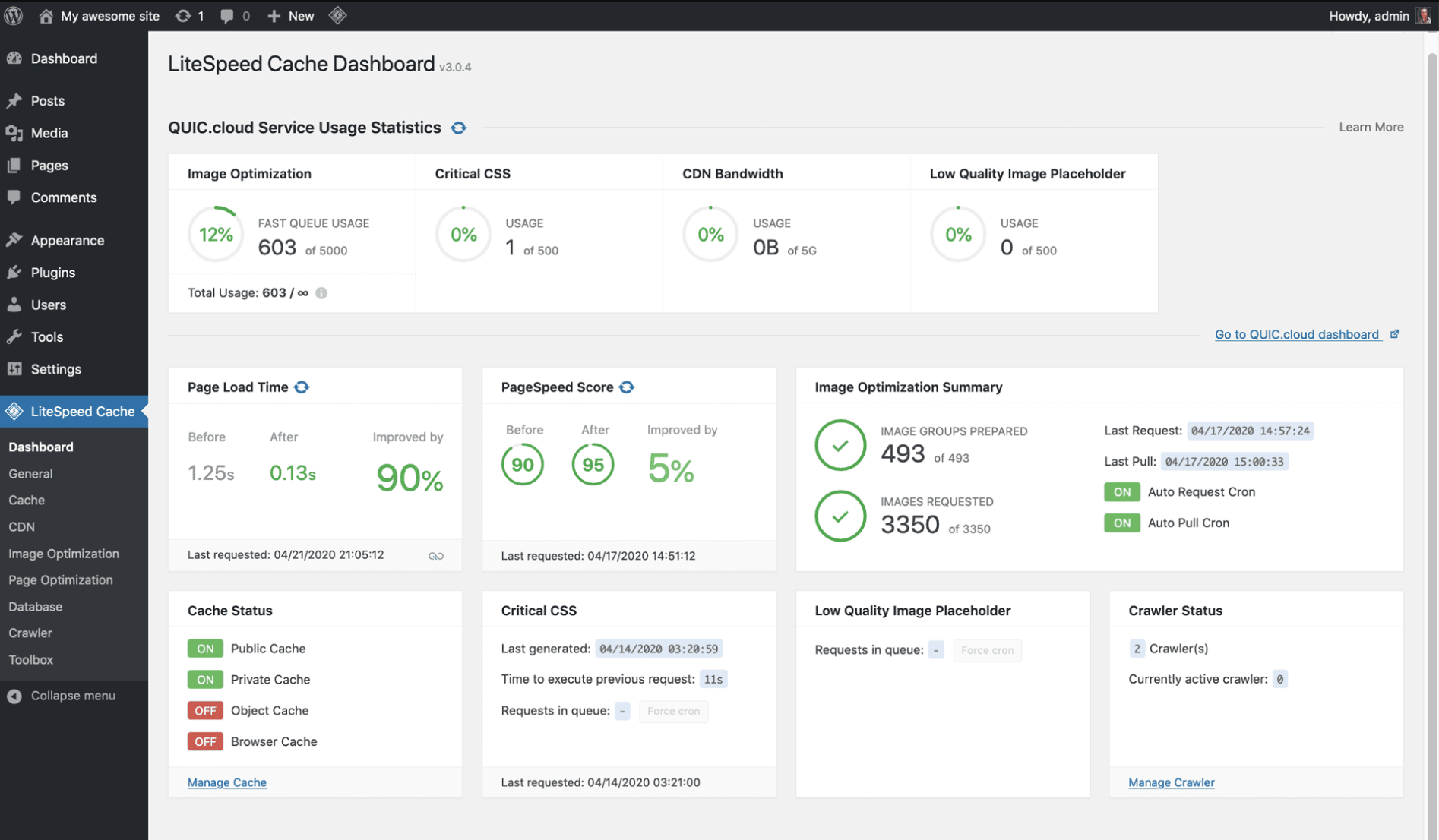 LiteSpeed Cache dashboard
Where WP Rocket caches at the application layer regardless of server type, LiteSpeed Cache taps into LiteSpeed's own server-level cache, which processes requests before WordPress even loads. That direct integration is what makes it the clear pick for sites already on LiteSpeed hosting: faster page delivery, lower resource use under high traffic, and full functionality without the per-site licensing WP Rocket requires.
LiteSpeed Cache features
- Server-level page caching: Caches pages directly inside the LiteSpeed web server instead of through a WordPress plugin layer alone.
- Object caching: Uses Redis or Memcached to speed up database-heavy operations.
- Image optimization: Compresses images and converts them to WebP automatically through QUIC.cloud.
- Unused CSS removal: Strips CSS rules a given page doesn't use, trimming render-blocking code.
- ESI (Edge Side Includes): Caches dynamic page fragments (like a cart icon) separately so the rest of the page can still be cached.
LiteSpeed Cache pricing
LiteSpeed Cache itself is completely free. Its optional QUIC.cloud CDN and image optimization services run on a pay-as-you-go credit system beyond a free monthly allotment, billed by usage rather than a flat subscription.
LiteSpeed Cache limitations
- Full functionality depends on LiteSpeed or OpenLiteSpeed server software, so sites on Apache or Nginx hosting see a fraction of the plugin's real performance benefit.
- The settings panel exposes far more configuration than WP Rocket's, which adds a learning curve for site owners without server-level experience.
LiteSpeed Cache reviews
- WordPress.org: 4.8/5 (7 million-plus active installations)
- G2 (LiteSpeed Web Server): 4.7/5 (55 reviews)
- Trustpilot (LiteSpeed Technologies): 4.0/5 (203 reviews)
Who is LiteSpeed Cache best for?
LiteSpeed Cache is best for site owners and agencies already hosting on LiteSpeed or OpenLiteSpeed servers who want enterprise-level caching and image optimization at no plugin cost, and are willing to learn a deeper settings panel than WP Rocket's.
2. Cloudflare: Best for global edge caching and security
Cloudflare is a content delivery network and security platform that caches static assets and, on paid plans, full HTML pages at edge locations around the world. It replaces the CDN layer WP Rocket doesn't include natively, plus adds a web application firewall, DDoS protection, and bot mitigation that no WordPress caching plugin touches on its own.
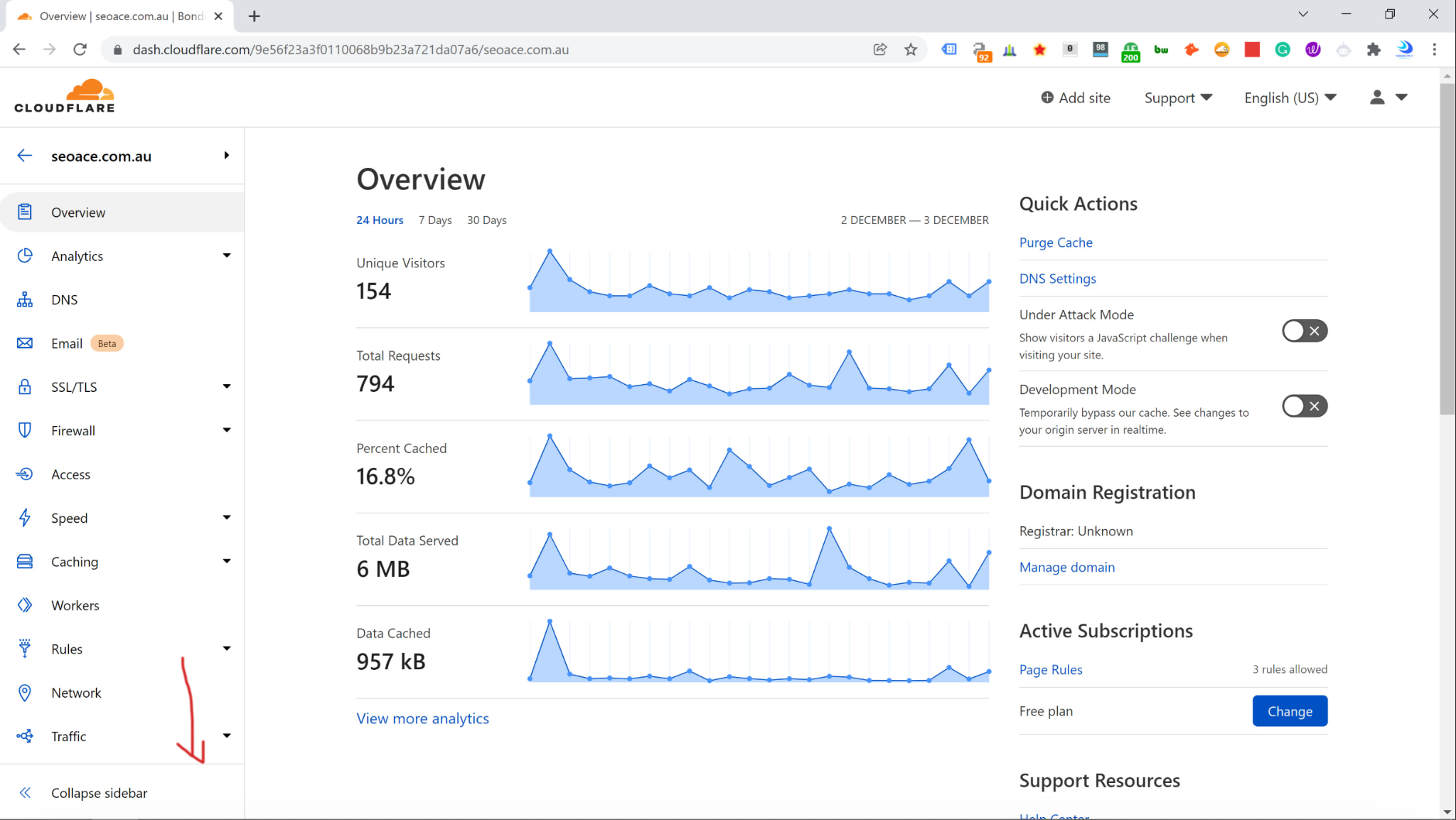 Cloudflare dashboard
Cloudflare fits sites with visitors spread across multiple regions, since it serves cached content from whichever edge location sits closest to each visitor rather than a single origin server. Its free plan already includes basic CDN and SSL, making it a common pairing with a WordPress-side caching plugin rather than a full replacement by itself.
Cloudflare features
- Global edge network: Caches static and, on paid tiers, dynamic content across hundreds of data centers worldwide.
- Automatic Platform Optimization: Caches full HTML at the edge for WordPress sites, cutting Time to First Byte.
- Web Application Firewall: Blocks common attack patterns before they reach the origin server.
- DDoS protection: Absorbs and filters distributed denial-of-service traffic at the network edge.
- Image resizing and compression: Optimizes images on the fly through paid image add-ons.
Cloudflare pricing
Cloudflare offers a free tier plus three paid tiers, billed per domain.
- Free: $0/month, basic CDN, SSL, and DDoS protection
- Pro: $20/month billed annually ($25/month billed monthly)
- Business: $200/month billed annually ($250/month billed monthly)
- Enterprise: Custom pricing, typically starting around $5,000/month on an annual contract
Cloudflare limitations
- The free plan doesn't cache full HTML pages by default, so meaningful WordPress speed gains usually require the paid Automatic Platform Optimization add-on.
- Pricing is per domain, which adds up quickly for agencies managing many client sites on paid tiers.
Cloudflare reviews
- G2: 4.5/5 (697 reviews)
- Capterra: 4.7/5 (524 reviews)
- Trustpilot: Mixed reviews (nearly 1,000 reviews), praise for uptime and security, complaints about slow customer service response during outages
Who is Cloudflare best for?
Cloudflare is best for sites with a geographically spread-out audience, or teams that want CDN, security, and caching handled at the network edge rather than solely inside WordPress, typically paired with a WordPress-side plugin for full-page caching logic.
3. NitroPack: Best for fully automated performance optimization
NitroPack is a cloud-based performance service that combines page caching, image optimization, code minification, and CDN delivery into a single automated setup. It covers essentially the same jobs as WP Rocket, caching, minification, lazy loading, and image compression, but runs the processing on NitroPack's own servers instead of the WordPress host.
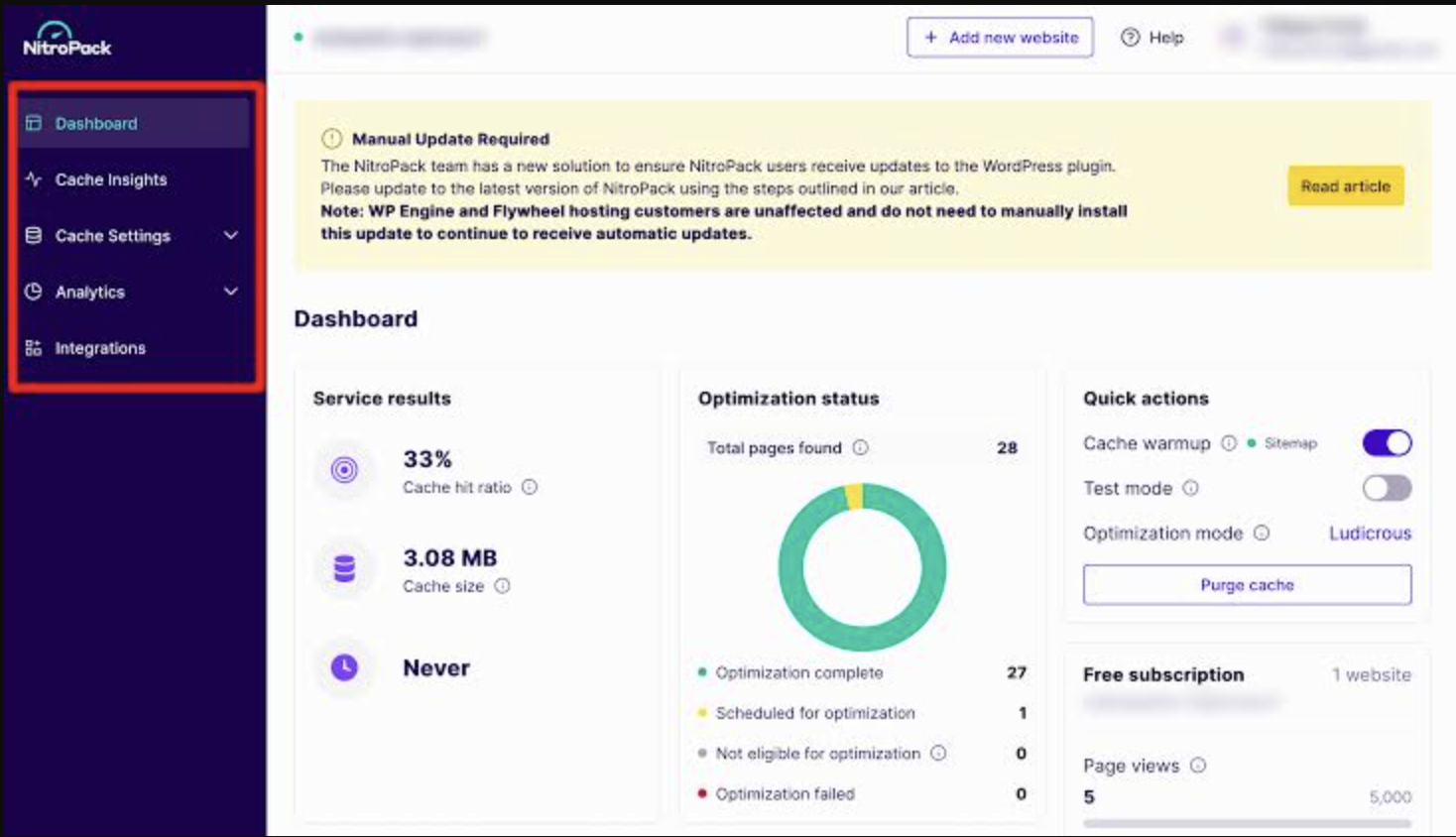 NitroPack dashboard
NitroPack stands out for site owners who want Core Web Vitals fixed without touching individual settings. Its five preset optimization modes apply caching rules, image compression, and script deferral automatically based on how aggressively a site can tolerate changes, which removes the manual tuning WP Rocket and most plugins on this list still require. Teams weighing the two head-to-head can see the full NitroPack vs. WP Rocket breakdown.
NitroPack features
- Automatic caching with smart invalidation: Clears and rebuilds cache automatically when content changes, without manual purging.
- Cloud-based image compression: Resizes and compresses images per device type before delivery.
- Global CDN delivery: Routes all optimized assets through NitroPack's own CDN network.
- Unused code removal: Strips CSS and JavaScript a page doesn't actually use.
- Font optimization: Preloads and swaps fonts to reduce layout shift during page load.
NitroPack pricing
NitroPack offers a limited free plan plus usage-based paid tiers, billed by monthly pageviews rather than site count.
- Free: 1,000 monthly pageviews, 1GB CDN bandwidth
- Starter: $8/month billed annually ($9 monthly), up to 8,000 pageviews, 5GB CDN bandwidth
- Plus: $18/month billed annually ($22 monthly), up to 40,000 pageviews
- Pro: $83/month billed annually ($99.99 monthly), up to 540,000 pageviews across three sites
- Agency: Custom pricing for higher-traffic portfolios
NitroPack limitations
- Pricing scales with pageviews rather than a flat per-site fee, so traffic spikes can push a site into a higher tier unexpectedly.
- Processing happens on NitroPack's cloud rather than the site's own server, which means less granular manual control than WP Rocket or Perfmatters offer.
NitroPack reviews
- Trustpilot: 4.9/5 (1,140 reviews)
- G2: 4.8/5 (small review sample, fewer than 10 reviews on the platform)
- Capterra: Limited public review data available at time of writing
Who is NitroPack best for?
NitroPack is best for site owners who want Core Web Vitals and page speed handled automatically, without manually configuring caching rules, image quality settings, or CDN routing the way WP Rocket's own dashboard requires.
4. Perfmatters: Best for granular script and asset control
Perfmatters is a lightweight WordPress performance plugin that disables unused scripts, styles, and features on a per-page basis rather than applying blanket caching rules. It doesn't include native page caching at all; instead, it complements a caching plugin (WP Rocket included) by cutting the actual weight of what gets cached.
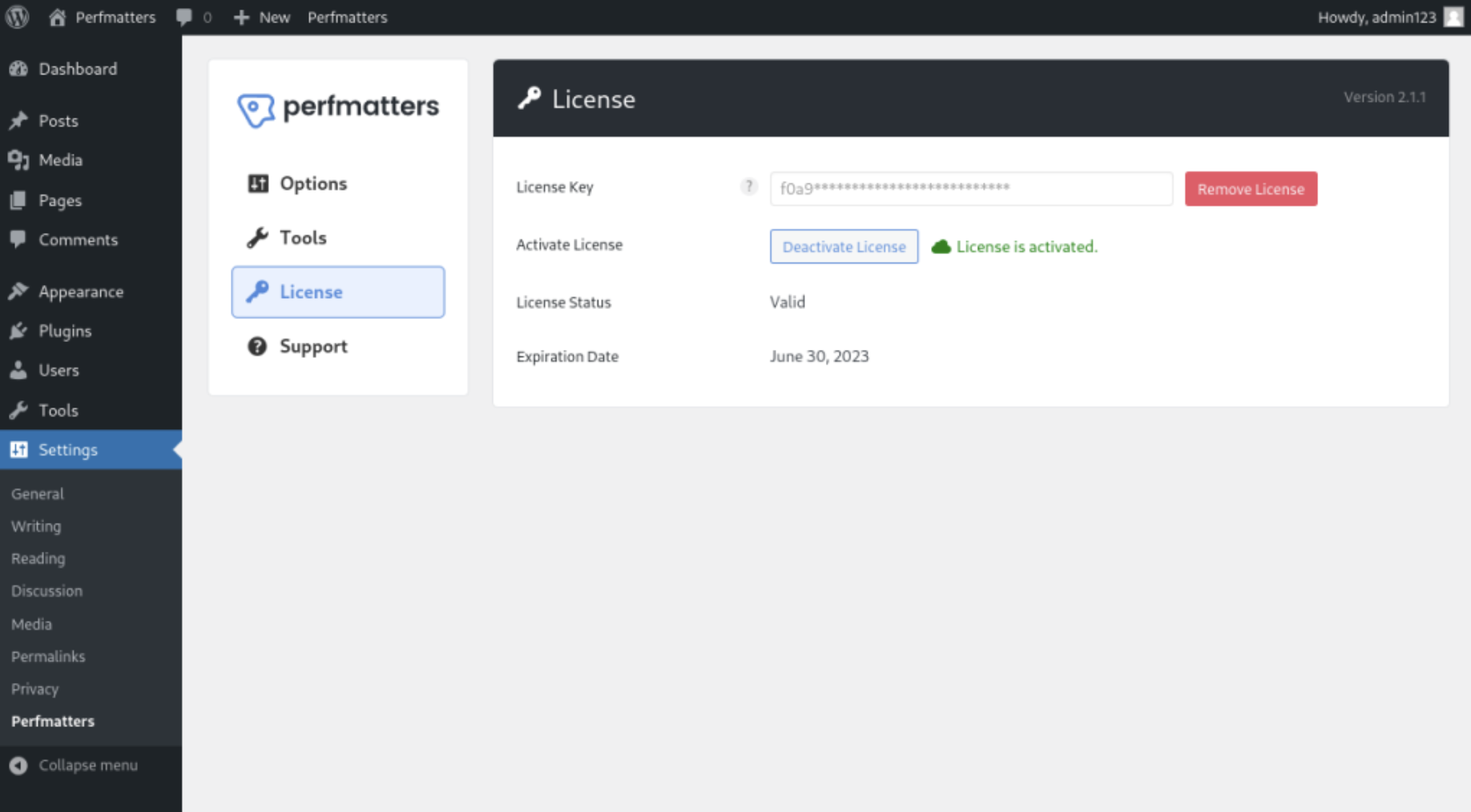 Perfmatters dashboard
Perfmatters earns its place for technically capable teams who find WP Rocket's script management too broad. Its Script Manager lets an admin disable a specific plugin's JavaScript on pages where it isn't needed, something WP Rocket's own delayed-JavaScript feature doesn't do at that level of precision, which matters most on sites running many third-party plugins.
Perfmatters features
- Script Manager: Disables specific scripts and styles on a per-page or per-post-type basis.
- Database optimization: Removes post revisions, auto-drafts, spam comments, and expired transients.
- Local Google Fonts and Analytics hosting: Serves these scripts from the site's own server instead of Google's, cutting external requests.
- Lazy loading: Delays offscreen images, videos, and iframes, including WebP and AVIF formats.
- CDN rewriting: Rewrites asset URLs to route through a CDN of the user's choice.
Perfmatters pricing
Perfmatters is sold directly through its own site rather than the WordPress.org repository, with three annual license tiers.
- Personal: $29.95/year for one site
- Business: $59.95/year for three sites
- Unlimited: $124.95/year for unlimited sites
Perfmatters limitations
- Perfmatters has no built-in page caching, so it needs to be paired with a caching plugin like WP Rocket or LiteSpeed Cache to get full-page speed benefits.
- Disabling the wrong script on the wrong page can break site functionality, which means testing every change matters more here than on more automated tools.
Perfmatters reviews
- Trustpilot: 5.0/5 (115 reviews)
- G2 and Capterra: No independently verified listing at the time of writing (Perfmatters is sold direct rather than through a marketplace)
Who is Perfmatters best for?
Perfmatters is best for developers and technical site owners running plugin-heavy sites who want per-page control over which scripts load, and already have (or plan to add) a separate caching plugin alongside it.
5. Redis Object Cache: Best for database object caching
Redis Object Cache is a free WordPress plugin that stores the results of database queries in memory using Redis, cutting repeated database lookups instead of caching whole HTML pages. It solves a different problem than WP Rocket entirely: WP Rocket speeds up static content delivery, while Redis Object Cache speeds up the dynamic operations a static cache can't touch.
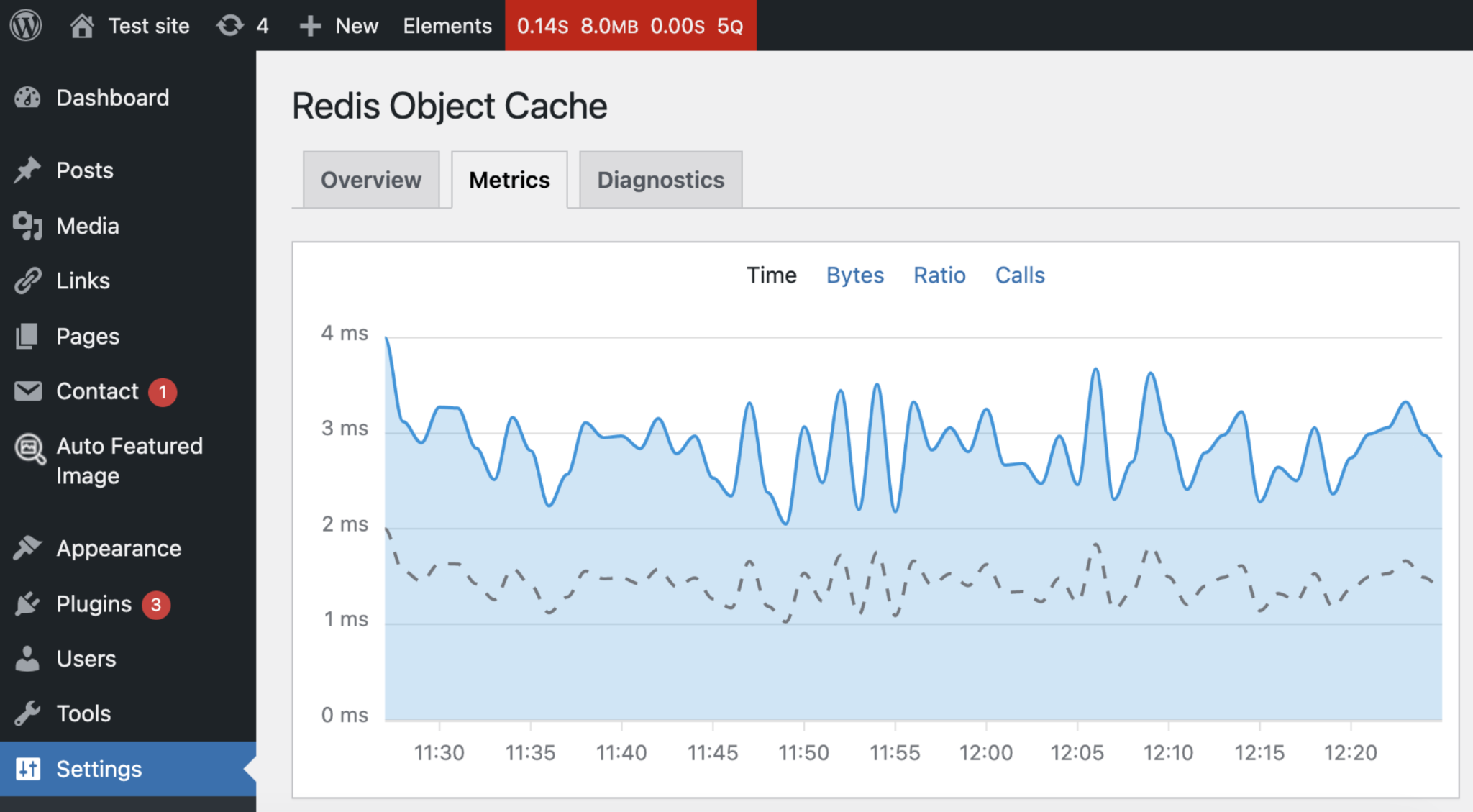 Redis Object Cache dashboard
The clearest use case is a site where page caching alone isn't enough: a WooCommerce store with live cart and account data, a membership site with logged-in dashboards, or any high-traffic site where the database itself is the bottleneck. Pairing it with WP Rocket or another page-caching plugin covers both the static and dynamic sides of performance at once.
Redis Object Cache features
- Persistent object caching: Stores query results in Redis memory instead of re-querying the database on every request.
- Multiple Redis clients: Works with Predis, PhpRedis, and Relay, plus replication and clustering for larger setups.
- WP-CLI integration: Manages the cache from the command line for developers and DevOps workflows.
- TLS encryption: Secures the connection between WordPress and the Redis server.
- Cache analytics: Reports hit rates and query timing to confirm the cache is actually helping.
Redis Object Cache pricing
The core Redis Object Cache plugin is free. Object Cache Pro, a separate premium version, adds enhanced performance and a dedicated engineering team, at pricing quoted directly through its provider based on setup size.
Redis Object Cache limitations
- It requires a Redis server to already be available on the hosting environment, which not every shared host provides.
- Used alone, without a page-caching plugin, it doesn't touch static-content load times at all.
Redis Object Cache reviews
- WordPress.org: 4.5/5 (171 reviews)
- G2, Capterra, Trustpilot: No independently verified listing at the time of writing (free infrastructure plugin without a commercial review presence)
Who is Redis Object Cache best for?
Redis Object Cache is best for WooCommerce stores, membership sites, and high-traffic sites where dynamic, logged-in content is the actual performance bottleneck, used alongside a page-caching plugin rather than instead of one.
6. WP Super Cache: Best for free, full-page caching
WP Super Cache is a free WordPress plugin, maintained by Automattic, that generates static HTML files from dynamic pages and serves those instead of processing every request through PHP. It covers the core caching job WP Rocket handles, without the minification, image optimization, or database cleanup features WP Rocket bundles alongside it.
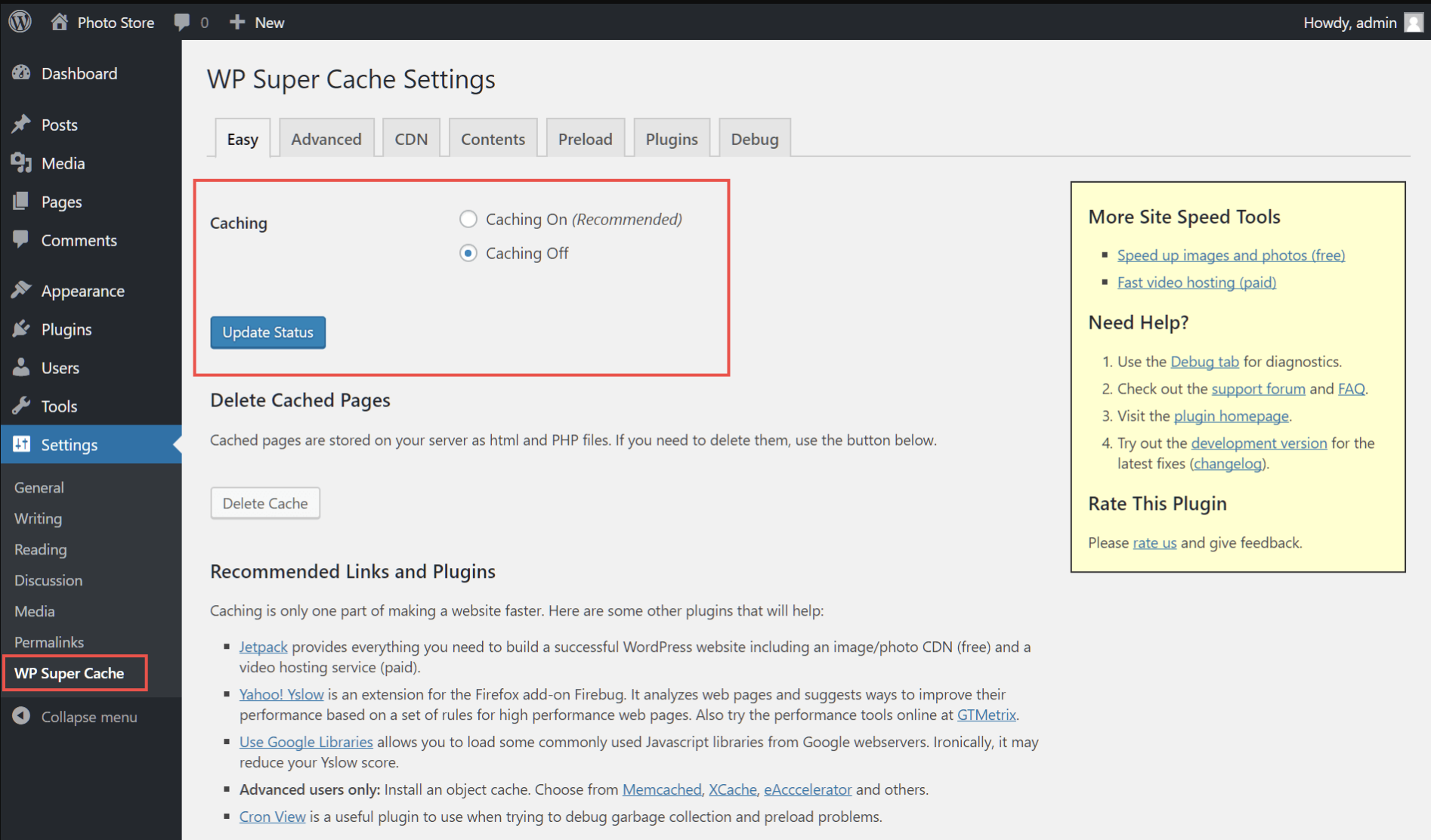 WP Super Cache dashboard
For a budget-constrained site, a personal blog, or anyone who wants basic static-page caching without paying anything, WP Super Cache is the most direct free substitute for WP Rocket's core mechanism. It trades WP Rocket's polish and extra features for a zero-cost, no-license setup.
WP Super Cache features
- Static HTML generation: Serves pre-built page copies for anonymous visitors instead of dynamically rendering each request.
- WP-Cache mode: Caches pages for logged-in users and dynamic content separately from the static cache.
- CDN integration: Rewrites asset URLs to route through a connected CDN.
- Compression: Serves GZIP-compressed pages to reduce transfer size.
- Scheduled cache preloading: Rebuilds the cache proactively rather than waiting for the next visitor to trigger it.
WP Super Cache pricing
WP Super Cache is completely free, distributed through the official WordPress plugin repository with no paid tiers.
WP Super Cache limitations
- It has no built-in minification, image optimization, or database cleanup, so a full performance stack still needs one or two companion plugins.
- Advanced configuration (like fine-tuning cache exclusions) is less intuitive than WP Rocket's guided settings screens.
WP Super Cache reviews
- WordPress.org: 4.3/5 (1 million-plus active installations)
Who is WP Super Cache best for?
WP Super Cache is best for budget-conscious site owners and small blogs who want reliable static-page caching at no cost, and don't mind adding separate free plugins for minification or image optimization.
7. Smush: Best for image compression at scale
Smush is a WordPress image optimization plugin, built by WPMU DEV, that compresses, resizes, and converts images to WebP in bulk across an entire media library. It fills the one job WP Rocket doesn't do natively, image compression, rather than competing with WP Rocket's caching and minification features.
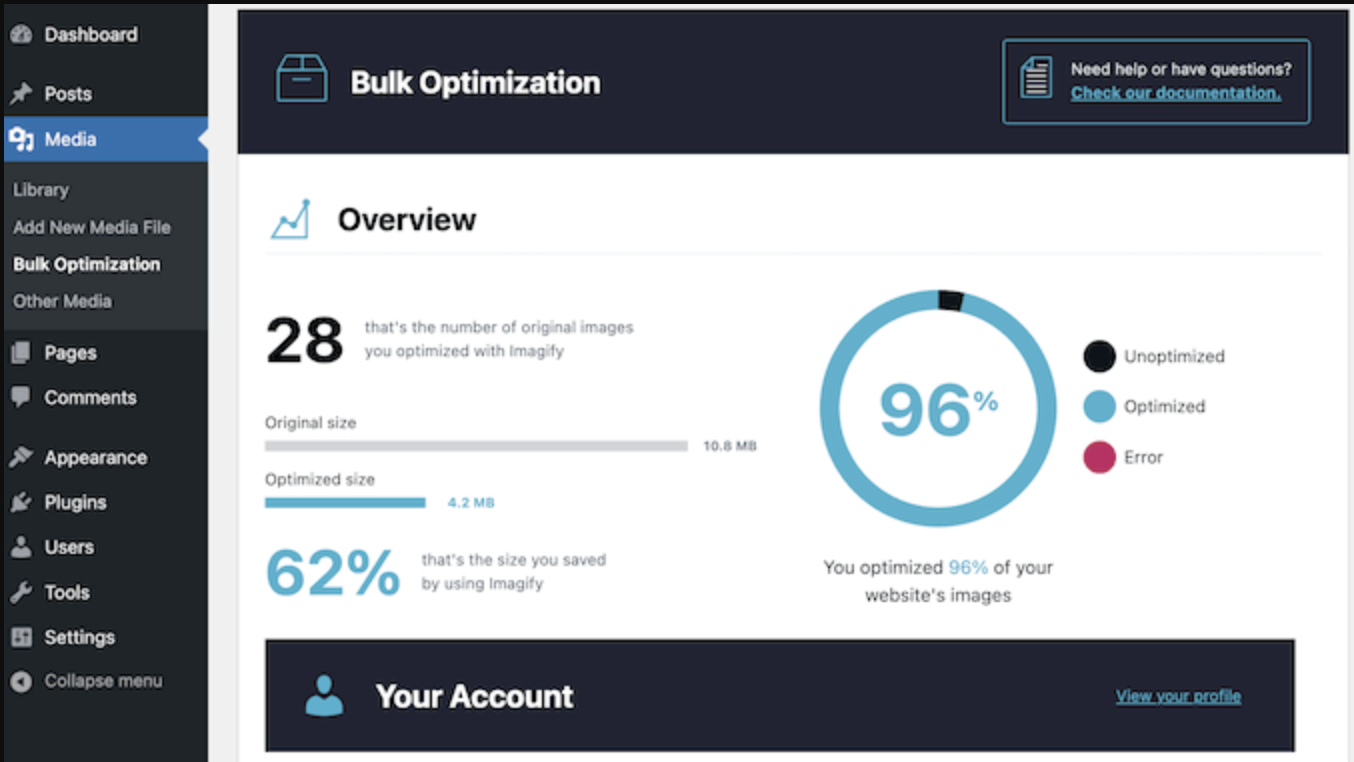 Smush dashboard
Smush stands out for media-heavy sites, photography portfolios, ecommerce catalogs, or content sites with large image libraries, where image weight is the biggest single factor in page load time. Its bulk-optimization mode processes an existing library in the background without requiring re-uploads.
Smush features
- Bulk optimization: Compresses an entire existing media library without limits on the free version.
- Lossless and lossy compression: Offers a choice between visually identical compression and more aggressive size reduction.
- WebP and AVIF conversion: Serves next-gen image formats to browsers that can render them.
- Lazy loading: Delays offscreen images and videos until a visitor scrolls near them.
- Incorrect image size detection: Flags images being served larger than their displayed dimensions.
Smush pricing
Smush offers a free version and a paid Pro tier, sold standalone or bundled with other WPMU DEV plugins.
- Free: No cost, unlimited bulk optimization on the core compression engine
- Pro: $36/year for one site, with CDN delivery and enhanced compression included
Smush limitations
- Smush handles images only, so caching, minification, and database cleanup still need a separate plugin.
- The most aggressive compression settings and CDN delivery are Pro-only features.
Smush reviews
- WordPress.org: 4.8/5 (6,051 reviews, 1 million-plus active installations)
Who is Smush best for?
Smush is best for photography sites, ecommerce catalogs, and content-heavy publishers carrying large image libraries, run alongside a separate caching plugin like WP Rocket or WP Super Cache for the rest of the performance stack.
8. SiteGround Optimizer: Best for sites hosted on SiteGround
SiteGround Optimizer, also called Speed Optimizer, is a free WordPress performance plugin built by SiteGround that provides server-level caching, image compression, and frontend optimization tuned specifically for SiteGround's hosting infrastructure. It covers caching, minification, image optimization, and database maintenance, the same core features WP Rocket covers, at no additional cost for SiteGround customers.
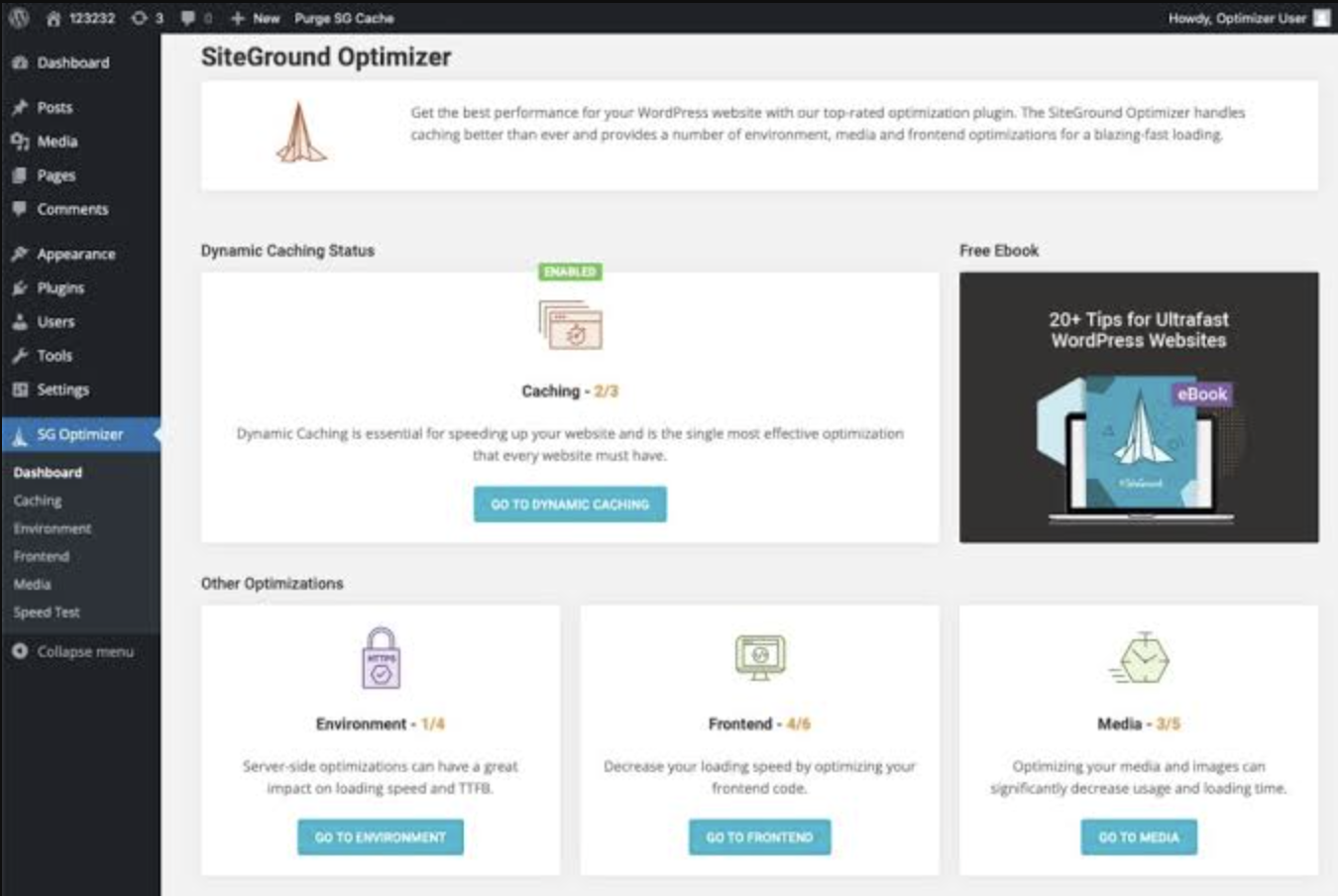 SiteGround Optimizer dashboard
Its advantage over WP Rocket comes from direct server integration. Speed Optimizer taps into SiteGround's own server-level dynamic caching and Memcached object caching, which a generic plugin running on any host can't replicate, giving SiteGround-hosted sites a performance ceiling WP Rocket alone doesn't reach on that same infrastructure.
SiteGround Optimizer features
- Dynamic and file-based caching: Combines server-level caching layers tuned specifically for SiteGround's stack.
- Memcached object caching: Speeds up database queries on SiteGround's servers.
- Image compression: Reduces image file size by up to 85 percent without visible quality loss.
- Minification and combination: Compresses and merges HTML, CSS, and JavaScript files.
- Environment optimization: Manages WordPress heartbeat frequency and scheduled database maintenance.
SiteGround Optimizer pricing
SiteGround Optimizer is completely free for any WordPress site, though its deepest server-level caching features only activate on SiteGround hosting plans.
SiteGround Optimizer limitations
- Its most valuable features, server-level dynamic caching and Memcached, only work on SiteGround's own hosting, so the plugin loses most of its edge off that platform.
- Some users report occasional conflicts with certain themes and plugins during cache preloading.
SiteGround Optimizer reviews
- WordPress.org: 4.2/5 (2 million-plus active installations)
Who is SiteGround Optimizer best for?
SiteGround Optimizer is best for site owners already hosting on SiteGround who want server-tuned caching and image optimization included in their hosting plan, without paying for a separate plugin license.
SEO Platforms That Complement WordPress Caching Plugins
Caching plugins improve WordPress speed and performance, but they do not replace the broader SEO stack needed to manage crawlability, indexability, structured data, rankings, content, backlinks, and search visibility. These platforms run alongside WP Rocket or any of the direct alternatives above, and pair naturally with the ongoing monitoring covered in our web page performance tools guide.
1. Search Atlas: Best for agentic technical SEO alongside caching
Search Atlas is an agentic AI marketing platform that complements WP Rocket with technical SEO, content optimization, search visibility, and autonomous execution. WP Rocket handles caching and front-end performance, while Search Atlas identifies and executes SEO improvements across the site.
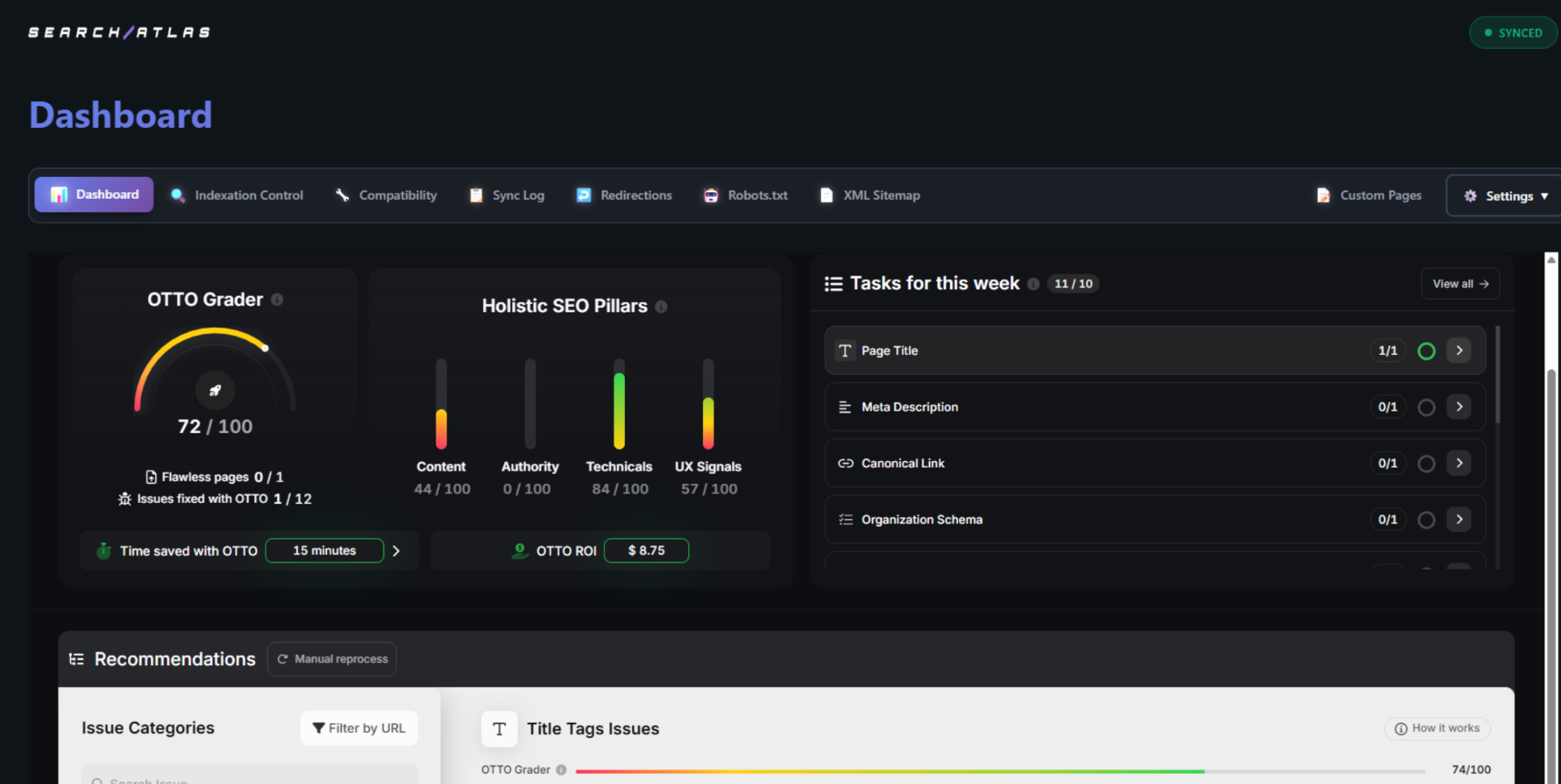 Search Atlas dashboard
For WordPress sites, the Search Atlas SEO Plugin brings that execution layer directly into WordPress and is built to work alongside WP Rocket. It connects the site with Search Atlas for OTTO SEO deployments, content publishing, metadata and schema optimization, internal linking, redirects, indexing, and other technical SEO workflows.
Search Atlas features
- Search Atlas SEO Plugin: Connects WordPress with Search Atlas and executes SEO tasks directly on the site.
- Site Auditor: Crawls websites for technical SEO issues involving indexability, structured data, duplicate content, internal linking, and site performance.
- Atlas Agent: An agentic AI layer that analyzes SEO data, investigates issues, and coordinates optimization workflows across the platform.
- OTTO SEO: Deploys technical and on-page SEO optimizations such as metadata, schema, and internal linking changes.
- Keyword Rank Tracker: Monitors keyword positions and connects ranking performance with broader SEO workflows.
- LLM Visibility: Tracks brand visibility, mentions, citations, and competitors across AI search platforms such as ChatGPT, Gemini, and Perplexity.
Search Atlas pricing
Search Atlas uses Universal Credits as a shared monthly budget across the platform, with monthly or discounted annual billing.
- Starter: $79/month, 50,000 monthly credits
- Growth: $159/month, 120,000 monthly credits
- Pro: $319/month, 400,000 monthly credits
- Agency/Enterprise: From $999/month
- Free trial: 7 days
How does Search Atlas complement a caching plugin?
Search Atlas manages the technical SEO and search visibility layer around site performance. The caching plugin handles page caching and front-end performance optimization, while Search Atlas audits site health, monitors rankings and AI visibility, and uses Atlas Agent and OTTO SEO to move technical and on-page SEO findings toward execution. Teams that want the full picture of how the two sides fit together can see the Search Atlas review for a closer look at the platform.
2. Yoast SEO: Best for WordPress on-page SEO
Yoast SEO is a WordPress SEO plugin for managing metadata, XML sitemaps, canonical URLs, schema markup, and on-page content optimization. A caching plugin optimizes how WordPress pages load, while Yoast SEO helps search engines understand, crawl, index, and display those pages, so running both means a site manages page performance and on-page SEO without either plugin standing in for the other. Our Yoast SEO review covers its full feature set and pricing in more depth.
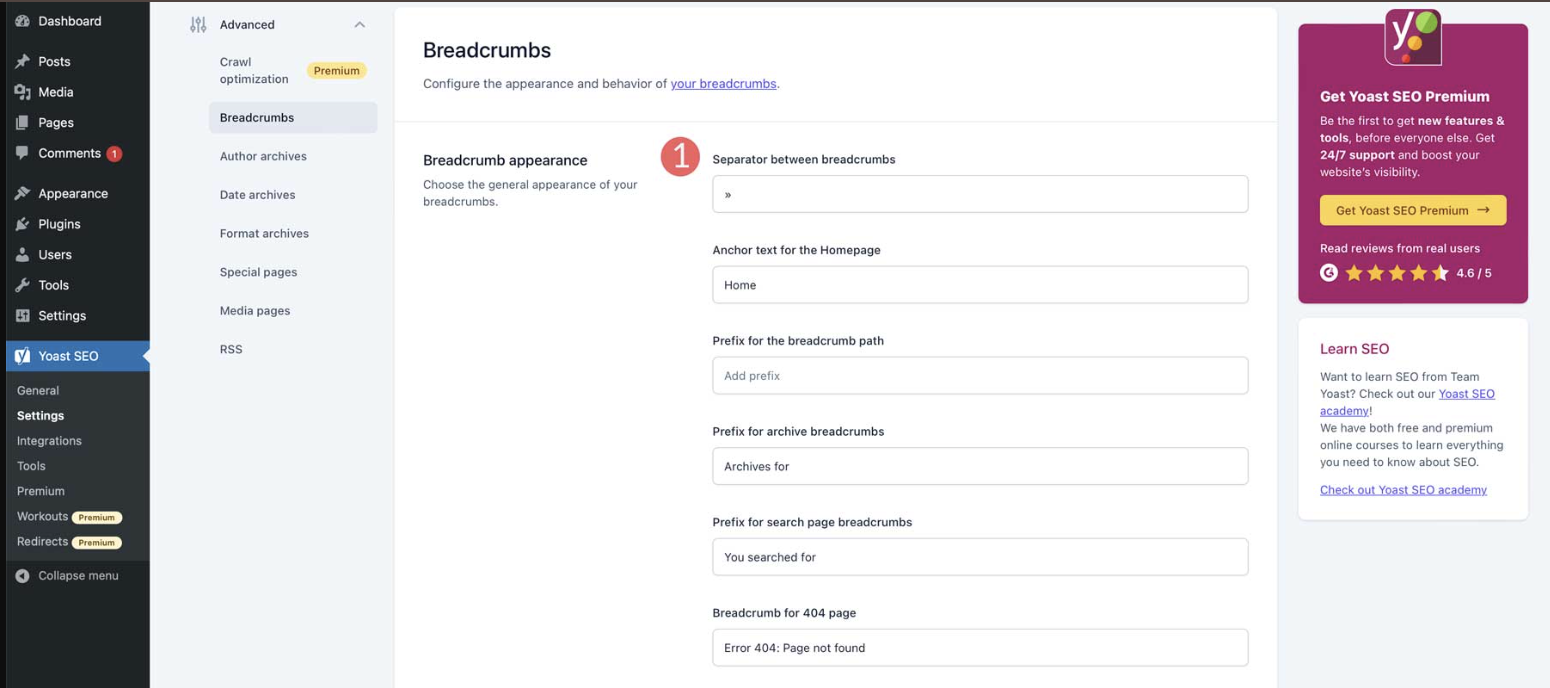 Yoast SEO dashboard
Yoast SEO features
- SEO titles and meta descriptions: Creates custom metadata for pages and posts.
- XML sitemaps: Generates and maintains XML sitemaps to help search engines discover website content.
- Schema markup: Adds structured data that helps search engines interpret pages and their entities.
- Canonical URLs: Adds canonical tags to help manage duplicate and similar URLs.
- On-page analysis: Evaluates focus keyphrases, internal links, readability, and other page-level SEO elements.
Yoast SEO limitations
- No page caching: Yoast SEO does not cache WordPress pages or replace the performance optimization provided by WP Rocket and its direct alternatives.
- Limited technical SEO auditing: It handles several technical SEO configurations inside WordPress but does not provide the site-wide crawling and technical diagnostics of a dedicated SEO auditing platform.
How does Yoast SEO complement a caching plugin?
The pairing splits cleanly along one line: Yoast manages metadata, schema, sitemaps, canonicals, and content guidance inside the WordPress editor, and the caching plugin handles everything about how fast the resulting page actually loads.
3. Rank Math: Best for WordPress SEO and schema
Rank Math is a WordPress SEO plugin for managing on-page SEO, schema markup, XML sitemaps, redirects, keyword tracking, and Google integrations. It goes beyond basic metadata with a Schema Generator, Google Search Console and Google Analytics integrations, redirect management, rank tracking, and Content AI, which makes it useful for sites that want SEO data and configuration inside the CMS while leaving caching and performance optimization to a dedicated plugin. Sites weighing Rank Math against other WordPress SEO plugins can see our Rank Math alternatives comparison.
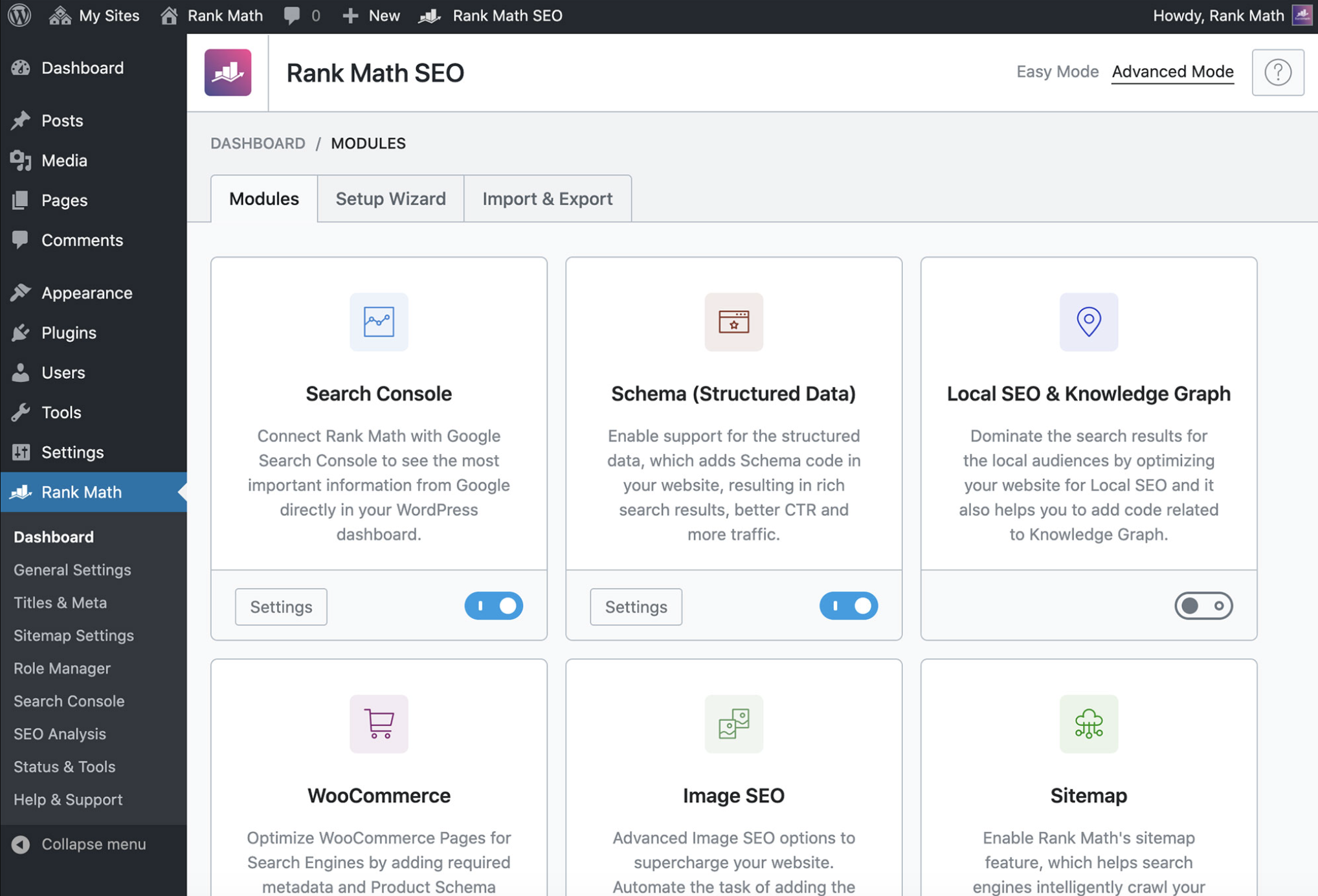 Rank Math dashboard
Rank Math features
- Schema Generator: Adds structured data for articles, products, local businesses, recipes, and other supported content types.
- Google integrations: Connects Google Search Console and Google Analytics data with the WordPress dashboard.
- Rank Tracker: Monitors keyword rankings directly within Rank Math, with tracking allowances based on the selected plan.
- Redirect and 404 management: Identifies 404 errors and manages redirects without requiring a separate WordPress plugin.
- Content AI: Provides AI-assisted content, metadata, alt text, and optimization recommendations.
Rank Math pricing
- PRO: €7.99/month billed annually, renews at €8.99/month
- Business: €24.99/month billed annually, renews at €27.99/month
- Agency: €54.99/month billed annually, renews at €64.99/month
- Free: A free version is available with core WordPress SEO capabilities
Rank Math limitations
- WordPress only: Rank Math is built specifically for WordPress and is not a native SEO solution for other content management systems.
- Advanced configurations require more setup: Custom schema, redirects, and other advanced SEO configurations can require more technical knowledge than the plugin's basic optimization workflows.
How does Rank Math complement a caching plugin?
Rank Math takes on schema, metadata, sitemaps, redirects, and keyword tracking from inside WordPress, leaving page caching and performance work entirely to the caching layer running alongside it, a split suited to sites that want SEO configuration and search performance data next to a dedicated caching plugin.
4. Screaming Frog SEO Spider: Best for technical SEO auditing
Screaming Frog SEO Spider is a desktop website crawler that audits technical and on-page SEO issues such as broken links, redirect chains, indexability, metadata, duplicate content, structured data, and internal linking. It is particularly useful when caching, JavaScript optimization, redirects, or other performance configurations affect how search engines crawl and render pages: it can crawl JavaScript-rendered pages, compare crawls, integrate PageSpeed Insights data, and inspect directives and status codes, giving technical SEO teams a separate validation layer around site performance work. Our Screaming Frog review goes deeper on its crawling capabilities.
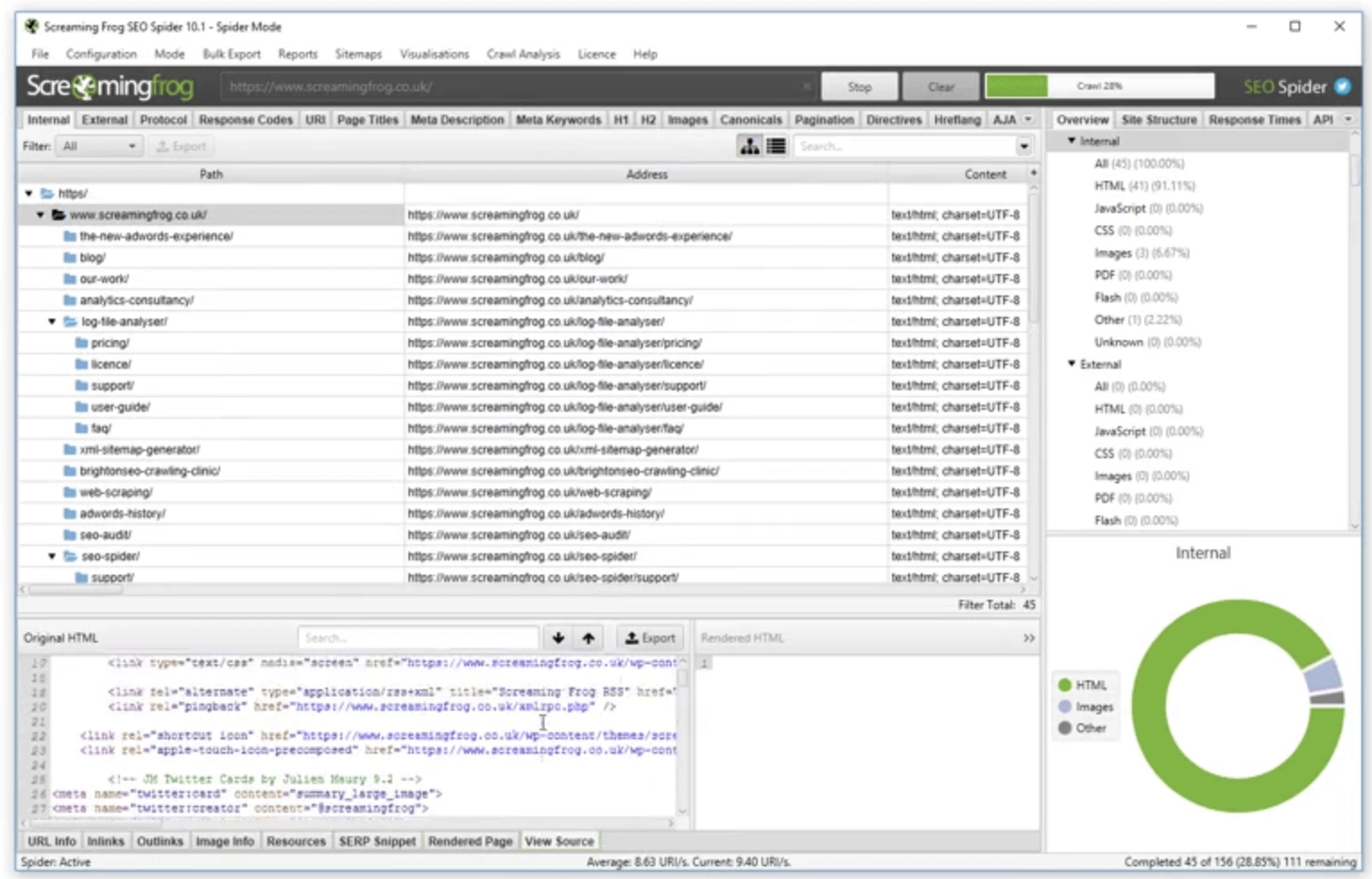 Screaming Frog SEO Spider
Screaming Frog SEO Spider features
- Technical SEO crawling: Identifies broken links, server errors, redirects, canonical issues, robots directives, and other crawlability problems.
- JavaScript rendering: Crawls JavaScript-rendered websites to inspect content and links available after rendering.
- Crawl Comparison: Compares crawl data over time to identify technical changes between website versions or optimization cycles.
- PageSpeed Insights integration: Pulls PageSpeed and Core Web Vitals data into crawl analysis for page-level performance investigation.
- Structured data validation: Audits structured data and identifies validation errors and warnings across crawled pages.
Screaming Frog SEO Spider pricing
- Free: £0, limited to 500 URLs per crawl
- Paid: £199/year per licence
- Bulk licences: Discounts start at five licences
Screaming Frog SEO Spider limitations
- Desktop resource requirements: Large crawls depend on the memory and storage allocated on the local machine.
- Audits rather than implements: Screaming Frog identifies technical and performance-related issues but does not replace the caching, CDN, image optimization, or performance implementation provided by WP Rocket and its alternatives.
How does Screaming Frog complement a caching plugin?
Think of it as the inspection pass that follows the performance work: the caching plugin implements page caching and performance optimizations, then Screaming Frog crawls the resulting site to surface the crawlability, rendering, redirect, structured data, metadata, and PageSpeed issues still worth fixing.
5. Google Search Console: Best for Core Web Vitals and indexing data
Google Search Console is a free Google service for monitoring search performance, indexing, crawling, and Core Web Vitals. It shows how pages perform in Google Search and whether Google can successfully crawl and index them after performance changes are implemented. For site speed specifically, the Core Web Vitals report uses real-world Chrome UX Report data to group URLs by their Largest Contentful Paint (LCP), Interaction to Next Paint (INP), and Cumulative Layout Shift (CLS) performance, giving teams a field-data layer for evaluating page experience alongside whatever caching and performance optimizations are already in place.
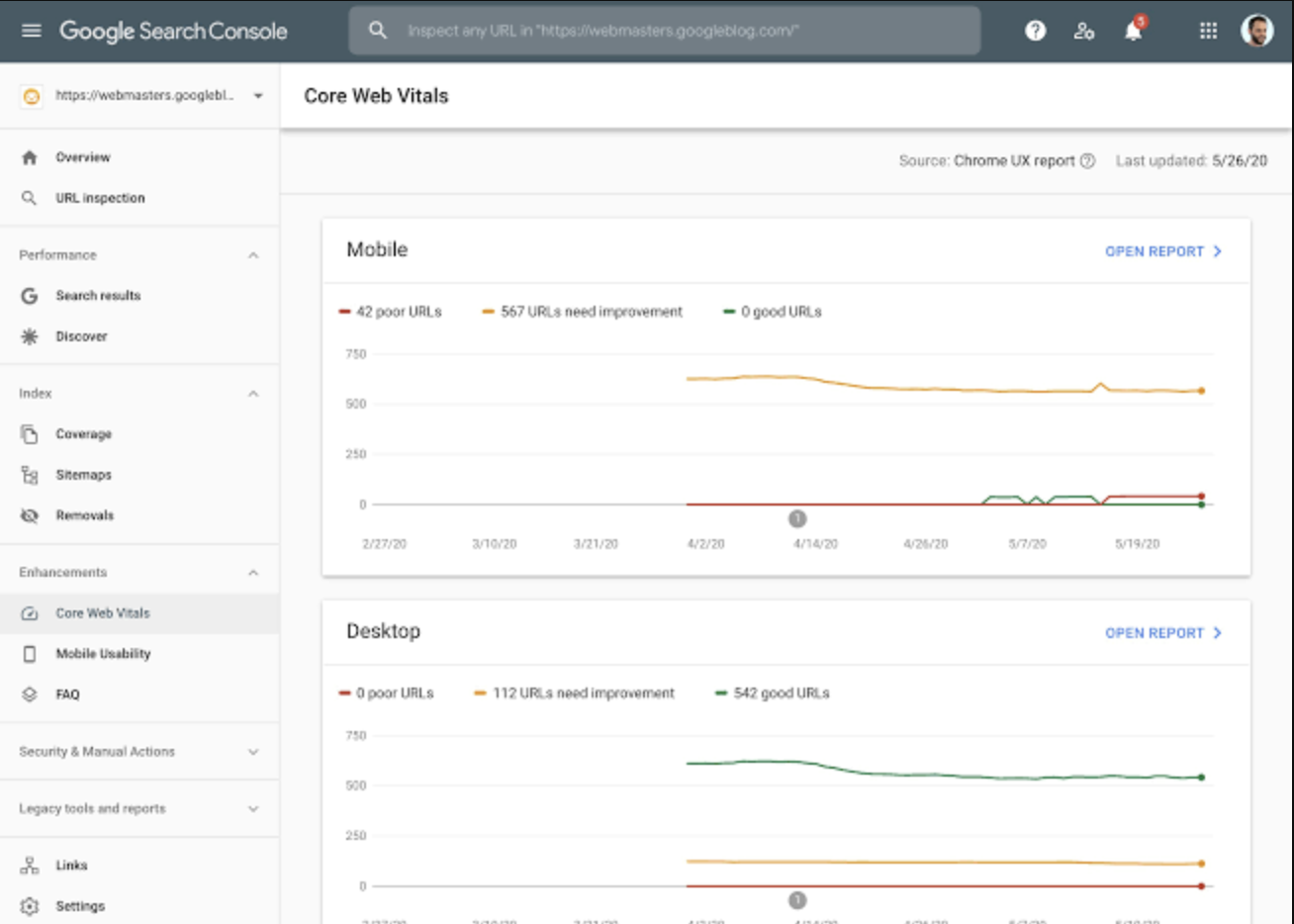 Google Search Console dashboard
Google Search Console features
- Core Web Vitals: Reports real-world LCP, INP, and CLS performance for groups of URLs using Chrome UX Report data.
- Search performance: Tracks Google Search clicks, impressions, click-through rate, and average position by query and page.
- Page indexing: Shows which URLs Google has indexed and identifies reasons pages are not indexed.
- URL Inspection: Checks the Google index status of individual URLs and provides crawl, indexing, canonical, and enhancement information.
- Sitemap monitoring: Accepts XML sitemap submissions and reports whether Google can process them successfully.
Google Search Console pricing
- Free: Google Search Console has no subscription fee.
Google Search Console limitations
- Limited historical data: Standard Search Console performance reports retain 16 months of search performance data.
- Reporting limits: The Search Console interface exposes a limited number of rows and omits some anonymized queries, so it does not provide a complete view of every search query associated with a website.
How does Google Search Console complement a caching plugin?
The caching plugin changes how pages load; Search Console is the feedback loop that shows how those pages actually perform for real users afterward, and whether Google can discover, index, and surface them once the changes go live.
Which WP Rocket Alternative Fits Your Site?
The best WP Rocket alternative depends on the site's hosting environment, caching requirements, traffic patterns, media usage, and level of performance automation. Some options replace WP Rocket directly, while others handle a specific performance layer and work alongside another caching plugin.
LiteSpeed Cache fits LiteSpeed-hosted sites, WP Super Cache provides straightforward free caching, NitroPack focuses on automated performance optimization, and SiteGround Optimizer is designed for sites hosted on SiteGround. Smush is stronger for image optimization, while Redis Object Cache and Perfmatters complement page caching with database and front-end performance controls.
For SEO beyond caching and site speed, Search Atlas complements these performance solutions with technical SEO auditing, content optimization, rank tracking, AI search visibility, and agentic execution through Atlas Agent and OTTO SEO, while Yoast SEO, Rank Math, Screaming Frog, and Google Search Console cover the on-page, crawling, and search-performance work most caching plugins never touch.
Once a caching plugin is in place, our website performance tools guide covers the ongoing uptime and speed monitoring worth adding on top of it.