Meet Smart Ads™

One Command Moves Budget to What Converts and Scales Performance.

Launch, audit, and optimize Google PPC campaigns with AI Ads that automate Google Ads execution, reallocate budget, eliminate wasted spend, and scale performance instantly through a fully agentic PPC automation system.

Performance Impact

0 %
CTR on Launch
+ 0 %
More Return in Ads
0 %

Costs Saved

1 +
Ads in Minutes

Smart Ads turns a single prompt into fully built campaigns. Ad groups, keywords, ad copy, and retargeting are generated, reviewed, and deployed automatically under your control.

What Is Smart Ads?

Smart Ads by Search Atlas is angentic AI ads system for Google Ads management that executes PPC automation from Google Ads creation, auditing, reporting, and optimization into a unified execution layer. Powered by Atlas Brain, Smart Ads translates goals into actions, reallocates budget to what converts, and deploys optimizations directly inside campaigns with full visibility and control.

Smart Ads integrates into active marketing workflows, moving from campaign launch to budget optimization through ongoing execution.Campaigns are structured end-to-end with ad groups, keywords, match types, and ad copy, while built-in audit systems surface wasted spend, missed opportunities, and performance gaps.

Teams running AI ads and Google PPC at scale operate through systems that execute decisions across campaigns. Smart Ads connects audit, reporting, and execution into one workflow, where budget moves, performance improves, and campaigns scale.

This is how you automate Google Ads with precision, speed, and complete control over PPC automation.

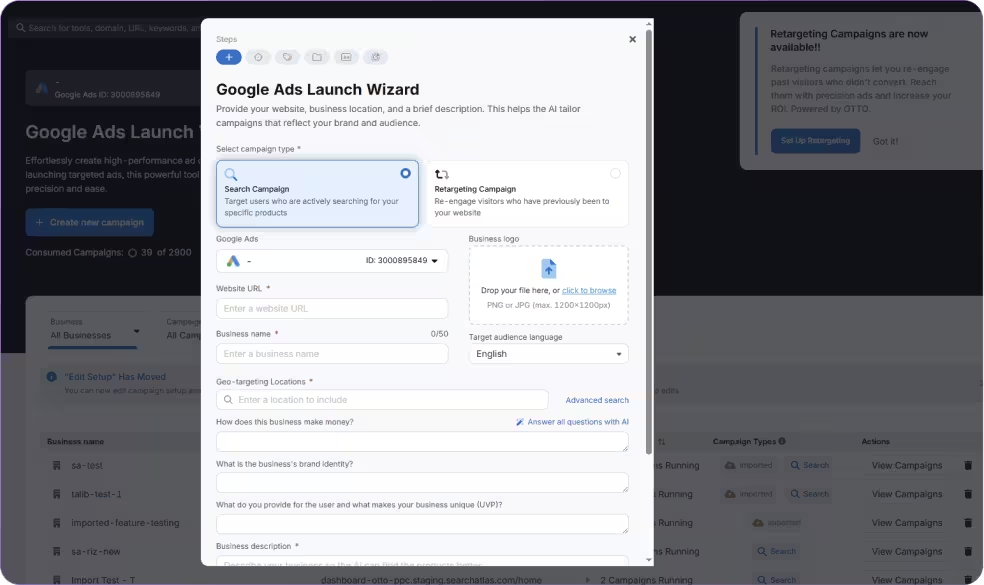
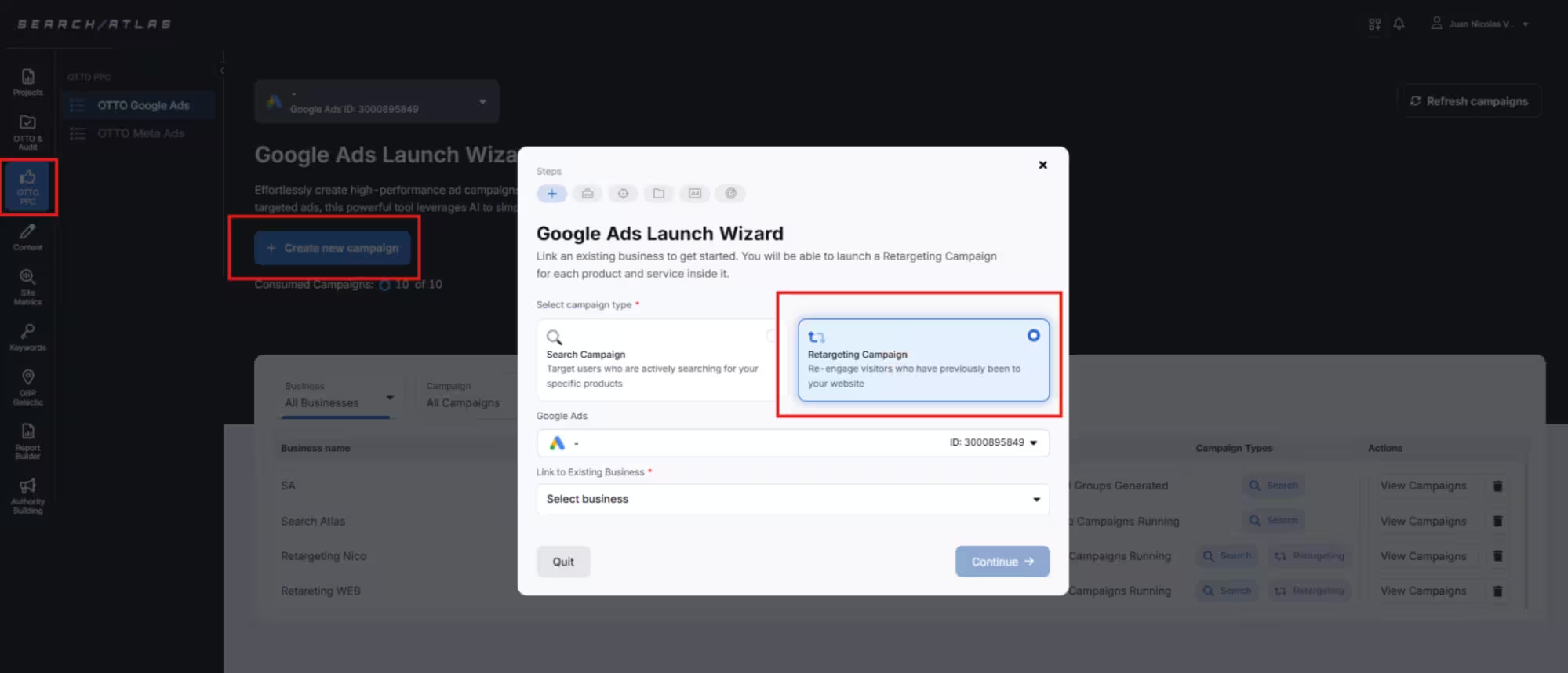
Search Atlas Google Ads launch wizard dashboard showing campaign creation options, campaign list, and performance management interface

What Smart Ads Make Possible

Launch Google PPC Campaigns

Execute complete campaigns with ad groups, keywords, match types, and ad copy ready for launch through natural language or structured Playbooks.

Audit Campaign Performance

Generate a health score that surfaces inefficiencies across campaigns, keywords, creatives, and spend patterns. Apply optimizations directly inside campaigns through Atlas Brain.

Reallocate Budget

Shift budget toward high-performing campaigns based on conversion data and business value signals.

Manage Negative Keywords

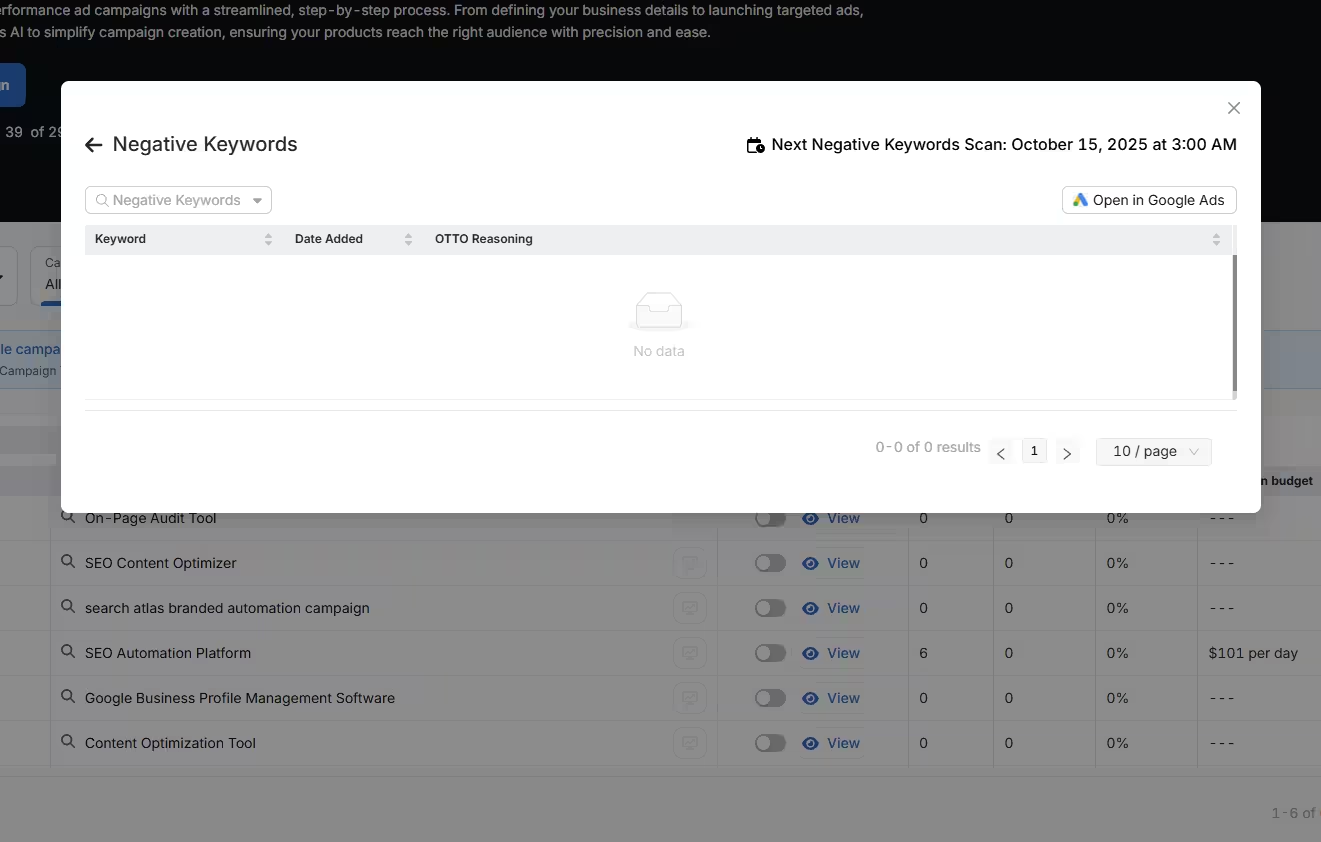
Identify underperforming search terms and apply negative keywords to reduce spend leakage.

Run PPC Retargeting Campaigns

Create retargeting campaigns tied to each Business to re-engage visitors who did not convert. Build audiences, generate ads, and activate campaigns based on execution mode.

Analyze Performance and Pacing Patterns

Track budget pacing, time-of-day performance, and location-level results to understand where spend converts and where efficiency drops.

Generate Performance Reports

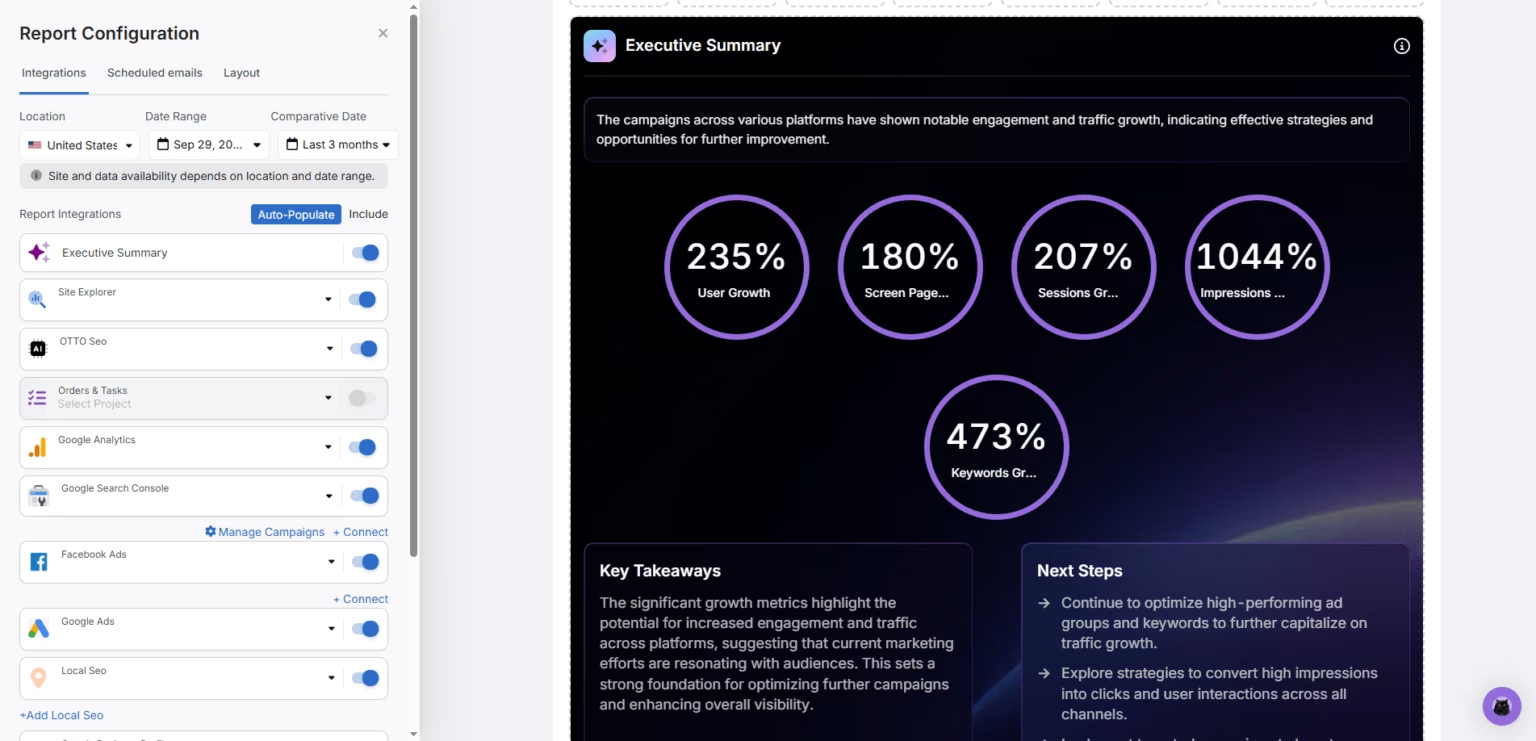
Generate performance-focused reports with customizable metrics, filters, and time ranges. Present clear insights on cost, conversions, CPA, and ROAS for stakeholders and clients.

Scale Winning Campaigns

Expand high-performing campaigns based on real performance data to drive growth in PPC automation.

Getting Started with Smart Ads for AI Google Ads Automation

Start in Smart Ads by connecting your Google Ads account. Once connected, campaigns are structured, inefficiencies are identified, and optimizations are executed automatically through agentic PPC management from one workflow.
Number 01

Connect your campaigns

Create a new search campaign, launch a PPC retargeting campaign, or import an existing Google Ads campaign already running.

Number 02

Run Smart Ads through Atlas Brain

Open Atlas Brain and run a Smart Ads Playbook or describe your goal in natural language. Choose Fast mode for speed or Advanced mode for step-by-step control.

Number 03

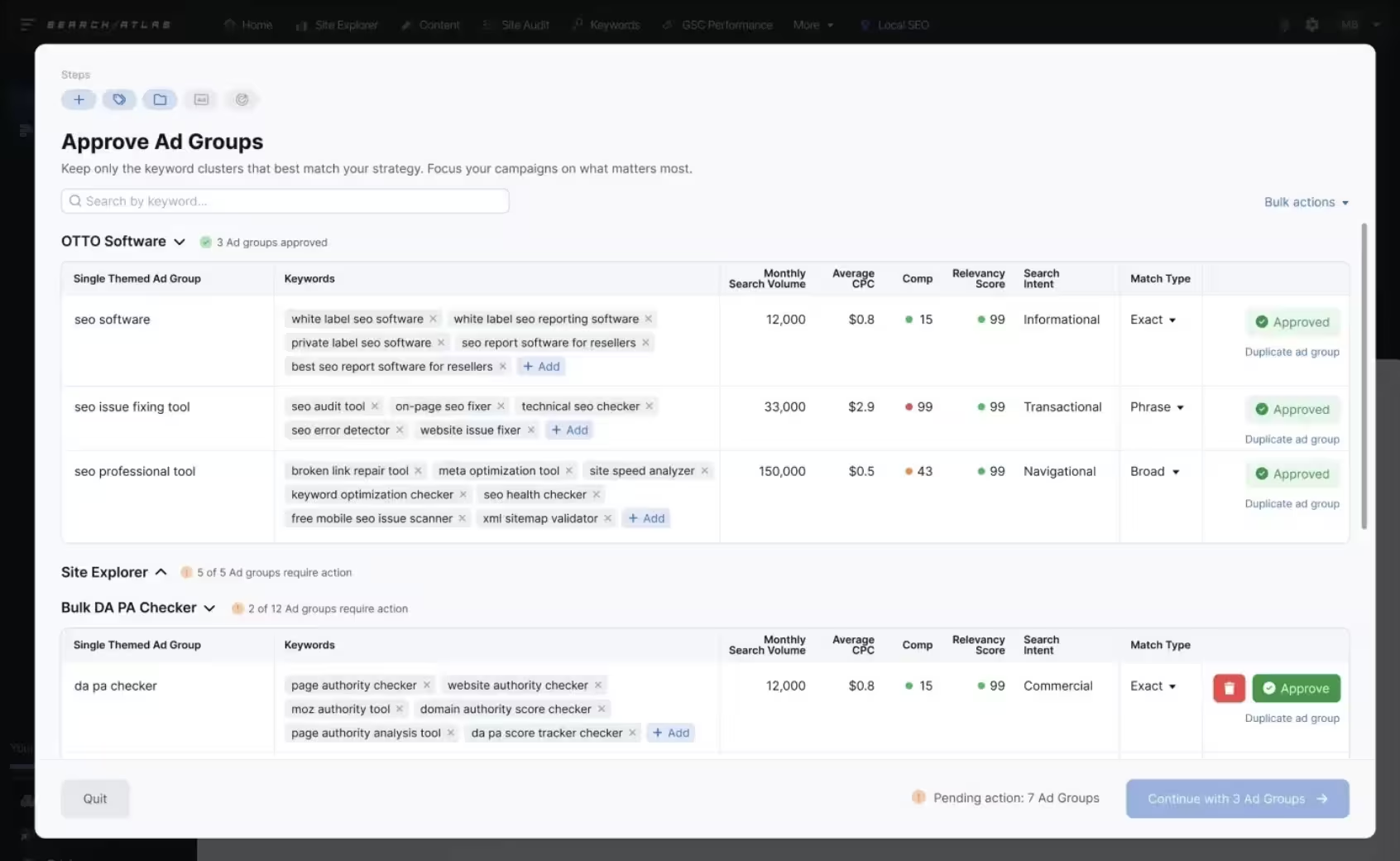
Review and approve campaign setup

Review campaign structure, keywords, and ad copy before launch. Make adjustments or approve campaigns for execution.

Number 04

Launch campaigns and execute improvements

Launch campaigns directly or run audits and optimizations. Smart Ads applies changes, reallocates budget, and improves performance automatically.

Number 04

Track performance and refine

Monitor cost, clicks, conversions, CPA, and ROAS. Use Campaign Performance and Reports to analyze results and refine Google Ads management decisions.

Why Smart Ads Outperforms Traditional Google Ads Management Tools

Traditional PPC tools focus on reporting, scripts, or partial automation. Smart Ads is built to automate Google Ads end-to-end, executing campaigns, connecting audit, decision-making, and optimization through an agentic system.

Feature
Smart Ads
Google Ads
Optmyzr
Adalysis
Birch
Blobr
AI Agentic campaign execution
Full execution via Atlas Brain
Manual workflows
Rule-based
Rule-based
Partial automation
AI-assisted only
Campaign creation (AI-driven)
Full campaign generation
AI-assisted setup
Assisted
Manual
Partial
Partial
Campaign audit with health score
Built-in with prioritized findings
Limited insights
Available
Available
Limited
Limited
Direct optimization deployment
Executes changes inside campaigns
Manual changes
Rule-based execution
Limited
Limited
Budget reallocation (performance-based)
Automatic based on conversions
Manual
Rules
Rules
Partial
Not autonomous
Conversion value control (ROAS)
Syncs values into Google Ads
Limited setup
Supported
Supported
Limited
Limited
Negative keyword automation
Continuous keyword cleanup
Manual
Limited
Limited
Limited
Limited
PPC retargeting campaign creation
Built-in with audience generation
Manual setup
Limited
Limited
Limited
Limited
Campaign hub (multi-account management)
Centralized across businesses
Limited MCC view
Yes
Yes
Limited
Limited
Executive reporting layer
Custom reports + filters + KPIs
Basic
Advanced
Advanced
Limited
Limited
Performance visualization (trends, charts)
Built-in insights
Basic
Yes
Yes
Limited
Limited
Requires manual PPC management
No
Yes
Yes
Yes
Partial
Partial

Frequently Asked Questions

What is Smart Ads?

Smart Ads is the agentic Google Ads execution system inside Search Atlas. Smart Ads audits campaigns, identifies waste, and executes optimizations automatically through Atlas Brain.

Smart Ads runs full campaign audits, detects wasted spend, and applies improvements directly inside Google Ads without manual implementation.

Smart Ads analyzes campaign data, surfaces inefficiencies, and executes changes through Atlas Brain. Goals translate into actions that deploy directly into campaigns.

Traditional Google Ads tools focus on reporting, recommendations, or manual campaign management. Smart Ads runs audits, identifies wasted spend, and executes improvements directly through an agent-driven workflow.

No, Smart Ads operates on top of Google Ads. It centralizes Google Ads management by managing campaigns, applying optimizations, and sending improvements directly into the account.

Smart Ads is built for PPC specialists, freelancers, agencies, in-house teams, and SEO teams expanding into paid media.

Can Smart Ads audit my Google Ads account?

Yes. Smart Ads runs a full audit across campaigns, keywords, creatives, and spend patterns, generating a health score and prioritized findings.

Smart Ads evaluates performance across Google Ads campaigns and keywords. It highlights inefficient spending, missed opportunities, and budget misallocation.

Yes. Atlas Brain applies optimizations directly inside campaigns, moving from insight to execution without manual workflows.

Yes. Smart Ads offers Fast mode for speed and Advanced mode with step-by-step approvals and deeper control. No changes are published without your approval.

Yes. Manual control remains available, while the agentic workflow executes changes faster across campaigns.

Smart Ads creates search campaigns, retargeting campaigns, and manages imported campaigns from existing accounts.

Campaigns can be structured, built, and ready for review in minutes.

Does Smart Ads scale across multiple accounts or clients?

Yes. Smart Ads manages multiple client accounts and campaigns within a unified system built for scale.

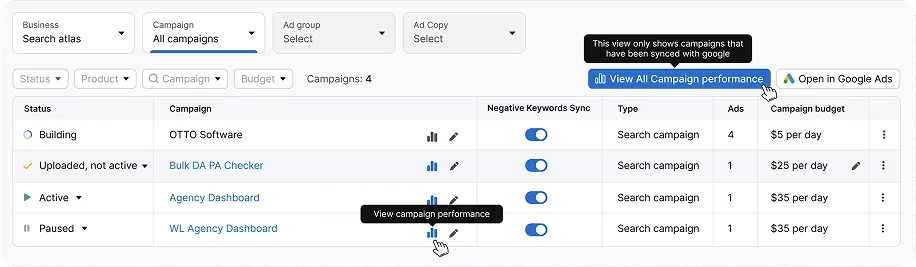
All campaigns are managed inside Campaign Hub, which centralizes campaigns across businesses and campaign types.

Yes. Campaign Performance provides detailed views across budget, impressions, clicks, CTR, conversions, and cost, with direct editing available.

Yes. Smart Ads provides an executive reporting layer with customizable metrics, filters, and date ranges for stakeholder reporting.

How does retargeting work in Smart Ads?

Smart Ads creates retargeting campaigns for each Business to re-engage visitors who did not convert. It builds audiences, generates ads, and activates campaigns based on your execution mode.

Smart Ads targets non-converting visitors, users who visited key pages, and product-level audiences based on behavior.

Yes. Audience lists are generated automatically based on site activity, campaign behavior, and defined retargeting criteria.

Is Smart Ads included in Search Atlas plans?

Yes. Smart Ads is included in Starter, Growth, Pro, and Agency plans.

Smart Ads reallocates budget based on performance signals, while execution follows selected modes and approval settings for controlled changes.

Yes. Search Atlas uses encrypted infrastructure, secure APIs, and continuous monitoring to protect campaign data and access.

Yes. Smart Ads centralizes audit, reporting, and execution into one system, reducing the need for multiple tools and manual workflows.

Yes. Search Atlas offers a 7-day free trial with access to Smart Ads and all platform features.