Search Atlas offers a fully integrated SEO operating system, whereas Writesonic focuses primarily on AI-powered content and copy generation.
While Writesonic provides reliable tools for writing articles, social media posts, and ads, Search Atlas combines these creative capabilities with a full suite of SEO tools for rank tracking, technical automation, and analytics.
For content creators and marketers, this means transitioning from a dedicated writing tool to a comprehensive platform that manages the entire SEO and content lifecycle.
This guide explains how to migrate your content workflows from Writesonic and use the advanced SEO automation and analytics tools available in Search Atlas.
1. How Do You Migrate Your AI Content Workflow?
The core of Writesonic is its AI article writer. The migration process involves moving your existing content into Search Atlas’s Content Genius, which offers similar AI model flexibility and brand voice features within a complete SEO ecosystem.
From Writesonic
No complex export function is needed for your articles. You simply need to retrieve the text.
Navigate to your published article within the Writesonic writer tool or open the Google Doc where the final version is saved.
Select and copy the entire text content of the article.
In Search Atlas
In your Search Atlas dashboard, navigate to Content > Content Genius.
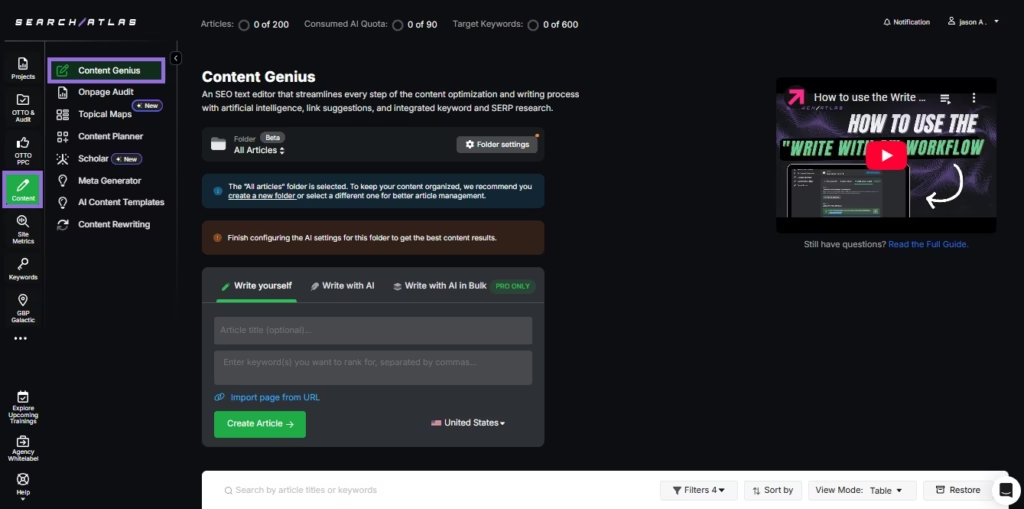
Click on the Write Yourself option, and select Create Article.
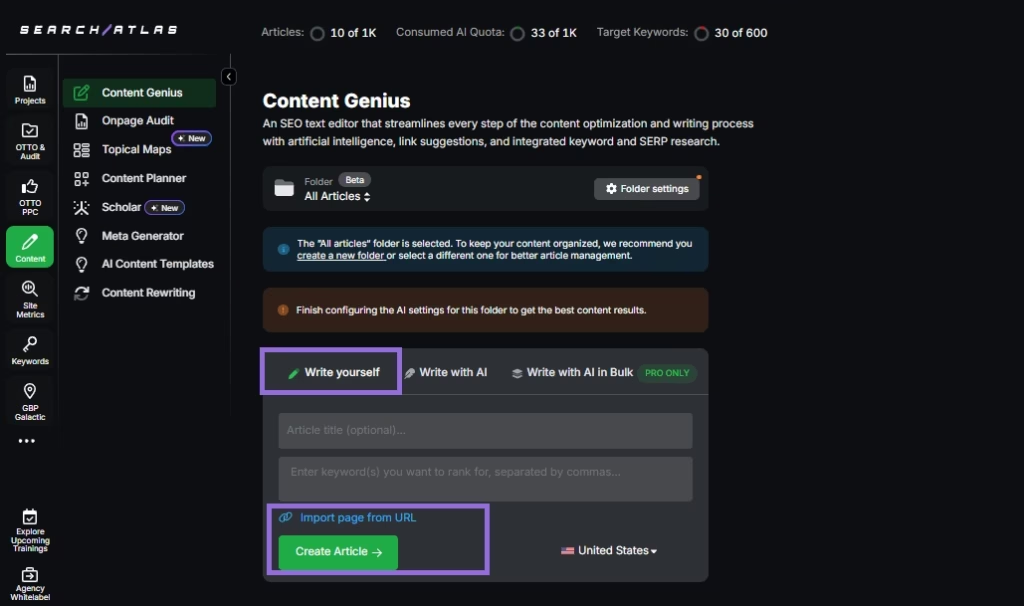
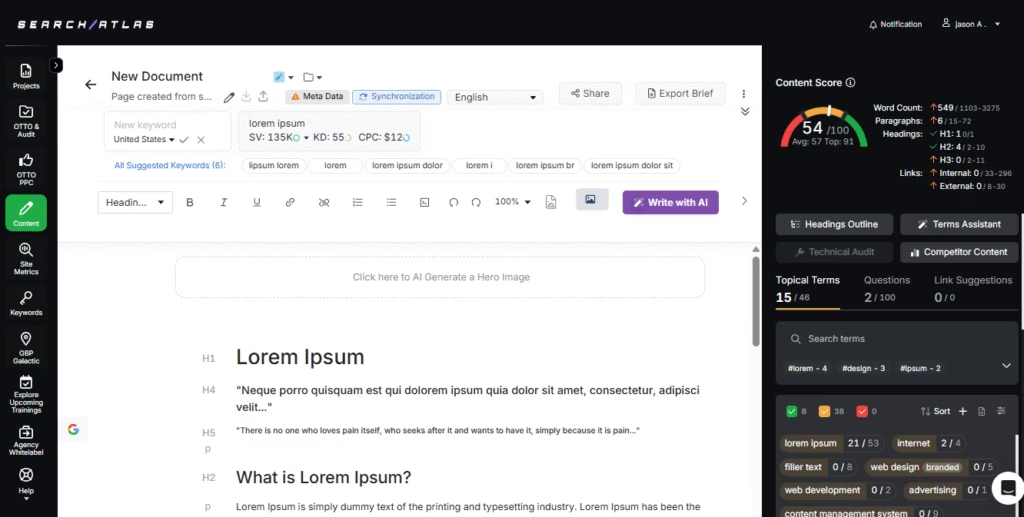
You can either paste your existing article text directly into the editor, or
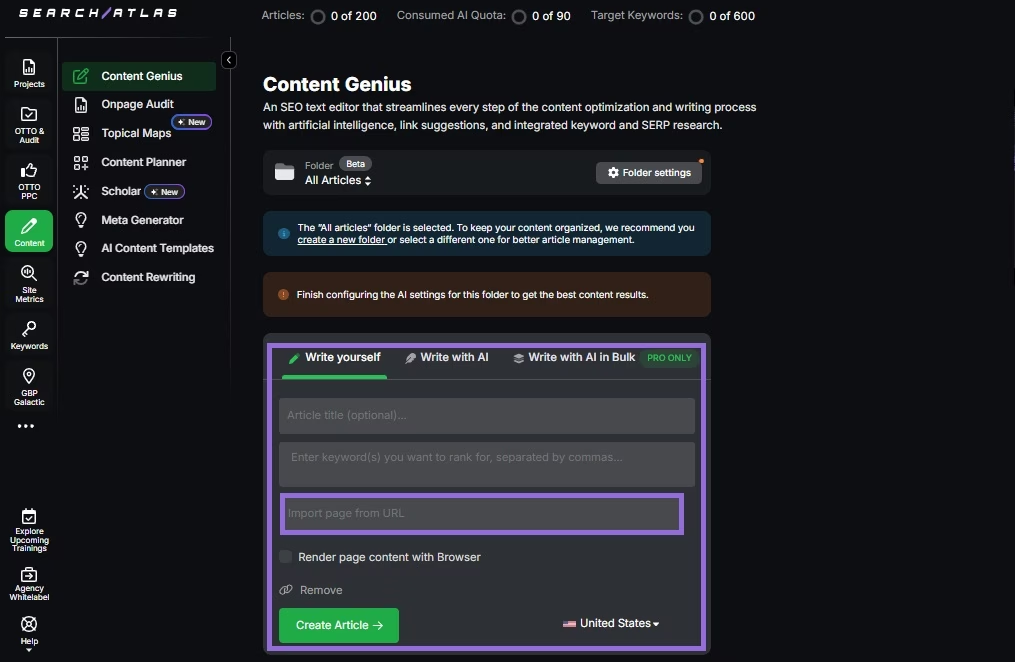
Enter the URL of the content you want to import, along with the keyword (s) you want to rank for, and the editor will automatically retrieve it.
Enter your primary target keyword for the article and click the check mark to start the analysis.
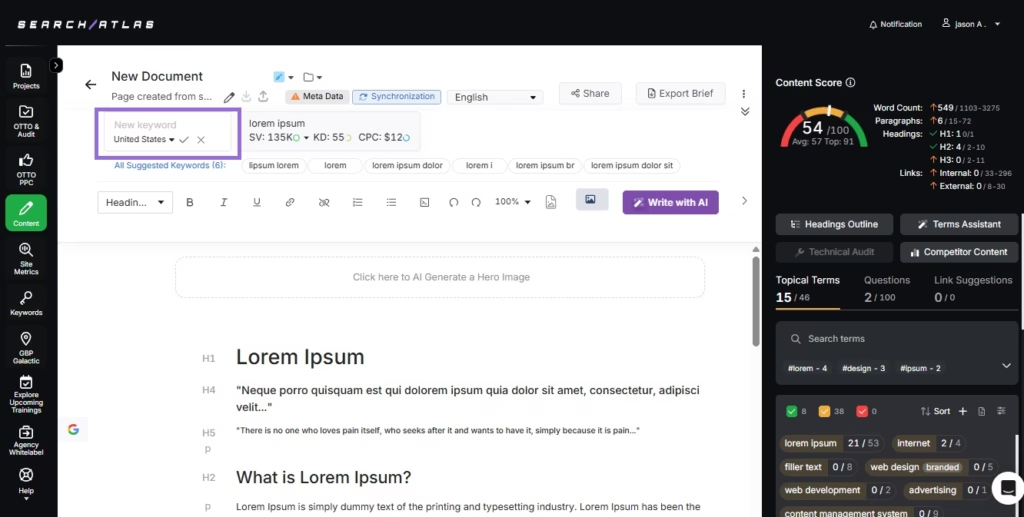
Like Writesonic, you can configure your Brand Voice in the editor’s settings.
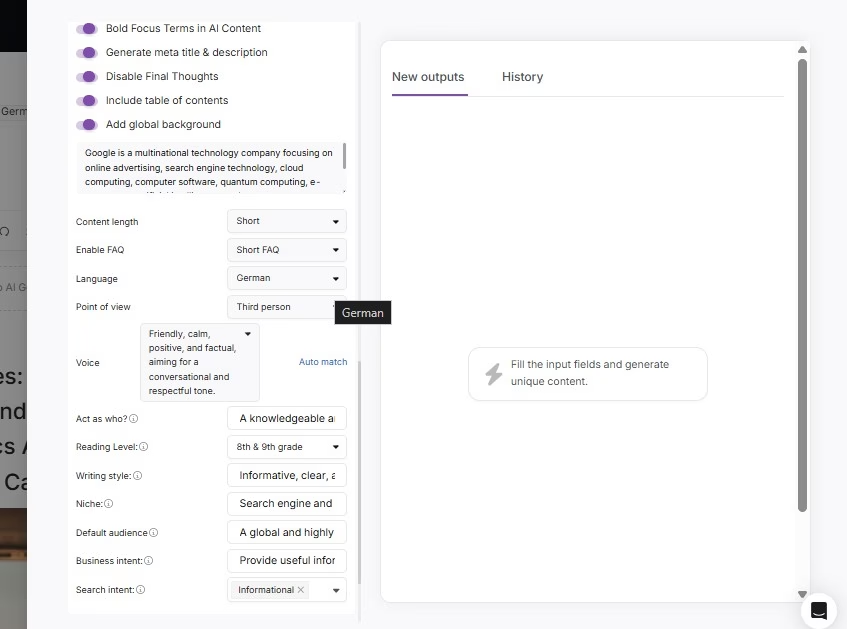
2. How to Replace Writesonic’s Social Media and Ad Copy Tools in Search Atlas?
Writesonic offers various templates for outputs like LinkedIn posts or Facebook ads.
Search Atlas provides a full library of specialized AI tools, with no migration needed. You can simply start using the relevant templates.
In Search Atlas
Go to Content > AI Content Templates
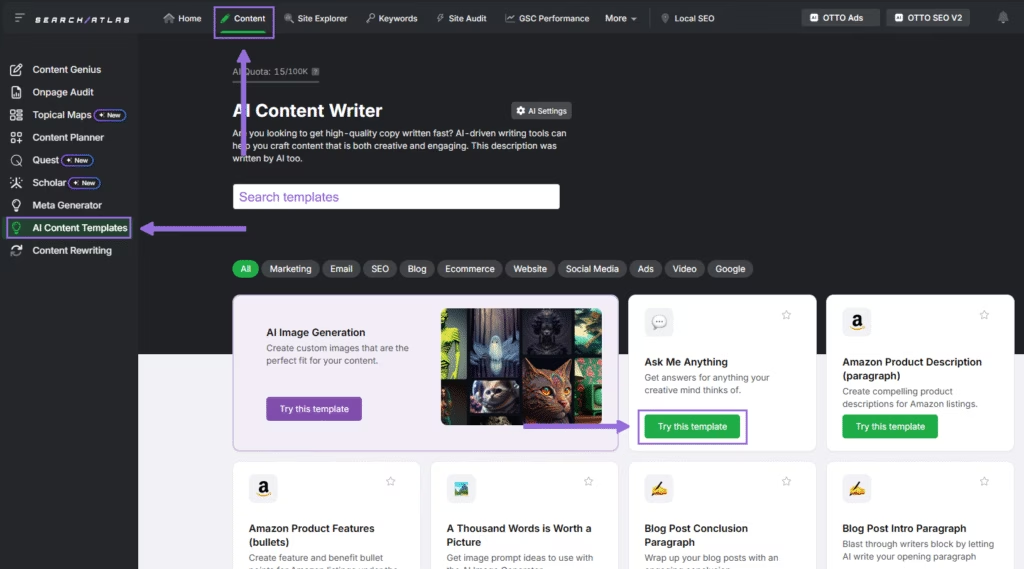
You’ll find 55+ AI Content Writer templates for different content types categories into:
- Social Media
- Google Ads
- Video
- SEO
- Website
- Ecommerce
- Marketing
- Blog
Select the template that fits your goal, such as Social Media > LinkedIn Post
Fill in the prompt, and click on Generate AI Content.
The tool will generate a tailored copy instantly.
3. How to Enable Automated SEO Optimization in Search Atlas with OTTO SEO?
Unlike Chatsonic in Writesonic, OTTO SEO in Search Atlas is an advanced AI agent that automates comprehensive SEO tasks, including technical audits, on-page, and off-page optimization.
In Search Atlas
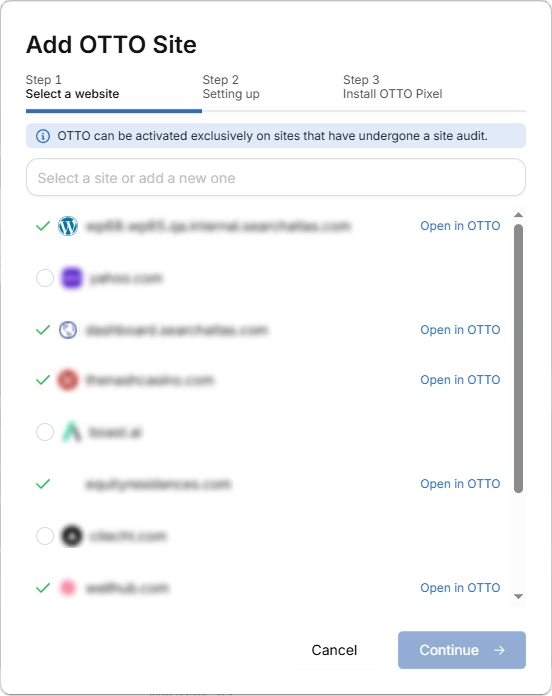
Obs: It’s necessary to go through the Site Audit on your project before activating OTTO.
Go to Projects > + Add a Website
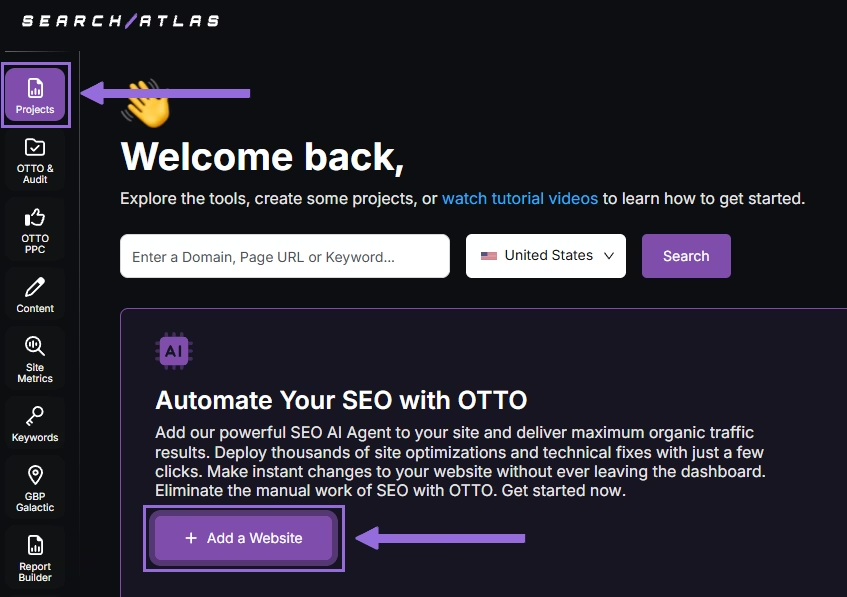
Select one of your projects that doesn’t have OTTO installed, or add a new website.
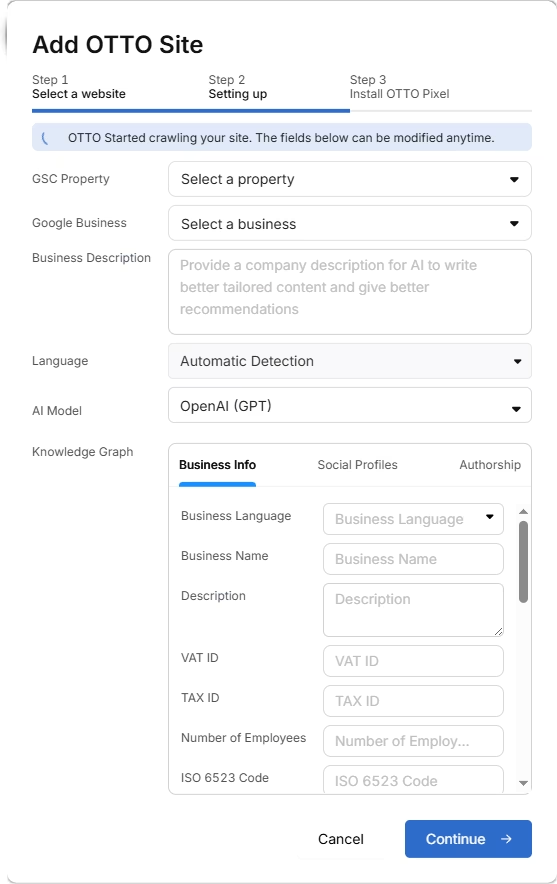
Select the GSC and GBP profiles for the project and add your business details.
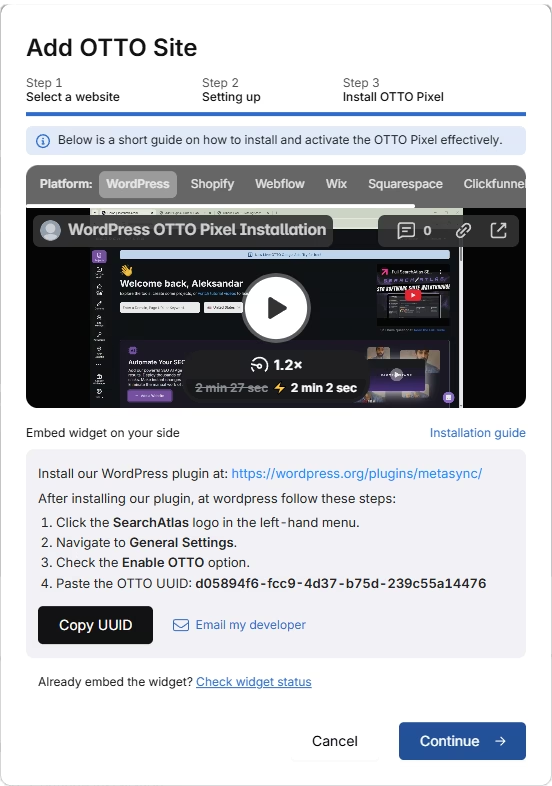
Follow the step-by-step tutorial to install the OTTO pixel on your website.
Installing OTTO on another CMS
Go to OTTO & Projects > Installation Guide. You will find short tutorials for:
- Google Tag Manager
- WordPress
- Webflow
- Squarespace
- Shopify
- ClickFunnels
- Wix
- GoHighLevel (GHL)
- Custom Installation
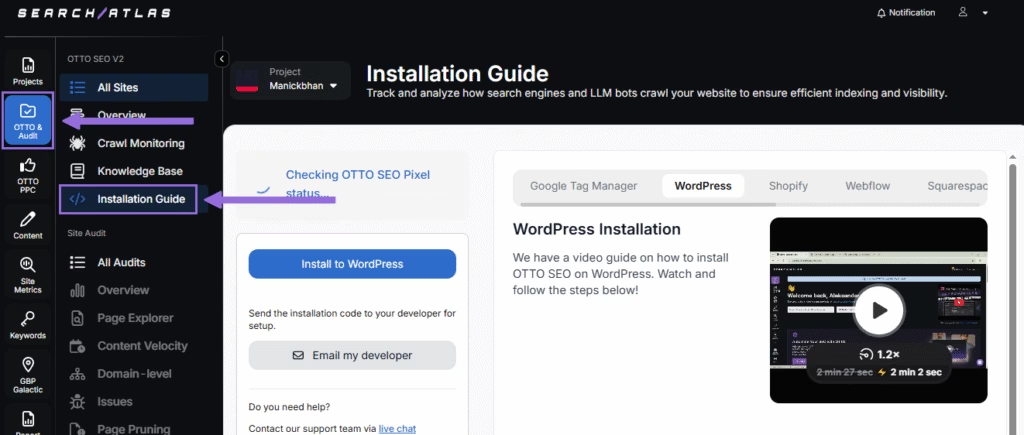
Here is a quick recap on how to install OTTO SEO on WordPress.
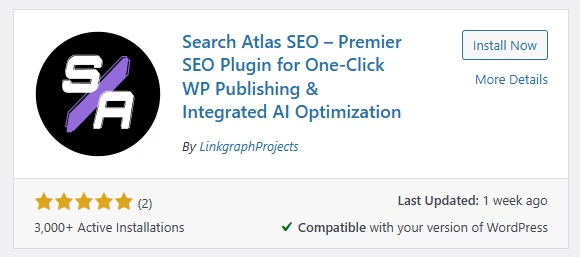
Go to your WordPress dashboard. Open the Plugins section. Search for “Search Atlas” in the plugin directory. Click Install Now, then activate the plugin.
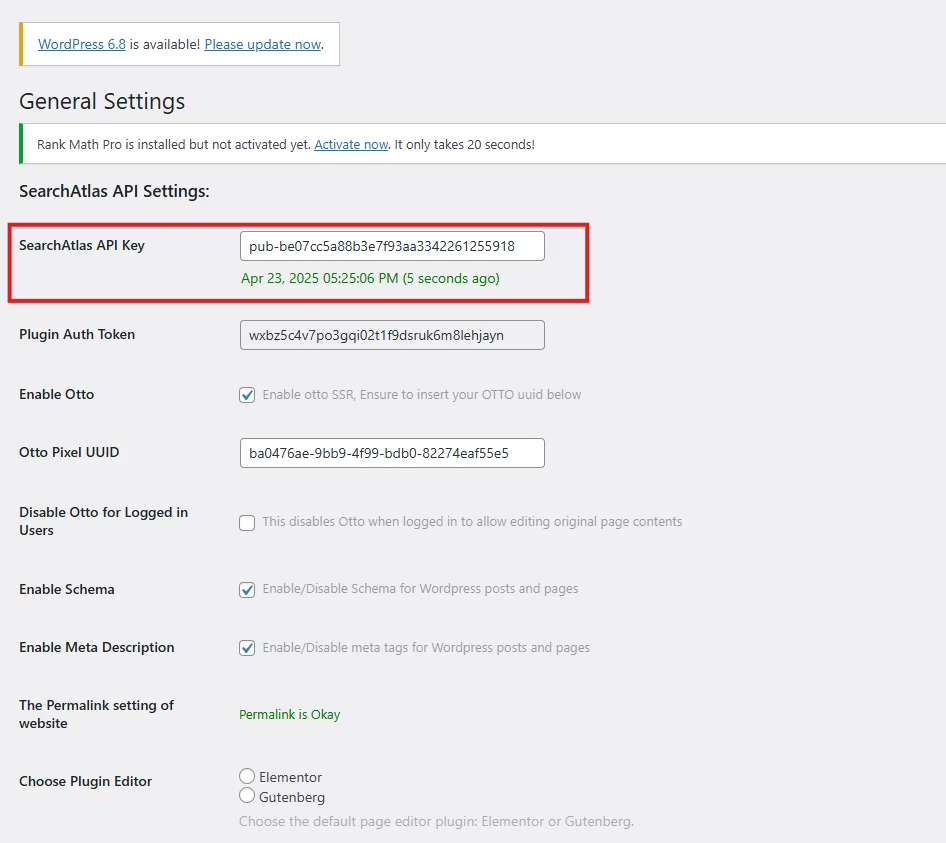
Copy the API key provided during setup. Open the Search Atlas plugin settings by clicking the Search Atlas logo in the left-hand menu. Navigate to General Settings. Paste the API key into the Search Atlas API Key field and continue.
Copy the code provided in the next step. Return to your WordPress dashboard. Access the plugin settings again. In General Settings, check the Enable OTTO box. Paste the code into the OTTO Pixel UUID field. Save changes.
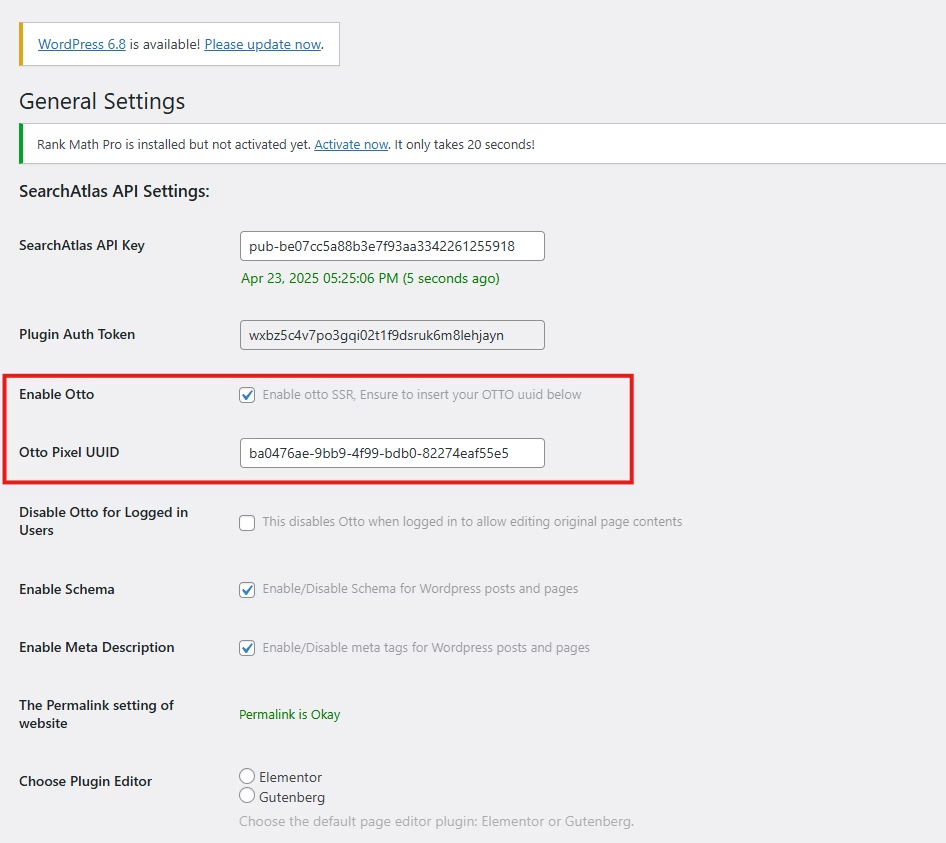
OTTO SEO now runs inside WordPress, automating fixes and SEO updates across your site.
How to Configure OTTO SEO?
Here is a quick tutorial on how to configure OTTO Autopilot and its settings.
4. How to Replace Writesonic’s AI Traffic Analytics with OTTO?
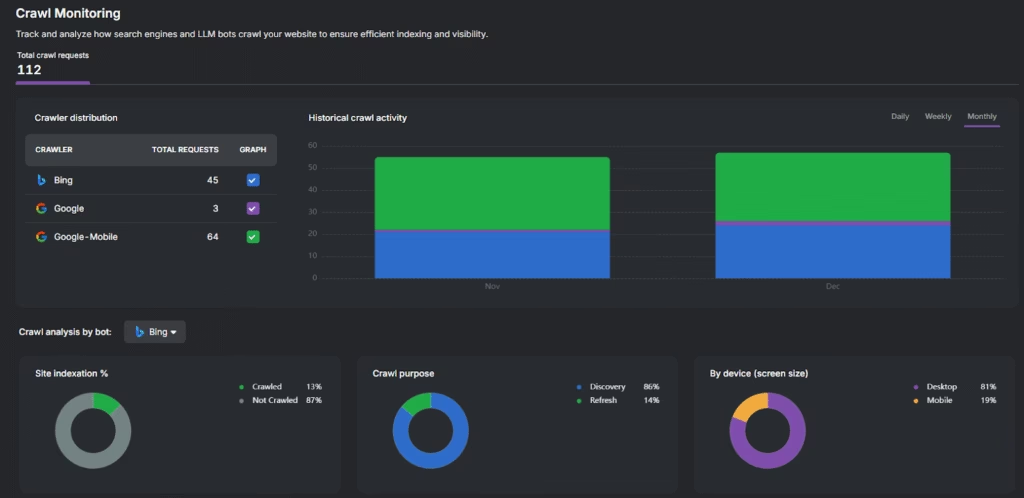
Search Atlas replaces Writesonic’s AI Traffic Analytics with OTTO Crawl Monitoring. A real-time dashboard that gives you full visibility into bot and crawler activity across your site.
This allows you to track bots like Google, GPTBot, Bing, and ClaudeBot in real time. See which pages are crawled and how often.
In Search Atlas
Navigate to OTTO & Audit > Crawl Monitoring in your project dashboard.
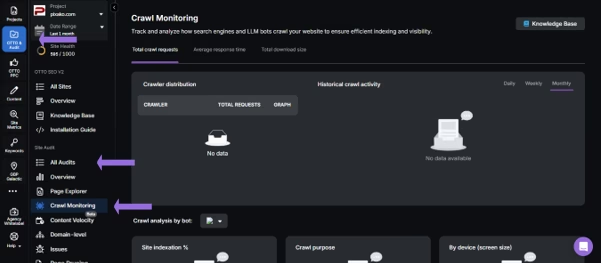
Here, you can view a real-time feed of all crawler activity on your site.
Use the filters to isolate specific crawlers like Google, Google-mobile, and Bing to see which pages they are prioritizing and how often they return.
Make sure the OTTO pixel is installed on your site before this process.
5. How to Set Up Keyword Rank Tracking with Search Atlas?
A key part of any SEO strategy is tracking your performance. Search Atlas includes a dedicated Rank Tracker to monitor your keyword positions.
This is a new workflow not available in Writesonic.
In Search Atlas
Go to Keywords > Keyword Rank Tracker
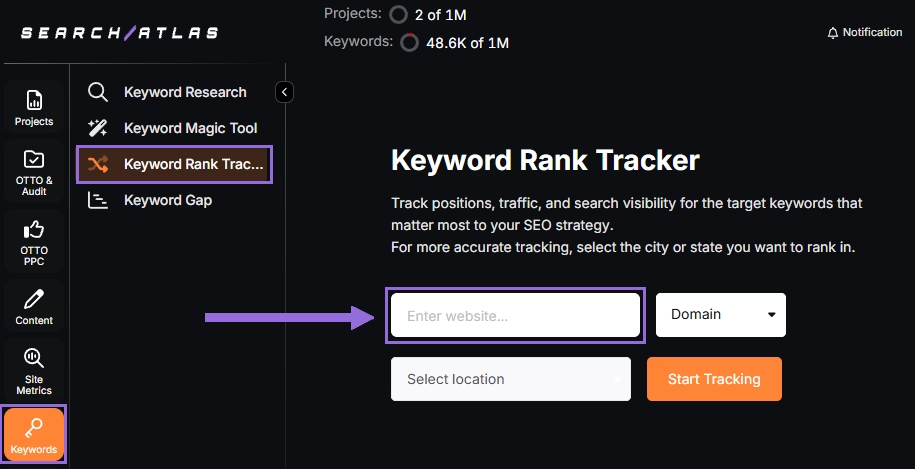
Enter your domain or target page, and specify the target location (country, state, city, county, or province).
Example: Track rankings for searchatlas.com in Las Vegas, Nevada
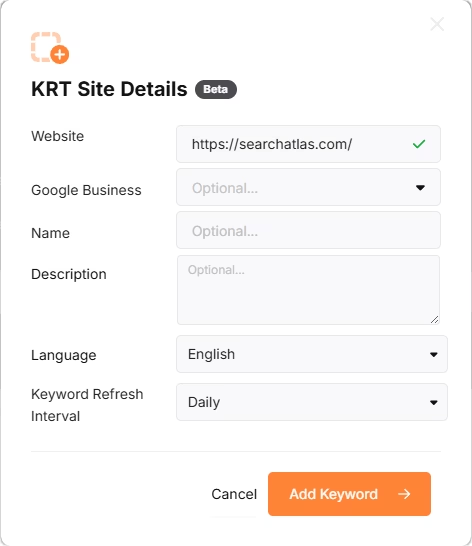
Click Start Tracking and connect your Google Business Profile (GBP), if applicable. Enter the name of your project, description, language, and keyword refresh interval (Daily, Weekly, Monthly, or Custom).
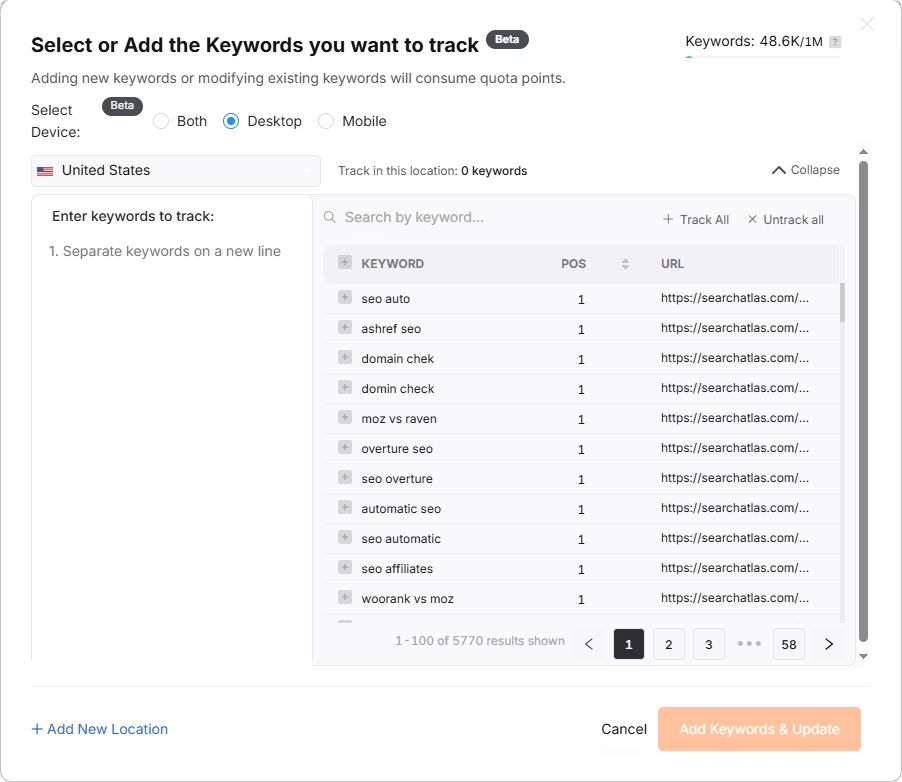
Search Atlas will automatically recommend keywords, and you can choose between selecting them or pasting keywords manually from the Semrush CSV or PDF.
6. How to Use Search Atlas Onboarding Process?
Search Atlas offers multiple support channels to help you with the migration process and any other questions. Here is how to make the most of our onboarding process.
Watch Tutorial Videos
Search Atlas offers step-by-step tutorials on YouTube to help you set up reports, dashboards, and automation.
Book a 1:1 Onboarding Session
During your trial, you can schedule a 1:1 onboarding session directly from the dashboard. A product expert will help you customize your setup, connect integrations, and configure OTTO SEO for automation.
Follow the 7-Day Email Campaign
As soon as you start your free trial, you’ll receive a 7-day onboarding email sequence. Each email walks you through a core feature.
Technical Documentation
Access full technical docs via the Help Center for detailed instructions on using every tool. Everything is searchable and regularly updated.