AnswerThePublic reveals questions and search queries users ask through autocomplete data visualization. Search Atlas provides a comprehensive SEO platform that optimizes People Also Ask (PAA) questions with integrated content creation.
AnswerThePublic transforms autocomplete data from Google, Bing, TikTok, Amazon, and Instagram into question graphs, prepositions, comparisons, and alphabetical keyword lists. It excels at discovering search intent and content ideation through visual formats and search listening alerts.
Search Atlas uses the Keyword Magic Tool to find relevant queries, then organizes them into keyword clusters through Content Planner based on search intent, difficulty, and volume. The SEO AI Writer incorporates PAA questions into content, while Topical Map Generator uncovers related subtopics. This all works with OTTO SEO automation, meaning you get a full set of automated SEO tools in one platform.
We'll help you transition from AnswerThePublic's keyword discovery to Search Atlas's integrated platform that combines PAA optimization, content creation, topical mapping, and local SEO management.
1. What Is the Initial Setup in Search Atlas?
Start by configuring your workspace properly to enable smooth monitoring, automation, and performance tracking.
Establish a New Project:
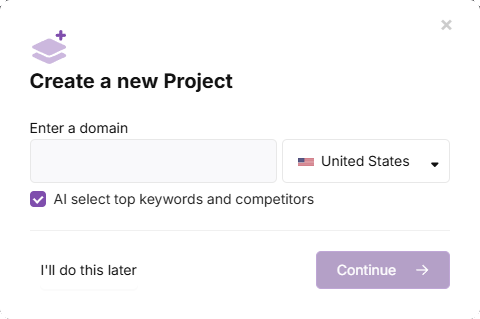
Access the Search Atlas dashboard, go to the main interface, and click + Create New.
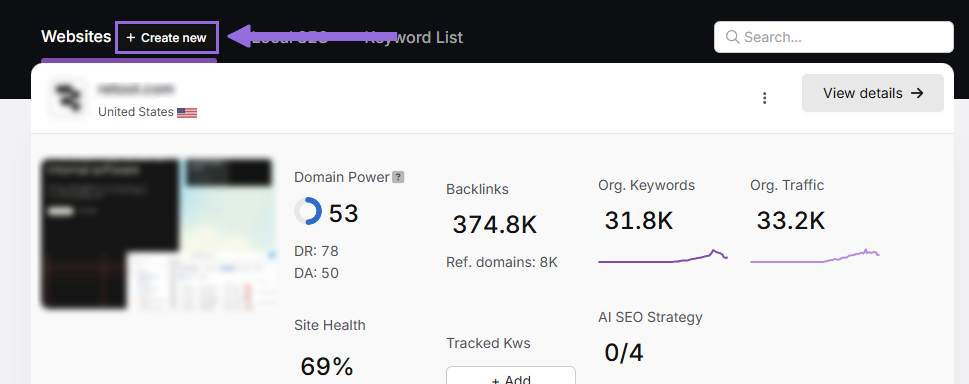
Enter your domain, select your target geographic location, and add primary keywords for tracking if desired.
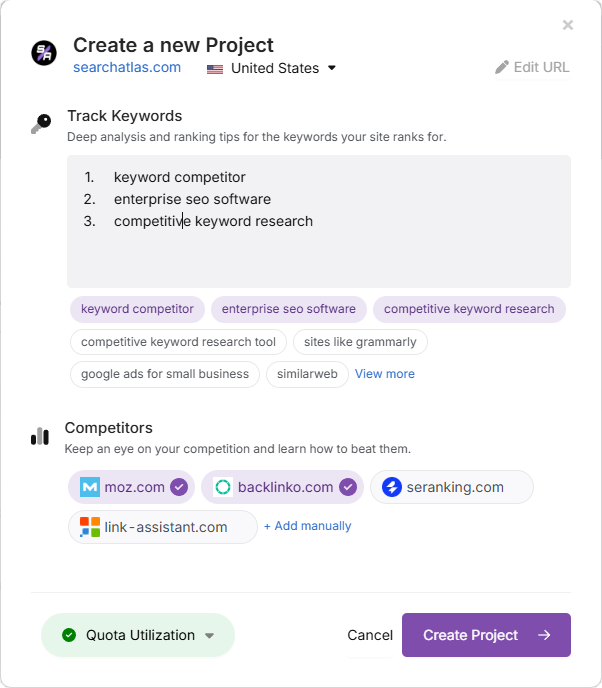
Adjust the recommended keyword list by adding or removing terms, and specify your main competitor websites. These settings remain flexible for future changes.
Set Up Essential Integrations
Google Search Console (GSC)
Go to Site Metrics > All Sites > Connect GSC Account.
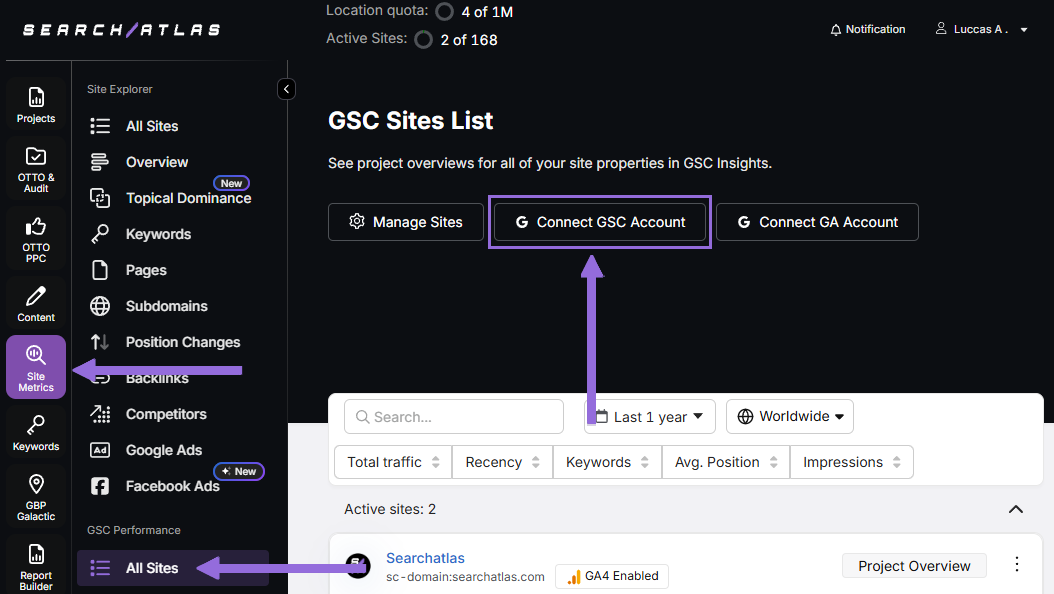
Authorize access and connect your verified website property.
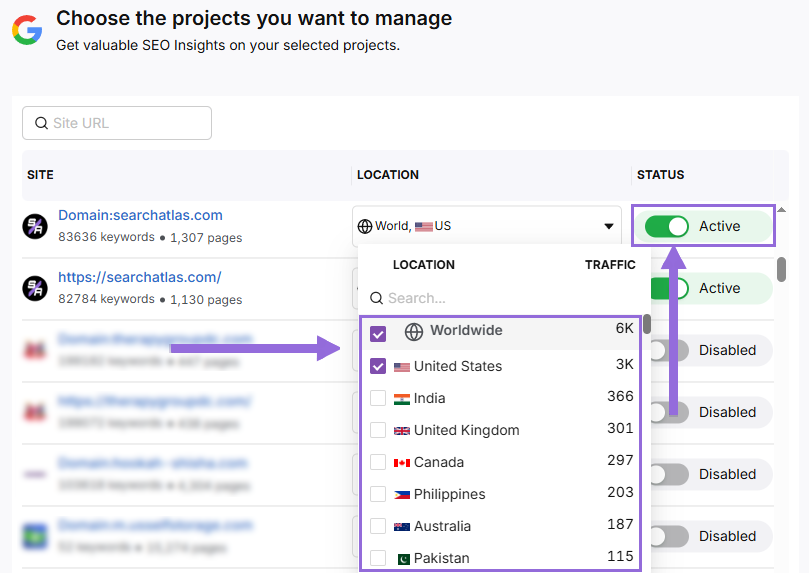
Once GSC is connected, navigate to Manage Sites.
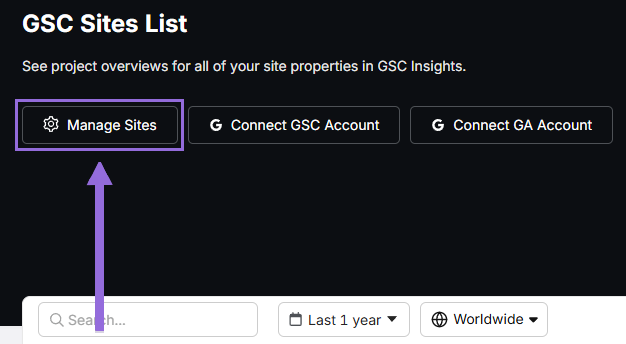
A toggle interface will show all imported GSC properties (turned off by default). Find your domain and click Enable.
Google Analytics 4 (GA4)
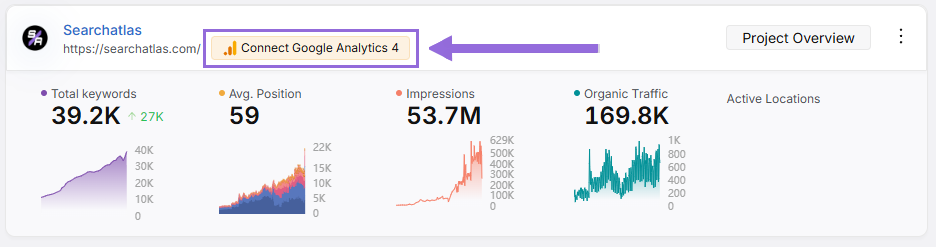
From your GSC Performance dashboard, click Connect Google Analytics 4.
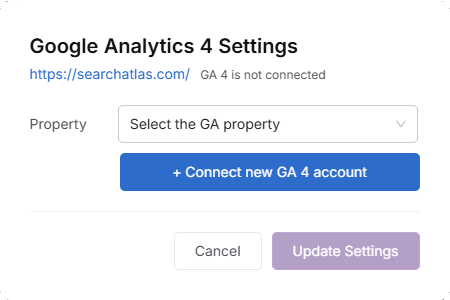
Select your GA property or set up your GA4 account connection. Authorize access and connect your verified property.
Once enabled, Search Atlas will automatically sync keyword data, impression metrics, click-through rates, and user engagement analytics.
Public sharing links are provided for quick verification access when needed.
2. How to Export Keyword Data from AnswerThePublic and Import to Search Atlas?
AnswerThePublic doesn't have keyword tracking tools, but you can export your keyword research data easily.
From AnswerThePublic
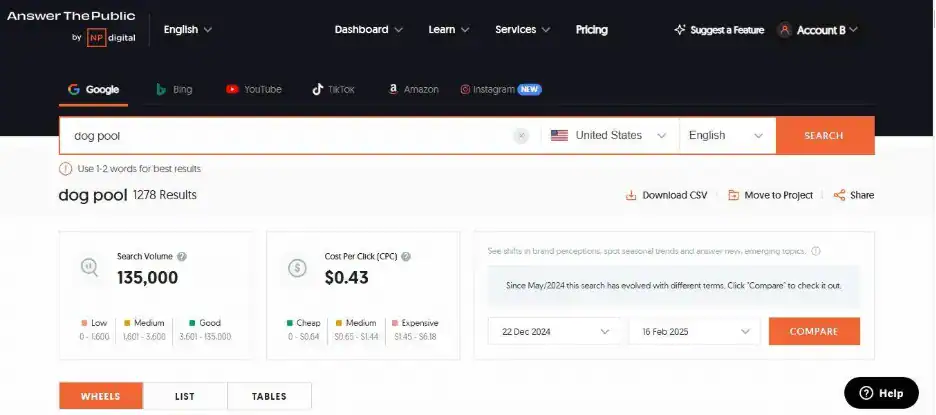
Click on the search engine you’re interested in, pick the seed keyword, choose the time period for historical data, and click on Download CSV.
In Search Atlas
Go to Keywords > Keyword Rank Tracker.
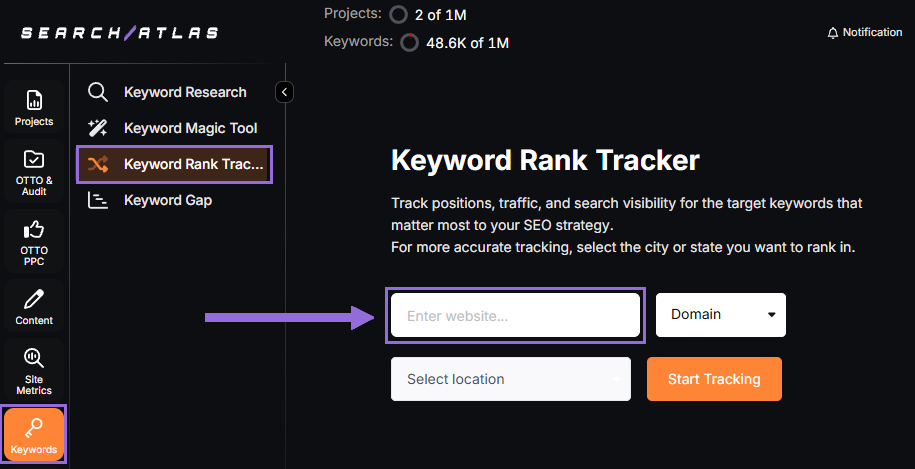
Add your website domain or specific page URL, then choose your target location (country, state, city, county, or province).
Example: Monitor rankings for searchatlas.com in Las Vegas, Nevada
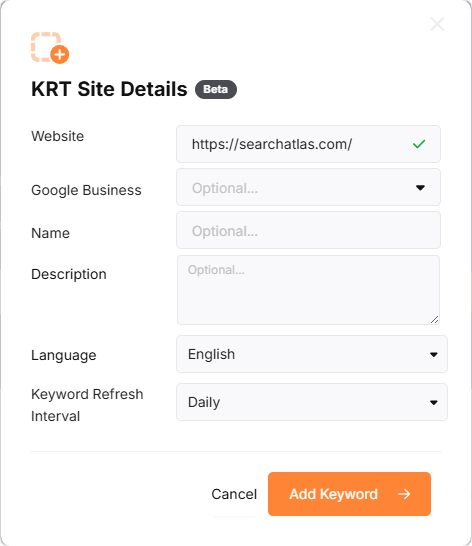
Click Start Tracking and link your Google Business Profile (GBP) if available. Fill in your project name, description, language, and update frequency (Daily, Weekly, Monthly, or Custom).
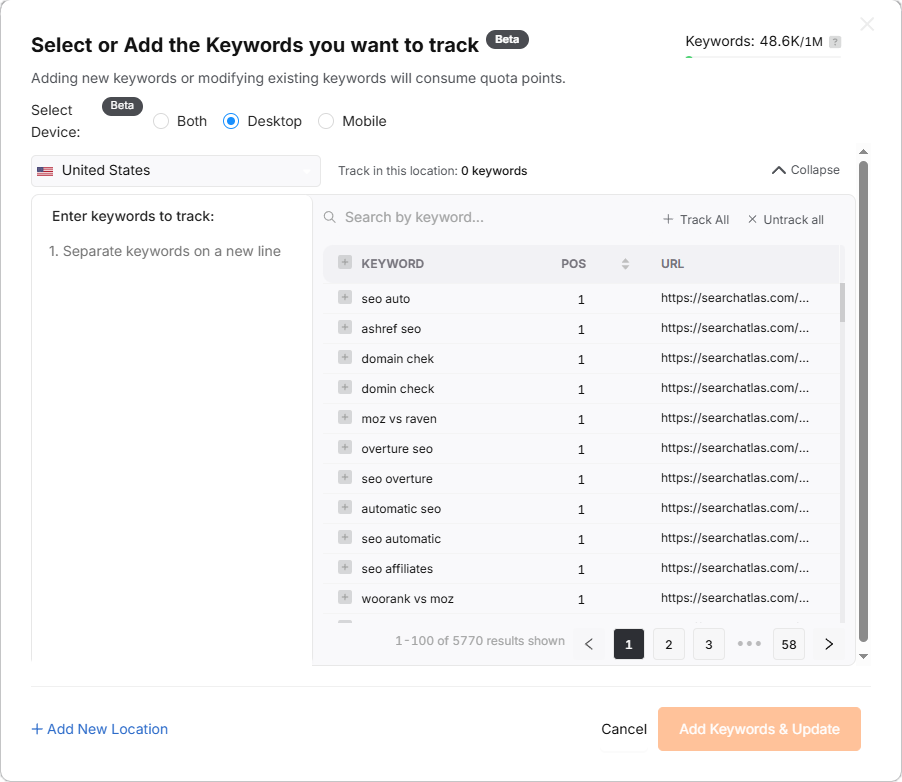
Search Atlas will automatically suggest keywords.
3. How to Set Up Local SEO Tools and GBP Management in Search Atlas
AnswerThePublic can research keywords and queries by location, but it doesn’t include Google Business Profile tracking, local rank tracking, or local SEO management.
In Search Atlas
Navigate to Local SEO > Connect GBP and link your verified business listing.
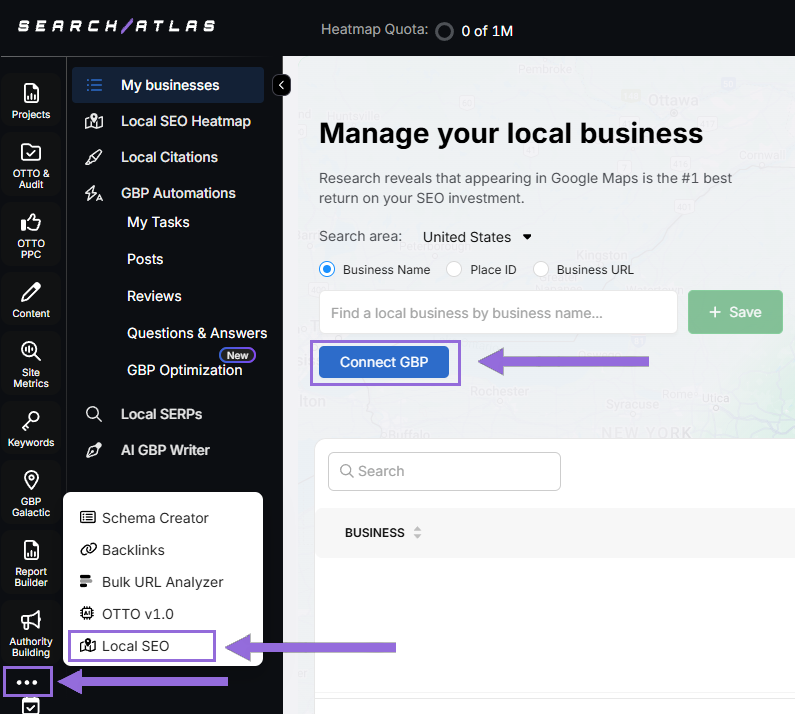
Authorize and connect your verified business property.
Find Your Business
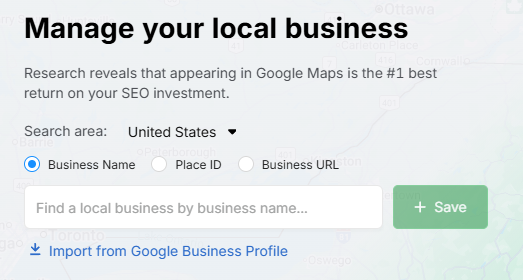
Search by name, Place ID, website URL, or import via email invitation.
Click + Save to create your local SEO project.
Configure the Heatmap
After connecting GBP, navigate to Local SEO > Local SEO Heatmap.
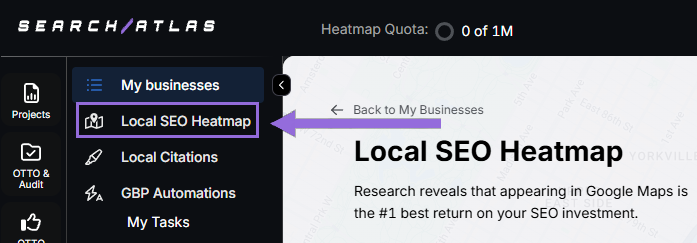
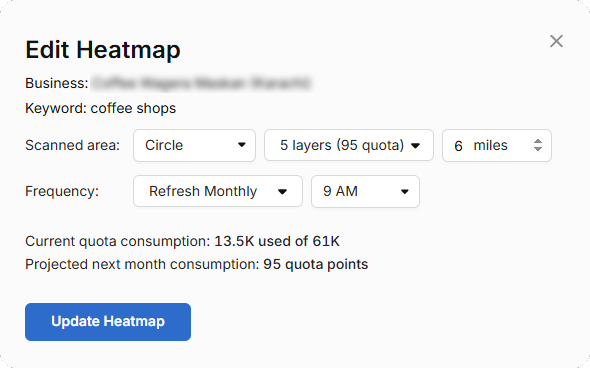
Add keywords, select a circle or rectangle for your tracking area, and set the radius. We recommend:
- 3–5 miles → Use 3 layers or grids
- 10–25 miles → Use 4–5 layers or grids
Set refresh intervals during business hours (avoid midnight or off-hours for accurate rankings).
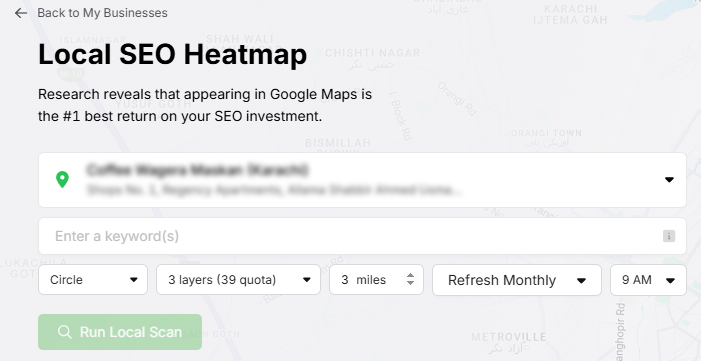
Click pins to remove unnecessary ones to save quota and prevent skewed averages.
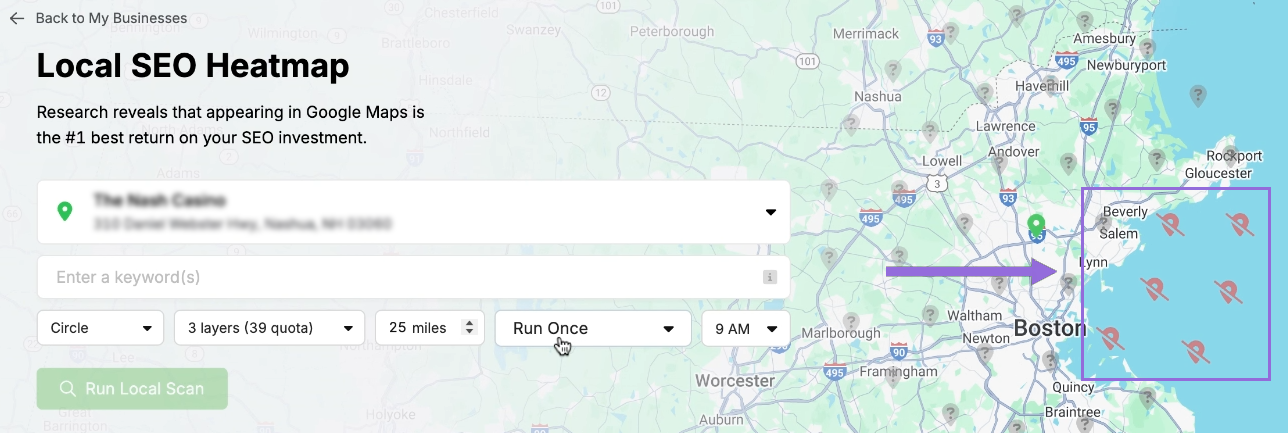
Modify Existing Reports
Select a project and click at the top of the page.
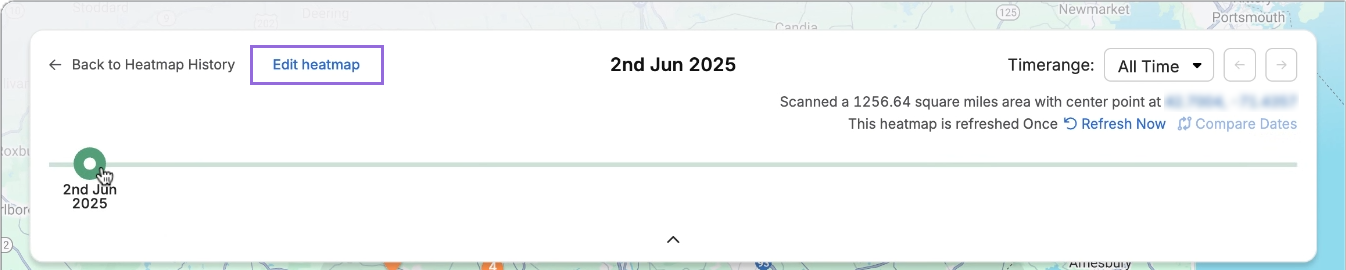
View ranking progress over time. Click Edit heatmap to adjust settings.
Analyze Against Competitors
Compare your business to local competitors. Click any individual pin.
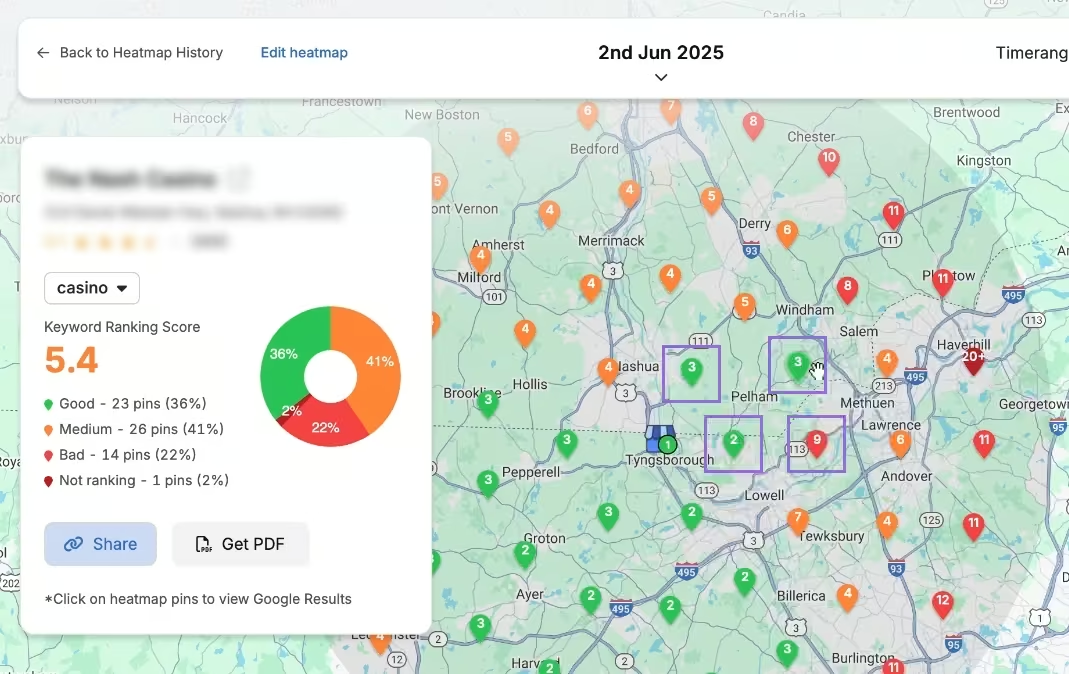
View competitor rankings for the same keyword and location. Click Compare to select competitors.
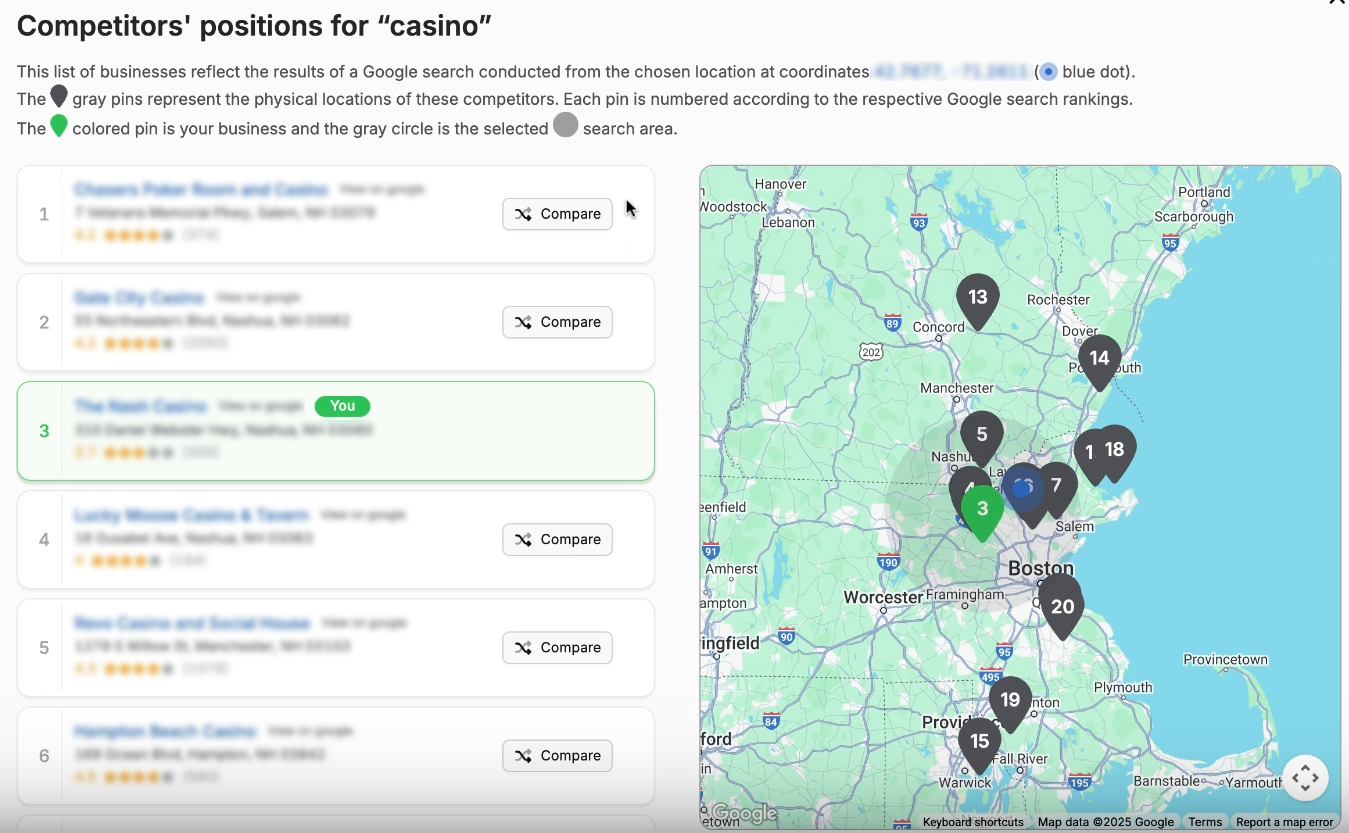
See side-by-side comparisons with zoom and pan controls.
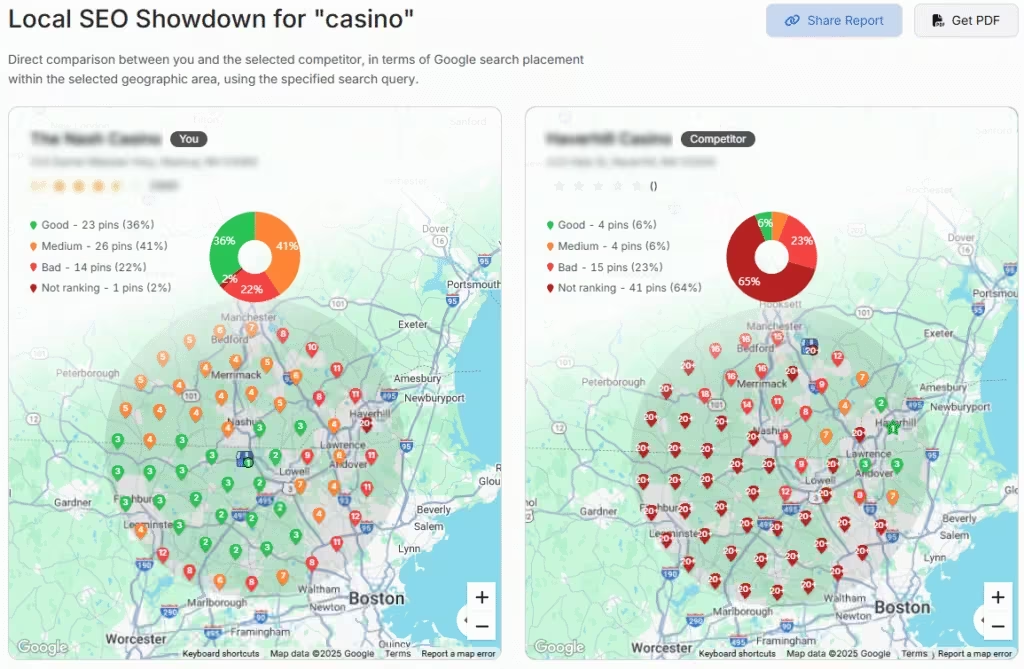
Set Up Local Rank Tracker
Go to Keywords > Keyword Rank Tracker
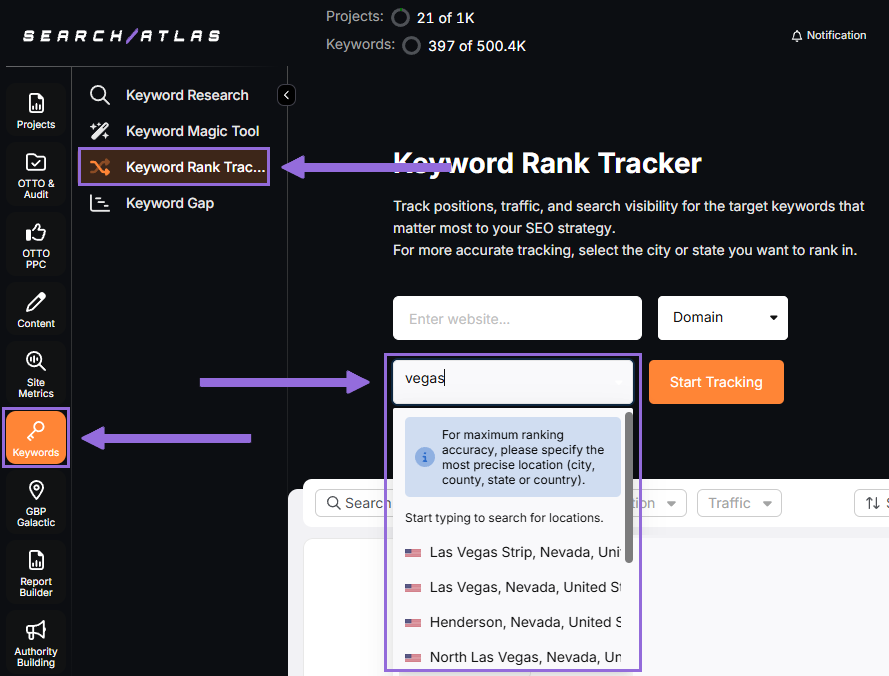
Add your website, choose target location, and click Start Tracking.
Set device, language, frequency, and campaign details.
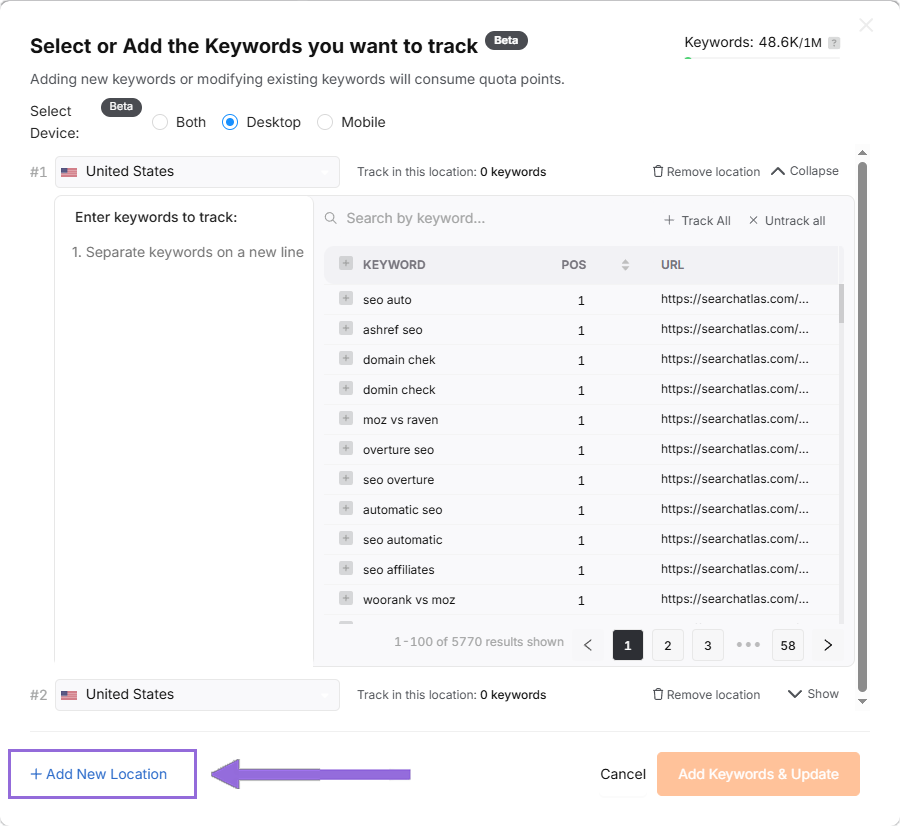
Track Multiple Locations
Click + Add New Location to monitor different areas in one report with separate keyword groups.
4. How to Set Up Search Atlas’ Content Genius?
Content Genius will give you a fresh automatic analysis for each piece.
In Search Atlas
Now set up the Search Atlas’s Content Genius editor.
From your Search Atlas main dashboard, go to Content > Content Genius.
Select the Write Yourself option, then choose Create Article.
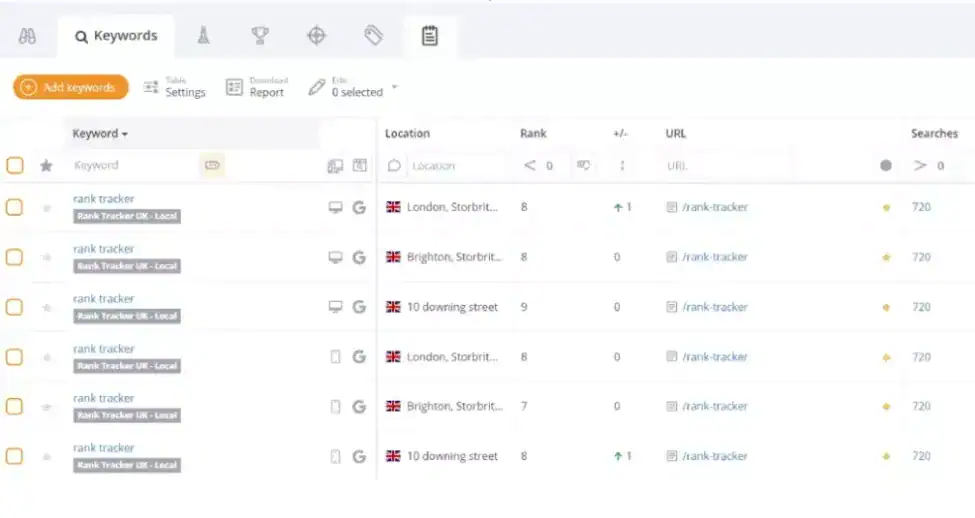 Via Bing Webmaster Tools
You have two ways to bring in your content:
- Direct Transfer: Copy and paste your article text straight from the original doc into the editor
- URL Import: Enter the web address of your published content along with your target keywords
Search Atlas will automatically identify related keywords and topical terms for your content.
Using the URL Import Method
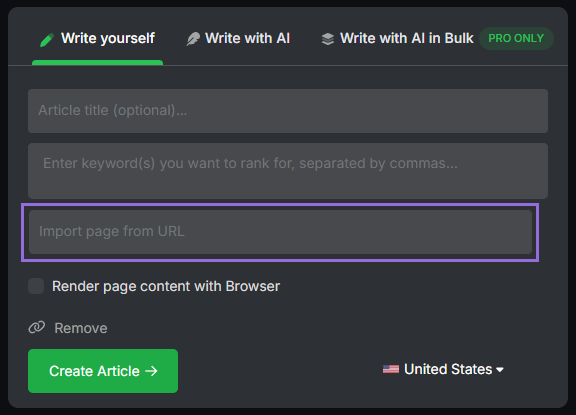
Enter your article's URL, add the primary keywords you're targeting, and click to import.
The platform will analyze your content and provide recommendations for:
- Technical improvements
- Content structure enhancements
- Keyword optimization opportunities
5. How to Enable Automated SEO Optimization in Search Atlas?
AnswerThePublic doesn’t have an SEO AI assistant that implements fixes. However, Search Atlas OTTO SEO automatically handles SEO tasks, including technical site audits, page optimization, link building, content creation and updates, Local SEO, and Google Business Profile management.
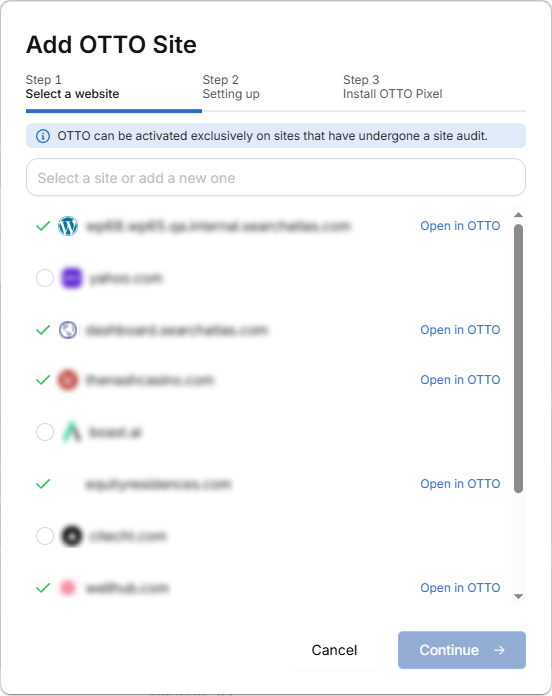
You'll have to complete a Site Audit on your project before activating OTTO.
Navigate to Projects > + Add a Website
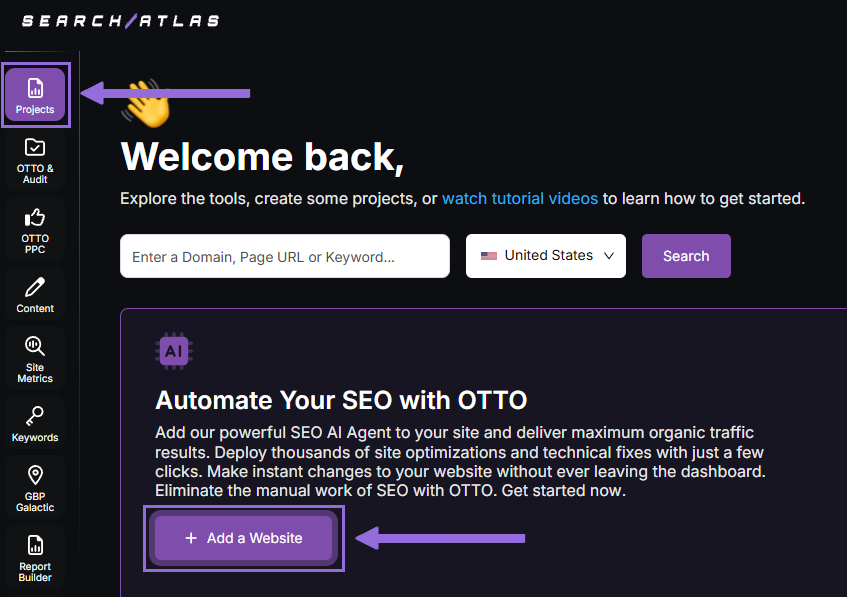
Choose an existing project that doesn't have OTTO set up yet, or create a new website project.
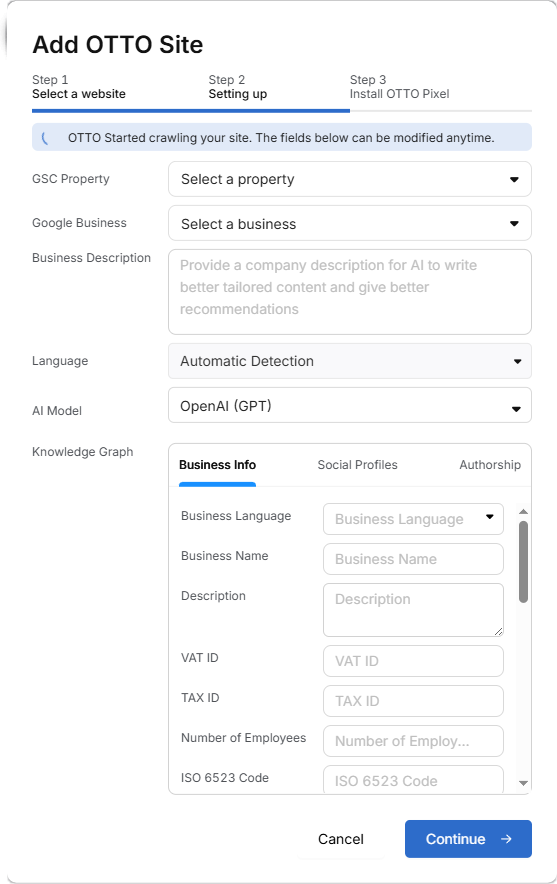
Connect your Google Search Console and Google Business Profile, then fill in your business information.
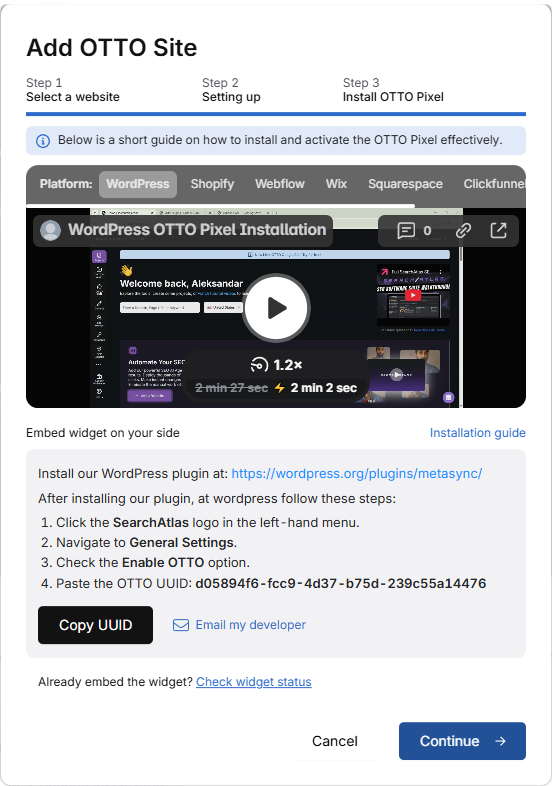
Follow the setup tutorial to install OTTO on your site.
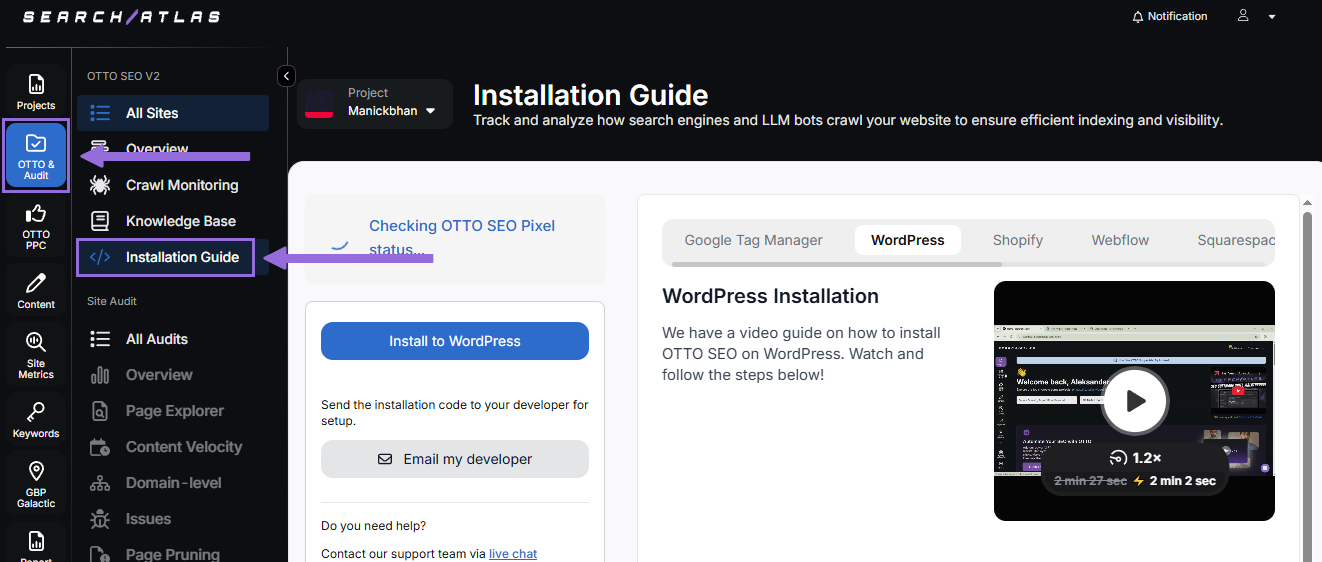
Installing OTTO on another CMS
Go to OTTO & Projects > Installation Guide, where you'll find step-by-step instructions for:
- Google Tag Manager
- WordPress
- Shopify
- Webflow
- Squarespace
- ClickFunnels
- Wix
- GoHighLevel (GHL)
- Custom Installation
WordPress Installation Summary
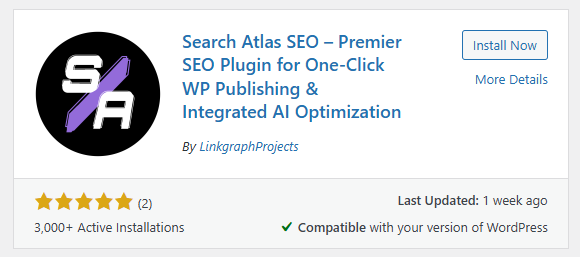
Access your WordPress admin panel and go to the Plugins section. Search for "Search Atlas" in the plugin directory, then click Install Now and activate it.
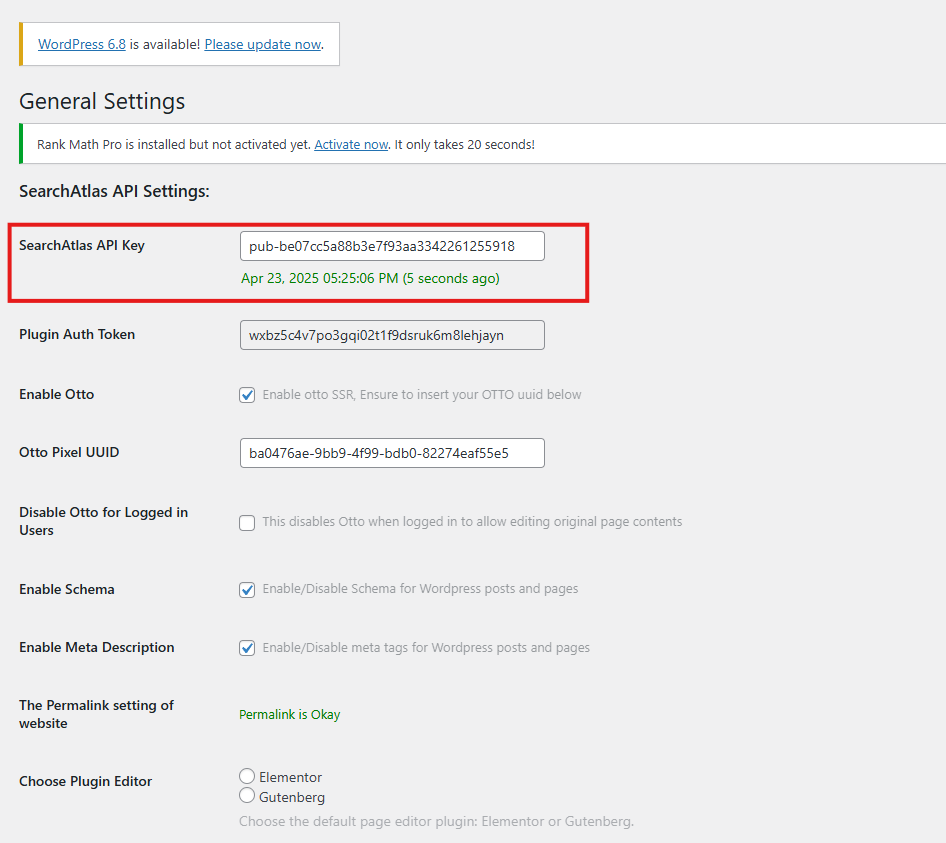
Copy the API key from your Search Atlas setup. In WordPress, click the Search Atlas logo in the left menu to open plugin settings. Go to General Settings and paste your API key into the Search Atlas API Key field.
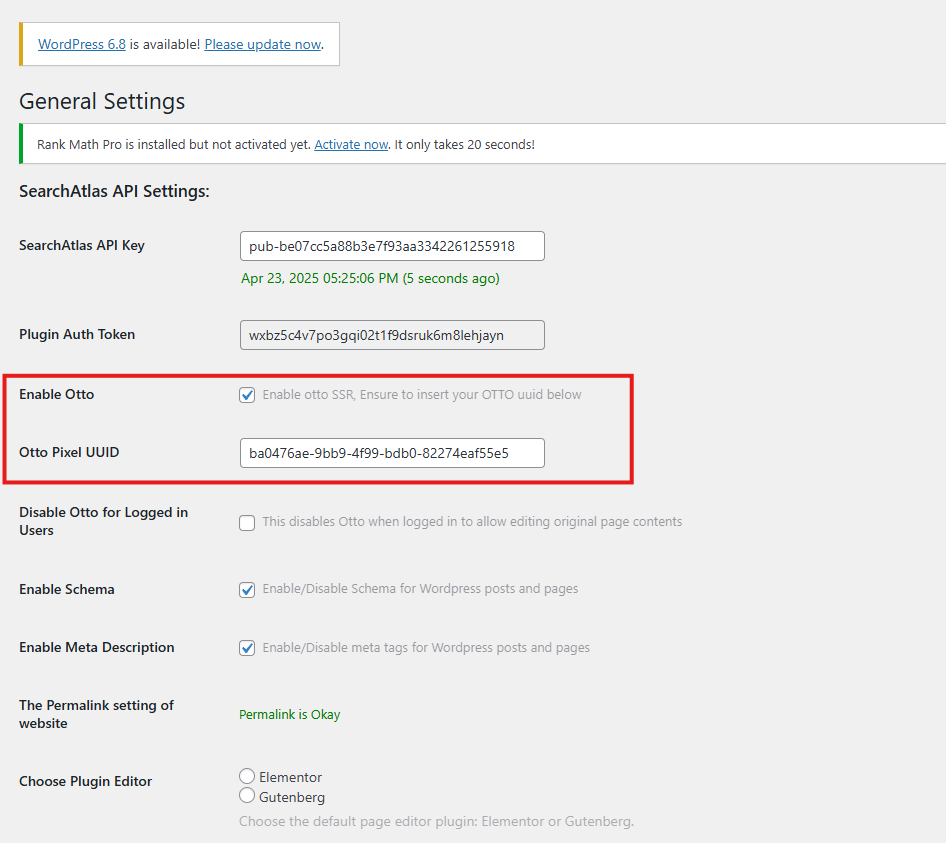
Copy the code from the next setup step. Return to WordPress plugin settings, check the Enable OTTO box in General Settings, and paste the code into the OTTO Pixel UUID field. Save your changes.
OTTO SEO is now active within WordPress and can automatically implement SEO improvements and updates throughout your website.
How to Configure OTTO SEO?
Watch a short tutorial on how to configure OTTO Autopilot and its settings.
6. How to Go Through the Search Atlas Onboarding Process?
Search Atlas offers multiple support options to help with questions or issues. Here's how to maximize your onboarding experience.
Watch Tutorial Videos
Search Atlas provides step-by-step video tutorials on YouTube that demonstrate report creation, dashboard setup, and automation usage.
Book a 1:1 Onboarding Session
During your platform trial, you can schedule a 1:1 onboarding session directly from your dashboard. A product expert will assist with setup, account connections, and OTTO SEO automation configuration.
Follow the 7-Day Email Campaign
Your free trial includes a 7-day onboarding email sequence. Each email covers one key feature.
Technical Documentation
Access comprehensive technical docs in the Help Center with detailed instructions for every tool. The searchable documentation receives regular updates.