A web ranking report shows where your website appears in search results for specific keywords and how those positions change over time. Marketers also call it a keyword ranking report or a SERP ranking report.
This guide gives you a copyable template, a filled example, and the eight elements every report needs. You will also learn how to build one for free in Google Search Console.
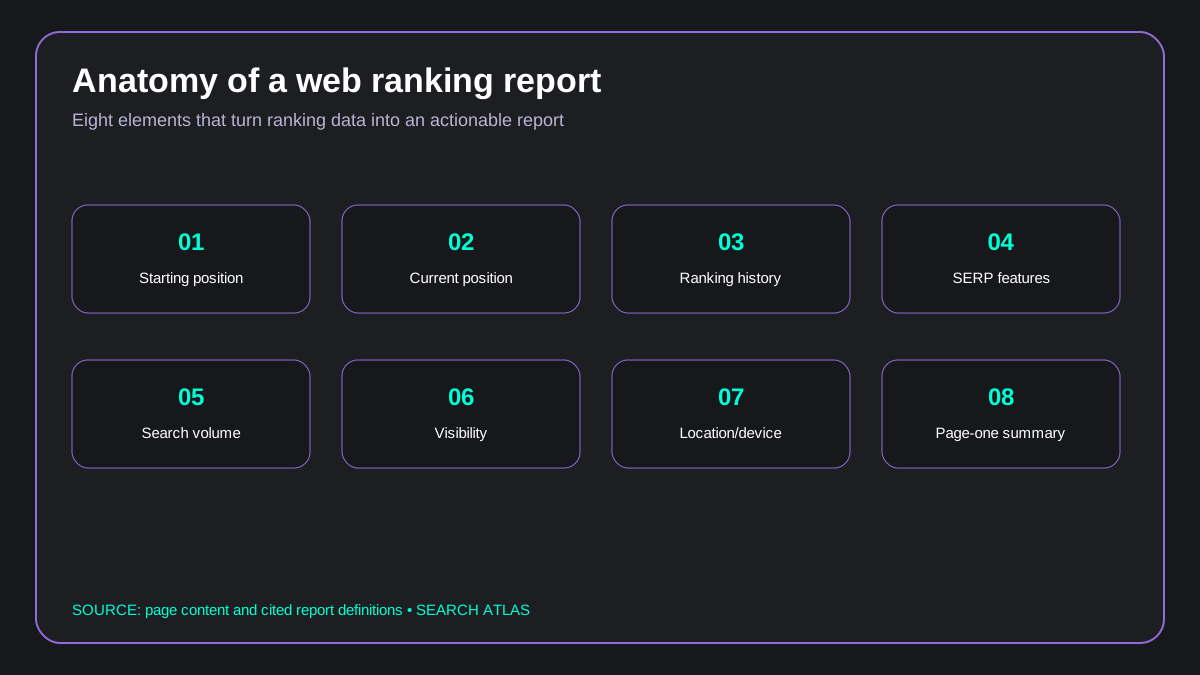 Infographic: anatomy of a web ranking report.
What Is a Web Ranking Report?
A web ranking report, which teams also call a keyword ranking report, shows how your pages perform in the SERPs and how your rankings change.
Build one with the Search Atlas Keyword Rank Tracker, which is covered in our guide to rank tracking tools. You can also assemble a free report from Google Search Console data, as shown later in this guide.
The Keyword Rank Tracker records position changes, traffic changes, and visibility scores for the keywords you monitor. It tracks them daily, weekly, or monthly. A beginner's guide to SEO explains how to find the right keywords to target.
What Does a Web Ranking Report Include?
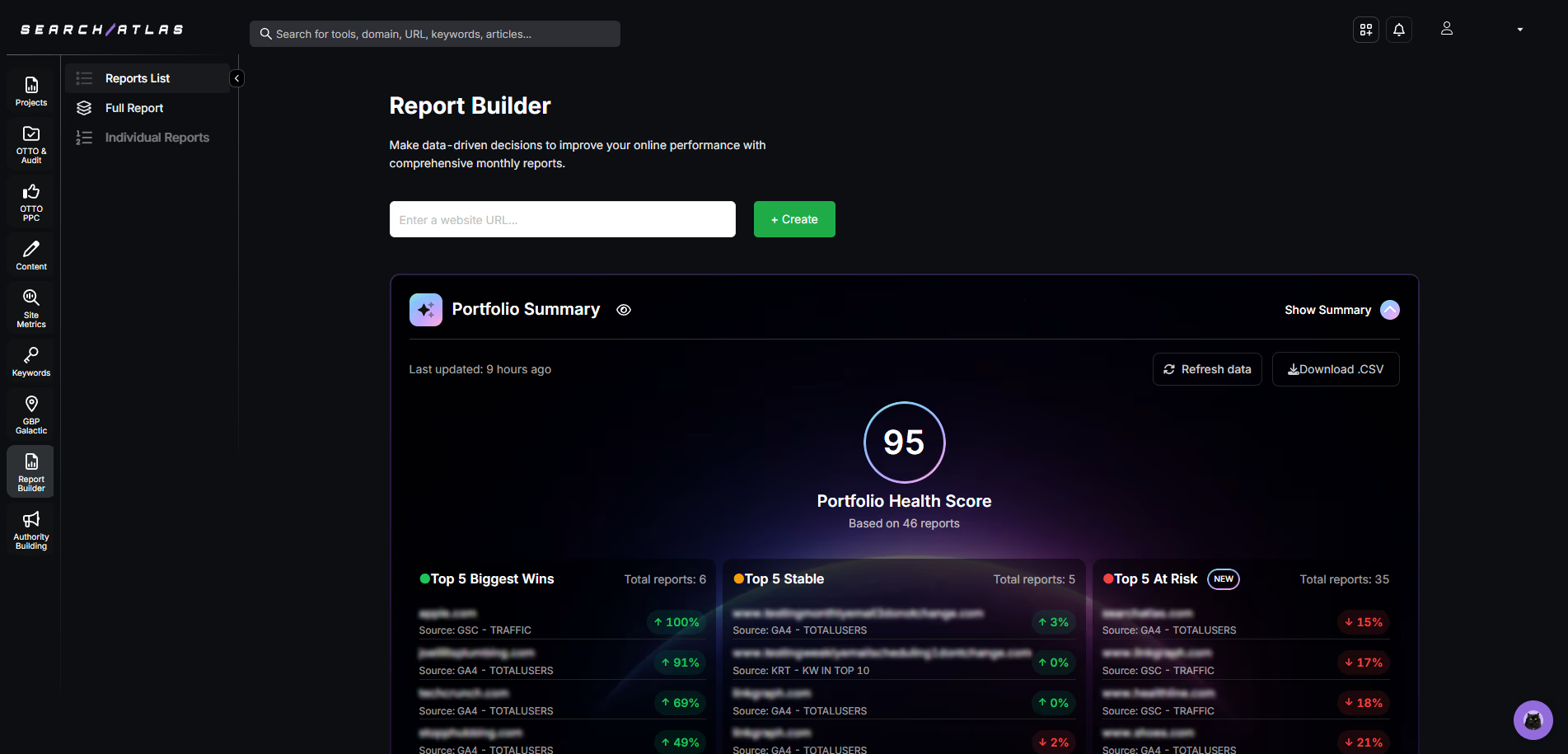
A web ranking report from the Search Atlas Keyword Rank Tracker presents organized data about keyword performance. It includes the elements listed below.
| Report element | What it shows you |
|---|---|
| Starting and Current Position | Shows where a keyword ranked at the beginning and where it ranks now. Makes it easy to see if things have improved. |
| Ranking History Chart | Shows a simple graph of how keyword rankings changed over time. Helps spot patterns and progress. |
| SERP Features | Tells if a keyword shows up in special results like featured snippets, image carousels, or map listings. |
| Search Volume | Shows how many people search for each keyword every month. Helps focus on the ones people actually use. |
| Search Visibility | Gives a score that shows how visible the website is in search results based on all tracked keywords. |
| Location Tracking | Lets users choose a country, city, or region to see keyword rankings in that specific place. |
| Mobile and Desktop Rankings | Shows if rankings are different on phones compared to computers. |
| Keyword Summary | Lists how many keywords are tracked, how many rank on page one, and what the average ranking is. |
Web Ranking Report Template
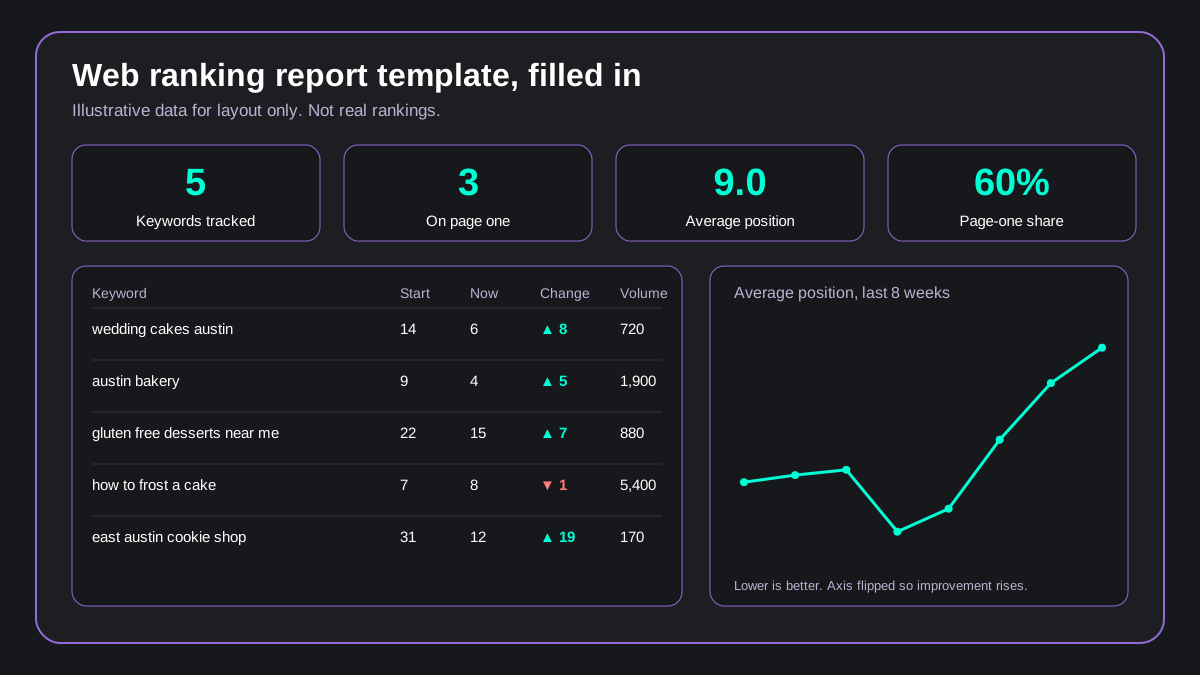 Infographic: a filled-in web ranking report with summary figures, a keyword table, and a trend line. All data is illustrative.
A web ranking report template has two parts: a summary block on top and one row per tracked keyword below it. Copy the structure below into a spreadsheet and fill it in each reporting period.
Summary block, repeated every period:
| Summary field | What to enter |
|---|---|
| Keywords tracked | The total number of keywords in the report |
| Page-one count | How many keywords currently rank in positions 1 to 10 |
| Average position | The mean of all current positions |
| Visibility | The share of tracked keywords on page one, or your tracker's visibility score |
Keyword table, one row per keyword:
| Column | What to enter |
|---|---|
| Keyword | The exact phrase you track |
| Start position | The position when tracking began |
| Current position | The position in this reporting period |
| Change | Start position minus current position, so a positive number means improvement |
| Search volume | Monthly searches for the keyword |
| SERP features | Features on the results page, such as a featured snippet or map pack |
| Ranking URL | The page that currently ranks |
| Notes | Anything that explains a move, such as an update or a content change |
For a plain-text copy, paste this header row into your sheet:
Keyword | Start position | Current position | Change | Search volume | SERP features | Ranking URL | NotesExample Web Ranking Report
This example shows a filled report for a local bakery. Every number is illustrative and chosen to show the layout, not to report real rankings.
| Keyword | Start | Now | Change | Volume |
|---|---|---|---|---|
| wedding cakes austin | 14 | 6 | ▲ 8 | 720 |
| austin bakery | 9 | 4 | ▲ 5 | 1,900 |
| gluten free desserts near me | 22 | 15 | ▲ 7 | 880 |
| how to frost a cake | 7 | 8 | ▼ 1 | 5,400 |
| east austin cookie shop | 31 | 12 | ▲ 19 | 170 |
The summary block for this example reads: 5 keywords tracked, 3 on page one, average position 9.0 (up from 16.6), and a page-one share of 60% (up from 40%).
Illustrative result: average position moved from 16.6 to 9.0, and page-one keywords rose from 2 to 3 of 5.
All figures in this example are invented for demonstration.
Add a Notes column entry whenever a number moves for a known reason. Raw changes mislead without context, as the chart below shows.
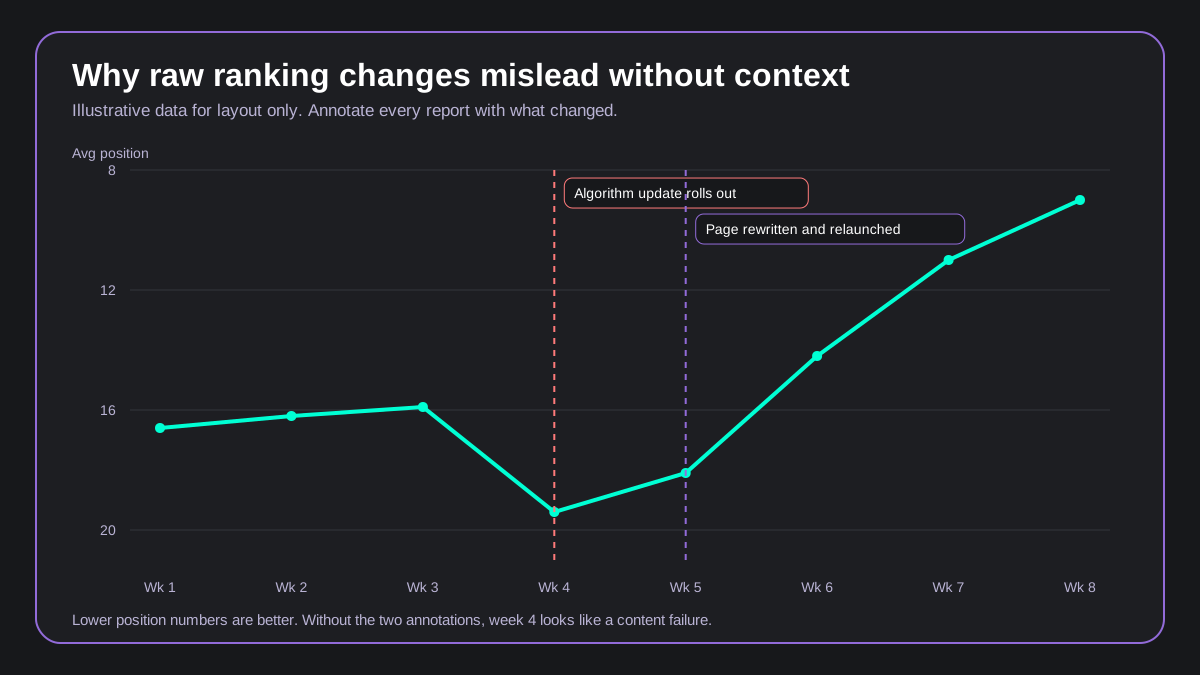 Infographic: illustrative average position trend with an algorithm update and a page relaunch annotated.
How to Track Your Website Rankings
Website owners and marketers track rankings in Google Search Console and in rank tracking software such as Search Atlas. Both cover one-off checks and ongoing monitoring.
How to Track Your Website Rankings in Google Search Console
Step by step
Check your rankings in Search Console in five steps
Step through the setup here. The list below has the same steps.
Visit search.google.com/search-console and sign in with your Google account.
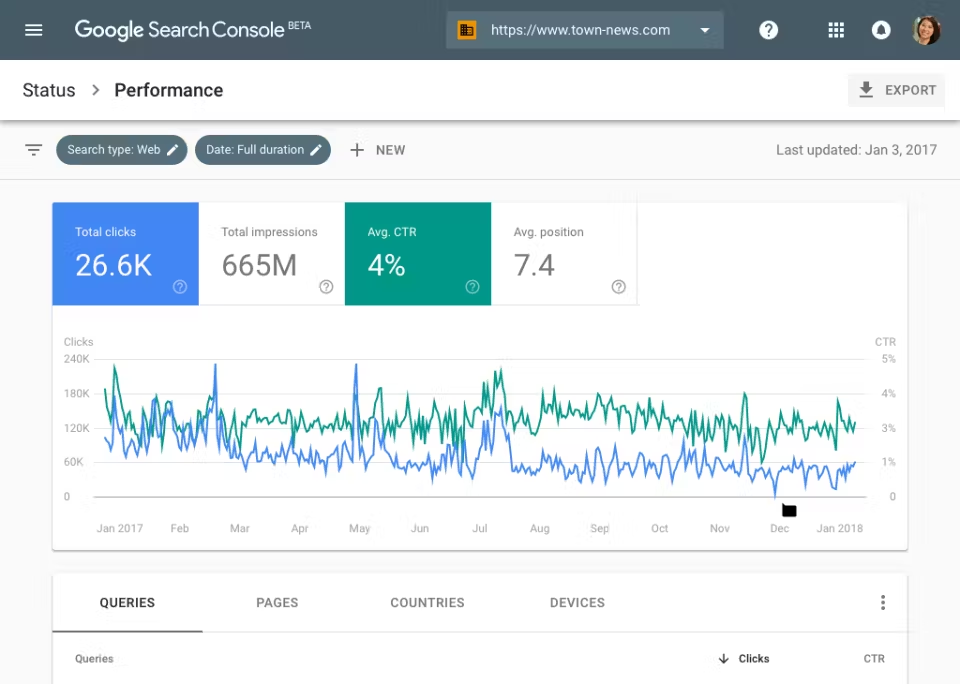 Via Capterra
- Sign In to Google Search Console. Visit search.google.com/search-console and sign in with your Google account.
- Add Your Website. Click “Add Property” and enter your website’s full URL. Verify ownership by following the instructions (Google gives simple options like adding a small code or using your domain provider).
- Go to the Performance Report. Click on your website, then go to “Performance” in the left menu.
- See Keyword Rankings. You’ll see the exact search terms (called queries) that brought visitors to your site, along with your average position for each one.
- Filter by Pages or Devices. Use filters to check rankings by specific pages, countries, or device types like mobile and desktop.
How Does Search Console Calculate Average Position?
Try it
Work out the average position Search Console reports
Enter the positions your site appears at for each query. Search Console counts only the topmost one per query, then averages across queries.
Rule and starting example: Google Search Console Help, checked September 25, 2026.
Search Console calculates average position from the topmost position your site held for each query, averaged across all queries.
In Google’s own example, one query returns a site at positions 2, 4, and 6, so it counts as 2. A second query returns it at positions 3, 5, and 9, so it counts as 3.
The average position is 2.5 (Google Search Console Help, “Performance report (Search results): Overview and basic setup”, checked September 25, 2026).
Search Console reports an average position, not your best position.
A site that ranks 3 and 8 for variations of a query shows a position between them (Google Search Console Help).
How to Track Your Website Rankings in Search Atlas
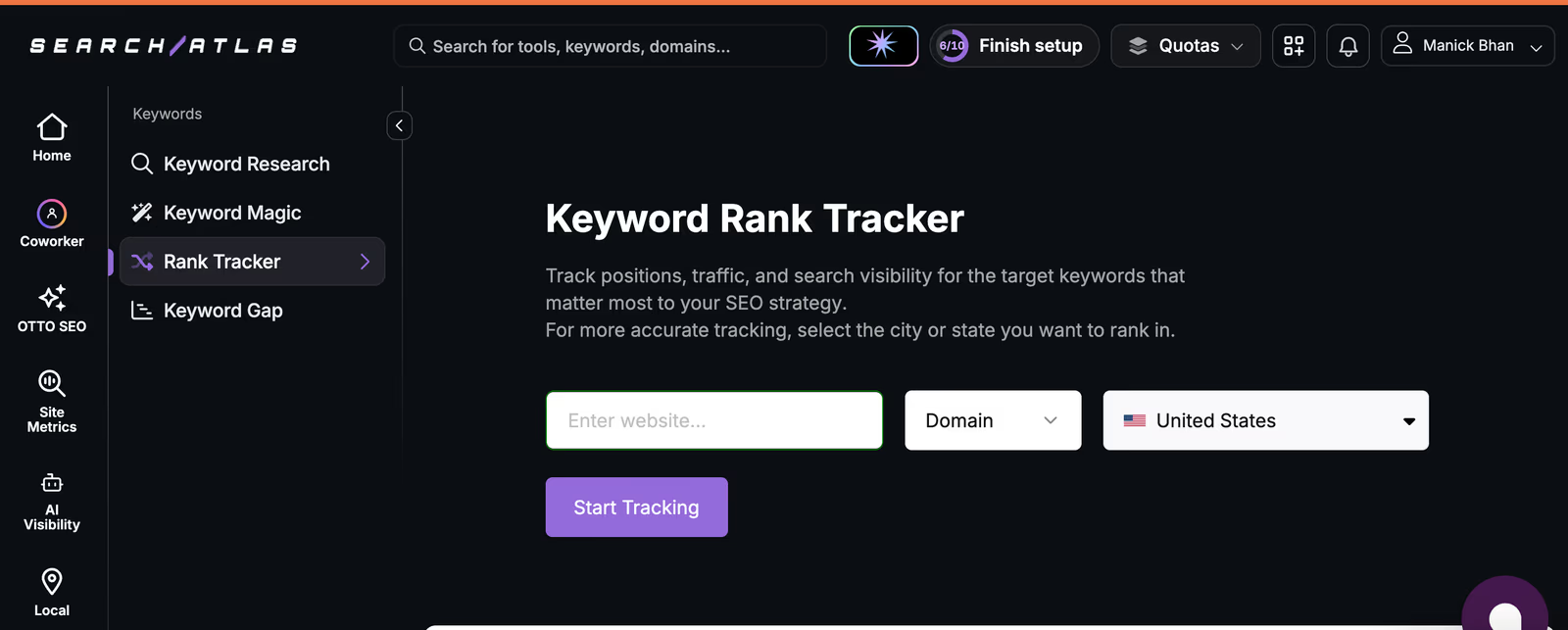
Choose whether to track rankings daily, weekly, or monthly. Frequent checks give you precise data for trending keywords and SEO decisions. See our comparison of keyword rank tracking tools.
| Rank tracker component | What you get |
|---|---|
| Input Values | Enter your website’s domain or target page and select the location for precise tracking. |
| Output Values | After setup, you access detailed insights, including tracked keywords, starting and current positions, SERP features, search volume, and location details. The tool provides historical charts showing ranking changes over time. |
| Mobile and Desktop Tracking | Track both desktop and mobile rankings for each keyword to get a complete view of your keyword performance across devices. |
| Competitor Insights | Monitor competitor performance, view their current positions, keywords in the top 10, and search visibility scores. |
| CSV Export and Sharing | Export keyword ranking data into CSV files for further analysis or share the project’s dashboard link for team collaboration. |
Search Console vs. a Rank Tracker
The two sources answer different questions, so many teams use both.
| Capability | Google Search Console | Search Atlas Keyword Rank Tracker |
|---|---|---|
| Position metric | Average position across queries | Position for each tracked keyword |
| Location | Country filter | Country, city, or region per project |
| Device | Device filter | Mobile and desktop positions reported separately |
| Tracking cadence | Performance report data | Daily, weekly, or monthly checks |
| Competitors | Your own site only | Competitor positions and visibility scores |
How to Build a Web Ranking Report
Here is how to create a visual ranking report in Google Search Console and in Search Atlas.
GSC
Google Search Console connects directly to Looker Studio, a free Google tool that turns data into visual reports. The official connector offers two data views, site impressions and URL impressions, and each Looker Studio data source uses one of them (Google, accessed September 23, 2026, “Connect to Search Console”).
To connect the two, open Looker Studio, choose Google Search Console as the data source, and select your website. Looker Studio pulls in the data automatically.
Then choose what to display, such as keywords, clicks, and positions. Filter by country, page, device, or search type, and arrange metrics into scorecards, graphs, or tables. The result is a readable, shareable ranking report.
Search Atlas
Open the Search Atlas Keyword Rank Tracker from your dashboard. View your tracked keywords, positions, and ranking history. Click the export button to download the data as a CSV file.
To share your report, copy the project URL and send it to your team. This gives others live ranking data without extra setup.
Automated and Scheduled Reports
To send the same report on a schedule, use the Search Atlas Report Builder. It combines rankings with Google Search Console and Google Analytics data into reports that refresh automatically, so no one rebuilds the spreadsheet each month.
How to Pick What Keywords to Track
Checklist
Five rules for picking keywords to track
Tick off what you have done. Each item is explained in the sections below.
Track the right keywords from the start. Choose terms that reflect what the business offers, using real data, local relevance, and user intent. Follow the steps below.
Start with Simple Keywords
Pick clear, direct keywords that match your business, product, or service. A bakery owner in Austin would start with “Austin bakery” or “best cupcakes Austin.” These phrases describe exactly what the business offers.
Check Keywords from Your Website
Open the Performance report in Google Search Console to find the search terms that already bring visitors. Copy them into your tracking list. Real data beats guessing, and these phrases already match your content.
Think Like Your Customers
Track questions and problems in a customer's own words, such as “how to frost a cake” or “gluten-free desserts near me.” These longer phrases often bring more targeted traffic. Use language that reflects how people search online.
Focus on Relevant and Local Terms
Add city or neighborhood names when the business serves one area, such as “wedding cakes in Austin” or “East Austin cookie shop.” Local keywords match search intent for nearby buyers.
Limit the List
Start with 10 to 20 keywords tied to your goals, such as traffic growth, leads, or local visits. Avoid tracking hundreds of random terms. Expand once you see what performs.
What is Web Ranking?
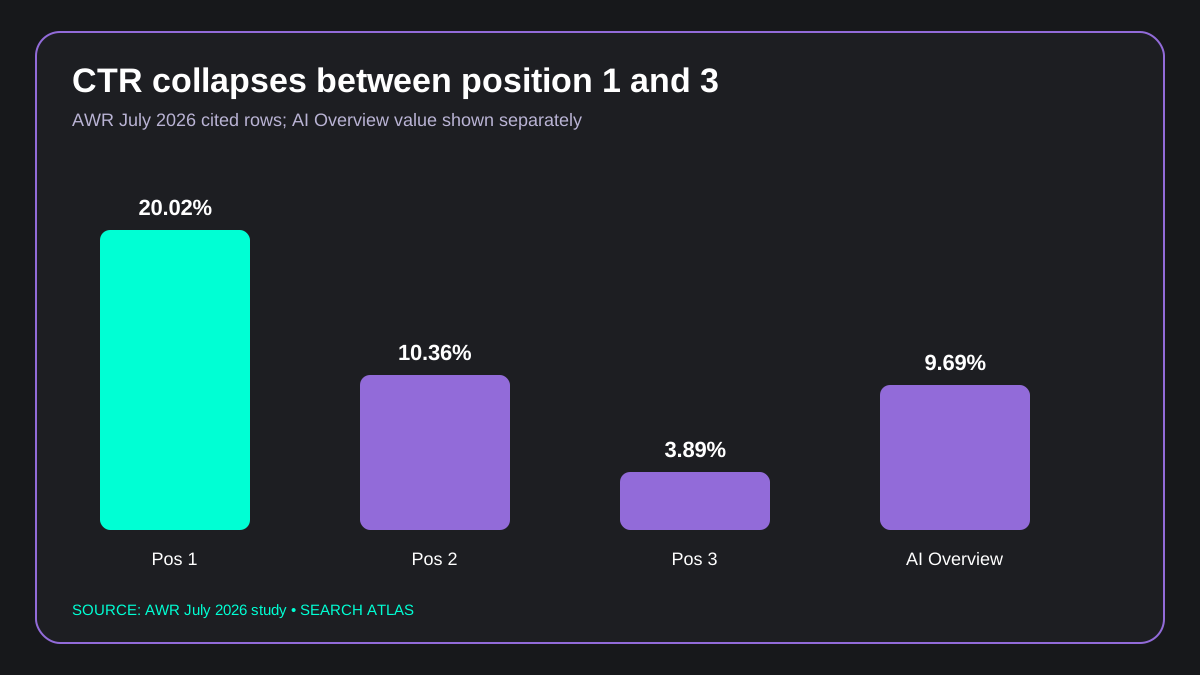 Infographic: click-through rate by ranking position from cited AWR data.
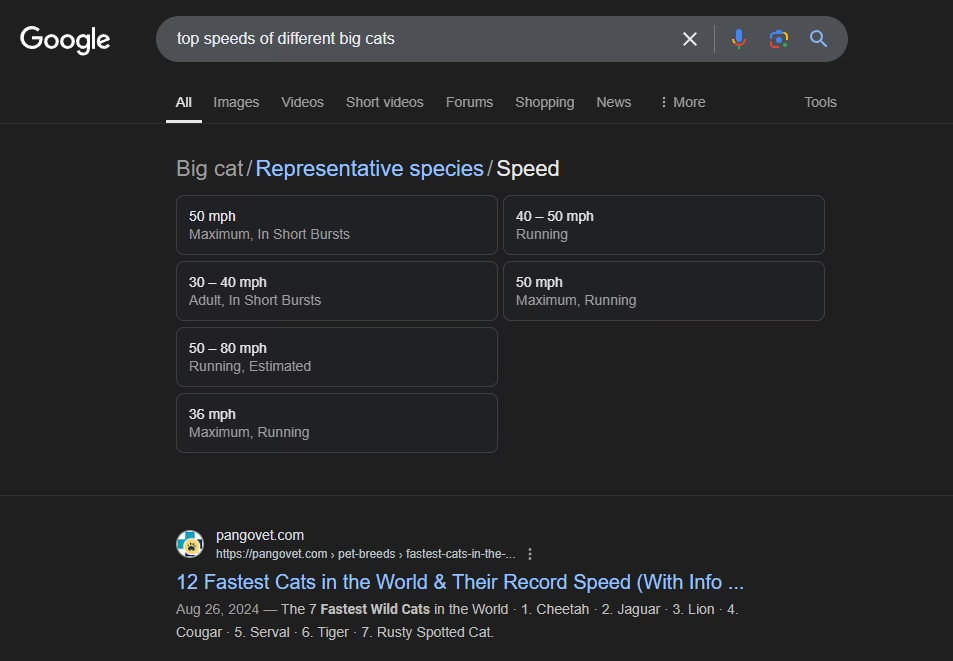
Web ranking is the position of a website in search engine results pages (SERPs) for specific keywords or queries. In the example image (top speed of different big cats), the veterinarian website ranks in position 1.
Search engines evaluate each page by content relevance, backlink quality, keyword usage, and user signals. Ranking factors carry different weights depending on the query type.
Web ranking determines how easily users find a page. Higher rankings attract more organic traffic, because users often click links on the first page of results.
Average click-through rate falls steeply as position drops. On Google US desktop results, the average organic listing earned a 20.02% CTR at position 1 in July 2026, 10.36% at position 2, and 3.89% at position 3 (Advanced Web Ranking, July 2026, “Google Organic CTR by Position: 2026 Study + AI Overviews”).
| Position (Google US desktop, July 2026) | Average organic CTR, all SERP types |
|---|---|
| Position 1 | 20.02% |
| Position 2 | 10.36% |
| Position 3 | 3.89% |
Position 1 earns a 20.02% CTR, more than positions 2 and 3 combined (14.25%).
Source: Advanced Web Ranking, July 2026, “Google Organic CTR by Position: 2026 Study + AI Overviews”.
How Many Clicks Would Positions 1 to 3 Bring for Your Keyword?
Try it
Estimate the clicks each position would bring
Enter the keyword’s monthly searches. Each row multiplies it by the average CTR for that position.
- Position 1 20.02% CTR
- Position 2 10.36% CTR
- Position 3 3.89% CTR
- Position 1 with an AI Overview 9.69% CTR
CTRs: Advanced Web Ranking, Google organic CTR study, July 2026, US desktop, all intents. Averages, not a forecast for one keyword.
To estimate clicks, multiply the keyword’s monthly searches by the average CTR for its position. A keyword with 1,000 monthly searches would bring about 200 clicks a month at position 1, 104 at position 2, and 39 at position 3.
The same study found that an AI Overview on the results page cuts position 1 organic CTR from 20.02% to 9.69%, which lowers the position 1 estimate to about 97 clicks. These are averages across all queries, so a single keyword can land well above or below them.
Keyword Ranking Report FAQs
What is a keyword ranking report?
A keyword ranking report is a document that shows the positions your website holds in search results for a defined set of target keywords and how those positions change over time. It is also called a web ranking report or a SERP ranking report, and it includes data such as starting and current positions, ranking history, search volume, and visibility scores.
How do I check my website ranking on Google for free?
Google Search Console is the free way to check your website ranking on Google. Its Performance report lists the queries that trigger your pages and the average position for each one, with filters for page, country, and device. Connecting Search Console to Looker Studio turns the same data into a free, shareable visual report.
What should a keyword ranking report include?
A keyword ranking report should include starting and current positions, a ranking history chart, SERP features, search volume, search visibility, location tracking, mobile versus desktop rankings, and a keyword summary of how many terms rank on page one. These eight elements show both what changed and where the site stands.
How do I create a keyword ranking report from Google Search Console?
Open the Performance report in Google Search Console, then connect Search Console to Looker Studio and select it as the data source. Add clicks, impressions, and average position to scorecards and tables, filter by page, device, or country, and share the link with your team.
How often should I check keyword rankings?
Weekly is the standard cadence for checking keyword rankings, while most tracking tools record positions daily. Check monthly for stable, low-competition terms, and check daily around content changes or Google algorithm updates, when movement is most likely.
Can I track keyword rankings by location and device?
Yes. Rank tracking tools let you set a country, city, or region per project so rankings reflect local results, and they report mobile and desktop positions separately. Google Search Console also offers country and device filters, but it reports an average position rather than location-specific rankings.
Is a ranking report the same as rank tracking?
No. A ranking report is a document or dashboard that summarizes keyword positions for a point in time, while rank tracking is the ongoing process of recording those positions and monitoring changes daily. For choosing the software that handles the tracking side, see our guide to rank tracking tools.
How is a keyword ranking report different from an SEO report?
A keyword ranking report covers only keyword positions and how they change, while an SEO report covers broader performance such as traffic, conversions, backlinks, and technical health. For the client-facing version, see our guide to SEO reports for clients.
Understand Your Ranking Data Easily With Search Atlas
Building and understanding a web ranking report is essential for tracking your website’s performance and making informed SEO decisions.
Staying on top of your rankings helps you improve your visibility and grow your business.
The key to efficiency lies in automation. By automating your ranking reports, you save time, reduce errors, and focus more on strategies that drive results.
Ready to simplify your web marketing? Sign up for a free trial with Search Atlas today. No commitment required!