An HTTP status code is the three-digit number a web server sends back with every response, and it tells the browser or crawler whether the request worked, got redirected, or failed. Type a URL into a browser and hit enter, and the browser sends a request to that page's server. The server sends back the page itself, plus a status code riding along with it. A 200 means it worked. A 404 means the page doesn't exist. A 301 means it moved somewhere else for good. The visitor usually never sees the number, but Googlebot reads every one of them, and what it reads shapes whether a page gets crawled, indexed, and ranked.
This guide covers what each category of status code means, which ones actually move the needle for SEO, and how to check what your own site is returning right now.
What Is an HTTP Status Code?
An HTTP status code is a three-digit response the server sends alongside the requested page, confirming what happened to that request. HTTP stands for Hypertext Transfer Protocol, the language browsers and servers use to talk to each other. Every time a browser, an app, or a crawler requests a URL, the server that owns that URL answers with both the content, if there is any, and a status code describing the outcome.
The current specification for what these codes mean is RFC 9110, published by the IETF in 2022. It replaced the older RFC 7231, which had been the reference since 2014, and it consolidates what used to be spread across several separate documents into one definition of HTTP semantics. The IANA HTTP Status Code Registry is the authoritative, continuously updated list of every code officially assigned, and it's worth bookmarking over a static blog list, since new codes do get added. 103 Early Hints and 425 Too Early are both additions that a lot of older reference pages still leave out.
Status codes matter for SEO because Google's crawlers depend on them to decide what to do next with a URL. A clean 200 tells Googlebot the page is healthy and worth indexing. A 404 or a 500 tells it something is broken, and repeated errors on a domain can quietly reduce how much of the site Google bothers to crawl at all.
The 5 Categories of HTTP Status Codes
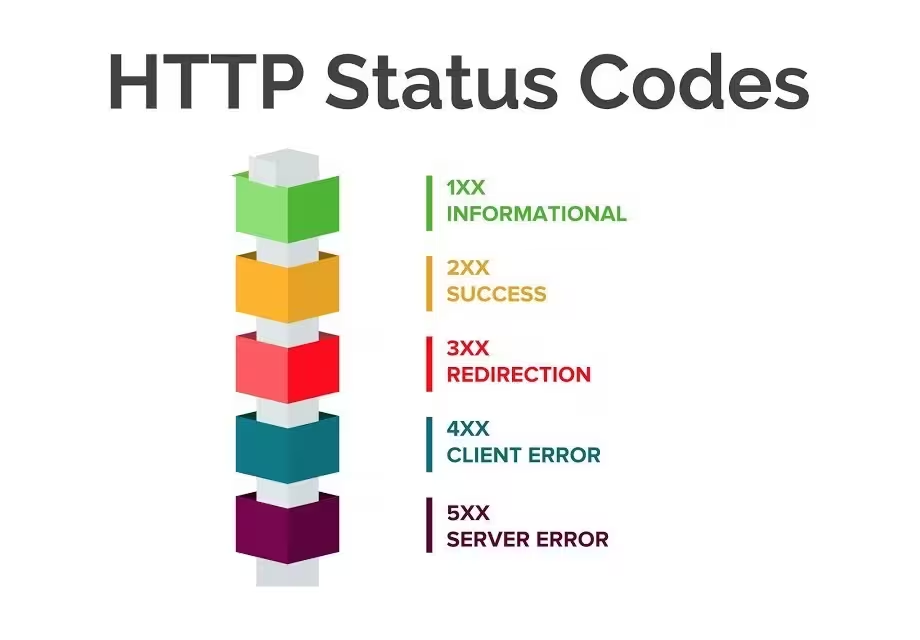
Every status code falls into one of five categories, identified by its first digit. The number itself tells you the category before you even look up what the specific code means.
| Category | Range | What It Means |
|---|---|---|
| 1xx Informational | 100-199 | The request was received and processing is continuing |
| 2xx Success | 200-299 | The request was received, understood, and completed |
| 3xx Redirection | 300-399 | Further action is needed to complete the request, usually because the resource moved |
| 4xx Client Error | 400-499 | The request has a problem the client caused, like requesting a page that doesn't exist |
| 5xx Server Error | 500-599 | The server failed to fulfill a request that was otherwise valid |
A quick way to remember the split, 1xx and 2xx are neutral to good, 3xx tells you to look somewhere else, and 4xx and 5xx both signal failure, just from opposite sides of the connection. A 4xx means the client, meaning the browser or crawler, asked for something that doesn't work. A 5xx means the server itself broke down while trying to answer.
Full Reference Table of Common HTTP Status Codes
Most sites only ever generate a handful of these codes in practice, but the registry is long, and the newer or rarer entries are exactly the ones a dated reference list tends to miss. The table below covers the codes worth knowing, including a few that only became relevant after HTTP/2, modern CDNs, and stricter security practices made them common.
1xx Informational
| Code | Name | Meaning |
|---|---|---|
| 100 | Continue | The initial part of the request was received, the client should keep sending the rest |
| 101 | Switching Protocols | The server agrees to switch to a different protocol the client requested |
| 103 | Early Hints | Lets the browser start preloading resources like CSS while the server is still preparing the full response |
2xx Success
| Code | Name | Meaning |
|---|---|---|
| 200 | OK | The request succeeded and the server returned the requested content |
| 201 | Created | The request succeeded and a new resource was created as a result |
| 204 | No Content | The request succeeded but there's nothing to send back |
| 206 | Partial Content | The server is sending only part of the resource, common for video streaming and resumable downloads |
3xx Redirection
| Code | Name | Meaning |
|---|---|---|
| 301 | Moved Permanently | The resource now lives at a new URL, and it's staying there |
| 302 | Found | The resource is temporarily at a different URL |
| 304 | Not Modified | Tells the browser its cached copy is still current, so it doesn't need to download the page again |
| 307 | Temporary Redirect | Works like a 302, but guarantees the request method won't change, so a POST stays a POST |
| 308 | Permanent Redirect | Works like a 301, with that same guarantee about preserving the request method |
4xx Client Error
| Code | Name | Meaning |
|---|---|---|
| 400 | Bad Request | The server can't understand or process the request as sent |
| 401 | Unauthorized | The client needs to authenticate before it can access the resource |
| 403 | Forbidden | The server understood the request but refuses to authorize it |
| 404 | Not Found | The server can't find anything matching the requested URL |
| 410 | Gone | The resource used to exist here and has been intentionally, permanently removed |
| 421 | Misdirected Request | The request landed on a server that isn't configured to produce a response for that URL |
| 425 | Too Early | The server won't risk processing a request that might be a replayed attack |
| 429 | Too Many Requests | The client has sent too many requests in too short a window, a form of rate limiting |
| 451 | Unavailable For Legal Reasons | The resource is blocked for legal reasons, such as a government-mandated takedown |
5xx Server Error
| Code | Name | Meaning |
|---|---|---|
| 500 | Internal Server Error | A generic failure, the server hit a problem it can't describe more specifically |
| 502 | Bad Gateway | A server acting as a gateway or proxy got an invalid response from the upstream server |
| 503 | Service Unavailable | The server is temporarily unable to handle the request, often due to maintenance or overload |
| 504 | Gateway Timeout | A gateway or proxy didn't get a response from the upstream server in time |
| 507 | Insufficient Storage | The server can't store the representation needed to complete the request, a WebDAV-specific code |
The HTTP Status Codes That Matter Most for SEO
Only a fraction of the codes above show up often enough to matter for day to day SEO work, and a smaller fraction of those actually change how Google treats a page. These are the ones worth understanding in depth.
200 OK: The Baseline Every Page Should Hit
A 200 is what every indexable page on your site should return, and it's easy to take for granted until it stops happening. It confirms the server found the resource and handed it over cleanly. When the Search Atlas Site Auditor crawls a domain, one of the most basic checks it runs flags any URL that fails to return a 200, since that single signal underlies almost every other technical SEO check that follows it.
301 vs 302: Which Redirect Should You Actually Use?
Use a 301 when a page has moved for good, and use a 302 only when the move is genuinely temporary. The distinction is not cosmetic. A 301 redirect tells Google to transfer the old URL's ranking signals, including backlinks, to the new URL, and to update its index to show the new URL in search results going forward. A 302 tells Google the opposite, keep the old URL indexed, because it will be back.
Google has said that a 302 left in place for a long stretch can eventually pass link equity in a way similar to a 301, but it still won't swap the indexed URL the way a 301 does. If a redirect is permanent, meaning a page moved to a new URL for good, a domain migrated, or a URL structure changed, use a 301. If it's genuinely short-lived, like a page down for scheduled maintenance or an A/B test, a 302 is the correct choice. Reaching for a 301 there can leave a stale URL in Google's index longer than it should be.
404 vs 410: How Gone Is Gone?
A 404 tells Google a page can't be found right now, while a 410 tells Google the page is gone permanently and isn't coming back. Both are valid client-error responses, and for most sites, a plain 404 is enough. Google treats it as a signal to eventually drop the URL from the index, just not urgently.
A 410 is the more explicit version of the same message, and it prompts Google to remove the URL from its index faster than a 404 typically does. That distinction matters most at scale, on sites that retire large batches of URLs on purpose, like an ecommerce catalog dropping a discontinued product line or a publisher sunsetting an old content vertical. For a one-off deleted page, a 404, or better, a 301 redirect to a relevant replacement, usually does the job.
Soft 404s: The Error That Doesn't Look Like One
A soft 404 is a page that returns a 200 OK even though it's effectively broken, empty, or irrelevant, and it's one of the sneakier technical SEO problems because nothing in the server response admits there's a problem. Google detects these by evaluating the actual content on the page, not just the status code. A thin page, a template that renders with no real content, or a "no results found" search page that still returns 200 can all get classified as soft 404s.
The cost is real even though the error is invisible to a quick glance. Googlebot keeps recrawling pages that look alive, spending crawl budget, the finite amount of crawling activity Google is willing to spend on a given domain, on URLs that will never rank, while genuinely useful pages wait longer for their next crawl. Fixing a soft 404 usually means either returning an honest 404 or 410 for content that's genuinely gone, or fixing the template so the page actually renders real content when it claims to have succeeded.
429 and Rate Limiting: When Crawlers Get Throttled
A 429 tells a crawler or client it's sending requests too fast, and it matters more now than it used to because AI crawlers have added a whole new wave of bot traffic hitting sites at unpredictable volume. A server under heavy load from AI training crawlers or aggressive scraping tools may start returning 429s to protect itself, but if that throttling accidentally catches Googlebot too, indexing and recrawl frequency can suffer. Watching crawler behavior, not just status codes in isolation, is how you catch this kind of collateral damage before it costs rankings.
5xx Server Errors: The Ones That Cost the Most
A 500-series error is the one search engines treat with the least patience, because it means the server itself failed, not just a single missing page. A 500, 502, 503, or 504 returned during a Googlebot visit can cause that crawl to be abandoned entirely. If Google keeps hitting server errors on repeat visits, it can slow the crawl rate for the whole domain as a protective measure, which then delays how quickly new content or fixes get picked up anywhere on the site. A handful of scattered 500s rarely does lasting damage. A pattern of them, especially during a migration, a plugin conflict, or a traffic spike the server can't handle, is worth treating as urgent.
How Status Codes Affect Crawling, Indexing, and Rankings
Status codes are the raw signal Googlebot uses to decide what to do next with every URL it touches, which makes them foundational to crawling and indexing rather than a side detail. A domain returning clean 200s and correctly used redirects tells Google the site is well maintained and worth spending crawl resources on. A domain riddled with unexpected 404s, broken redirect chains, or intermittent 500s reads as a maintenance problem, and Google responds by crawling more cautiously and indexing more slowly.
Redirect chains are a common way this shows up in practice. A URL that 301s to another URL that 301s again to a third destination forces Googlebot to follow multiple hops before it reaches real content, wasting crawl budget and sometimes causing the chain to be abandoned before it resolves. The same logic applies to broken links scattered through a site's internal linking. Every link pointing at a 404 or a redirect chain is crawl budget spent on nothing, and pages that are only reachable through those broken paths risk becoming orphan pages that Google struggles to find at all.
This is also where crawl monitoring earns its keep on larger sites. Watching which bots are hitting which URLs, and what status codes they're getting back, in something closer to real time makes it possible to catch a redirect chain or a spike in 500s before it drags down crawl frequency across a whole domain, rather than finding out weeks later once rankings have already slipped.
How to Check and Monitor Your Site's HTTP Status Codes
Checking status codes only matters if you catch the problem before it costs you rankings, which means building a habit of checking rather than running a one-time cleanup. There are a few ways to see what your site is actually returning.
Check a Single URL Manually
The fastest way to check one URL is to open your browser's developer tools, go to the Network tab, and reload the page. The status code for the main document, and every resource it loads, shows up in that panel. Command-line tools work too. Running curl -I followed by a URL returns just the response headers, including the status code, without downloading the full page, which is a quick way to spot-check a redirect or confirm a 404 without opening a browser at all.
Use Google Search Console
Google Search Console's Pages report, under the Indexing section, groups every URL on your site by why it is or isn't indexed, including status-code-related reasons like "Not found (404)" and "Server error (5xx)." Clicking into any of those groups shows the specific URLs affected, which is useful for spot-checking but slower for catching problems across a large site, since Search Console only refreshes this data periodically rather than continuously.
Run a Full Crawl With Search Atlas Site Auditor
For anything beyond a handful of pages, a full-site crawl catches what manual checks and Search Console both miss. The Search Atlas Site Auditor crawls a domain at up to 20 pages per second, covering anywhere from 100 to 1,000,000 URLs depending on site size, and re-crawls automatically every 7 days by default to keep the data current between manual runs.

Every URL it finds gets a status code recorded in the Page Explorer view, alongside a broader site health score on a 0 to 1000 scale that reflects technical stability and crawl efficiency across the whole domain, not just individual pages. Issues tied to status codes, like a soft 404, a redirect that doesn't point to HTTPS, or an internal link still pointing at an old redirected URL, show up in the Issues tab with an explanation of the problem and the steps to fix it.

That kind of reporting means a technical SEO audit doesn't require manually cross-referencing a spreadsheet of URLs against a status code chart. Running that audit on a regular cadence, rather than only after something visibly breaks, is what keeps status code issues from quietly eating into crawl budget and rankings over months instead of days. Redirects specifically should also route to the HTTPS version of a page, since a 301 that lands on an unsecured HTTP URL is one of the more common issues a crawl like this surfaces.
Frequently Asked Questions
What is the most common HTTP status code? 200 OK is by far the most common, since it's returned every time a page loads successfully, which is the outcome for the overwhelming majority of requests on a healthy website.
What's the difference between 401 and 403? A 401 means the client hasn't authenticated yet and needs to log in or provide credentials. A 403 means the server knows who's asking and is refusing anyway, because that client isn't allowed to access the resource regardless of authentication.
Do HTTP status codes directly affect Google rankings? Google does not use status codes as a direct ranking factor, but they gate the crawling and indexing process that has to happen before a page can rank at all. A page returning errors instead of content can't be indexed properly, and a domain with widespread errors can see its overall crawl rate throttled, which delays indexing across the site.
Should I use a 404 or a 410 for a deleted page? A 404 is sufficient for most single-page deletions. A 410 is the better choice when you want Google to remove the URL from its index faster and you're confident the content is gone for good, which matters most when retiring large batches of URLs at once.
What is a soft 404 and why is it a problem? A soft 404 is a page that returns a 200 OK status even though the content is effectively missing, empty, or broken. It's a problem because Google has to evaluate the actual page content to catch it, and until it does, the page keeps consuming crawl budget that could go toward pages that actually rank.
Where can I find the official list of every HTTP status code? The IANA HTTP Status Code Registry is the authoritative, continuously updated source. RFC 9110 defines what the codes mean in detail and is the current specification, having replaced the older RFC 7231 in 2022.