Search Atlas vs Lindy comes down to one real question: do you want to build a marketing agent from scratch, or run one that already knows the job? Lindy is a no-code AI agent builder that lets anyone describe a workflow in plain language and have an assistant execute it, useful for inbox triage, meeting prep, and CRM updates.
Search Atlas Coworker is a marketing execution agent that ships pre-configured with SEO, content, paid media, and AI-visibility skills built in, and reports its work back through Slack, with Microsoft Teams and ClickUp rolling out next. This piece breaks down where each one actually earns its subscription.
What Lindy actually does
Lindy is a no-code AI agent builder that turns a plain-language description into an automated workflow, not a marketing platform with SEO built in. Its own homepage positions it as "a personal AI work assistant for inbox, meetings, calendar, scheduling, follow-ups, CRM updates, and ad hoc work across connected apps." A user types or speaks what they want done, and Lindy assembles the steps, drawing on more than 200 third-party integrations that include HubSpot, Salesforce, Google Analytics, Notion, Slack, and Zoom.
The gap shows up the moment marketing enters the picture. Lindy sells an "AI SEO Assistant" template that promises to "boost rankings 10x faster," "increase organic traffic 300%," and "save 20 hours weekly." None of those figures come with a citation, a methodology, or a case study, and a direct look at the page turns up no supporting evidence for any of them.
The deeper issue is structural, not just an unproven marketing claim. Lindy has no proprietary keyword index, SERP crawler, or rank-tracking data source of its own. Its own integration listing with DataForSEO spells this out plainly: the SEO template works by wiring "pre-built DataForSEO Actions" into a custom Lindy workflow, which means a user first creates a separate DataForSEO account, generates API credentials, and connects them before any rank or keyword data shows up at all.
Every "SEO" screenshot Lindy can produce is really a DataForSEO report routed through a Lindy workflow, not something Lindy tracked itself. That distinction matters for anyone comparing a general-purpose AI marketing agent against one built with its own data layer from the start.
What the Search Atlas Coworker actually does
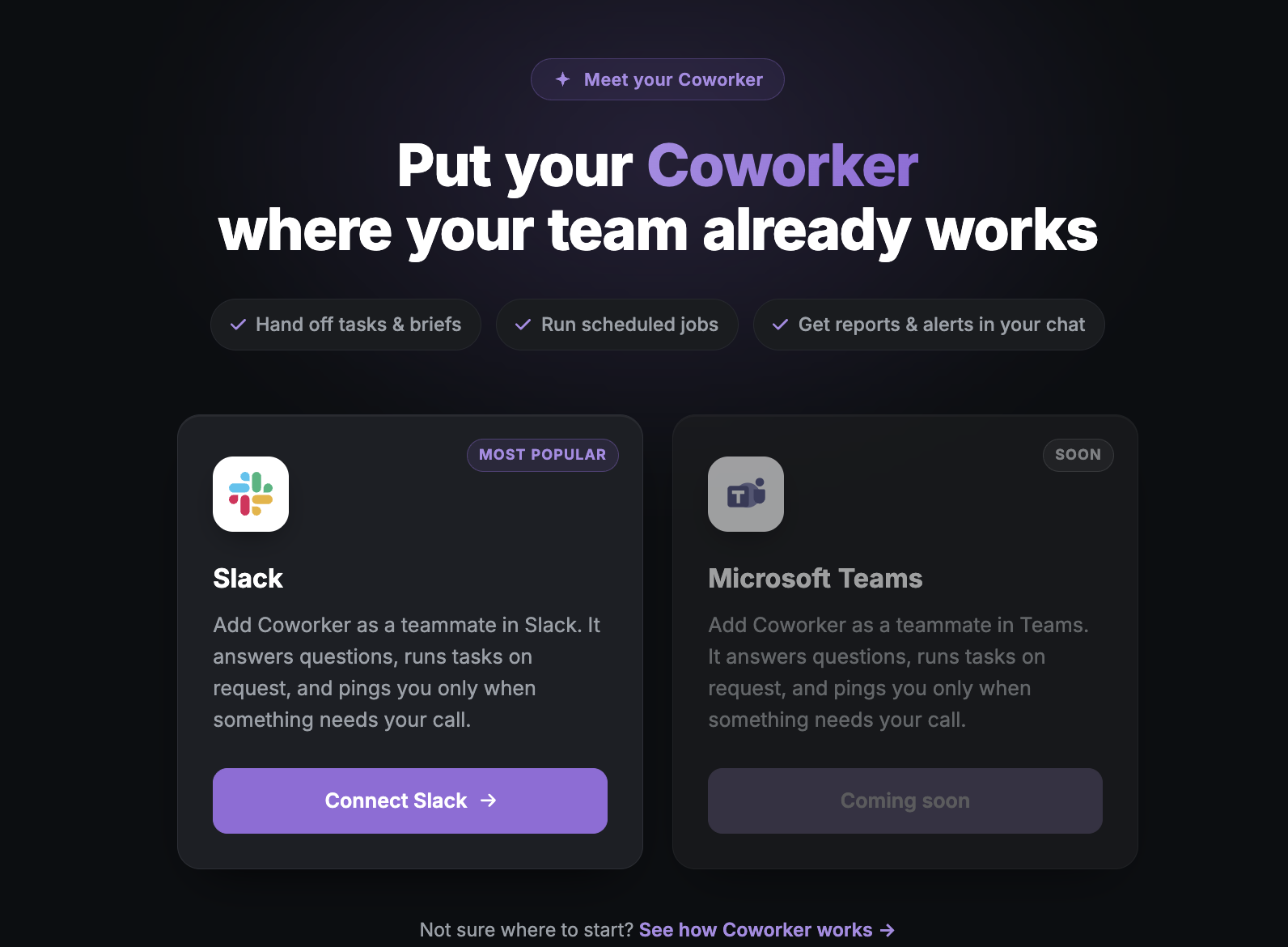
The Search Atlas Coworker is the workspace extension of Atlas Agent, the AI CMO that runs inside the Search Atlas dashboard, brought into the chat tools where marketing teams already talk. It launched on Slack at the Search Atlas Summit in June 2026, with Microsoft Teams next in line and ClickUp on the same roadmap.
Unlike Lindy, nothing about SEO, content, or paid media here is a template someone assembles by hand. It runs the same OTTO SEO and Atlas Agent actions available inside the full platform, drawing from a SERP index and Google Search Console connection that Search Atlas maintains itself.
Under the hood, it runs a loop rather than a one-off task. The loop is sense, detect, propose, approve, heal. It watches live marketing surfaces, an ad, a landing page, a Google Business Profile listing, against current brand strategy, flags where something has drifted, drafts the fix, waits for a human to approve it, then ships the change and keeps watching. Search Atlas calls this Multiplayer Marketing, and it's the mechanism behind OTTO SEO completing months of technical and on-page work in minutes while saving 90% of manual SEO labor.
Search Atlas Coworker also remembers the conversation instead of starting cold every time. It keeps persistent memory across sessions, so it holds onto team context, recurring meetings, and prior positioning decisions rather than needing the same background re-explained in every new thread. It works from a phone through the same messaging apps, so a fix can get approved from a Slack notification without opening a laptop. Microsoft Teams, ClickUp, Telegram, WhatsApp, and Zoom are on the roadmap as additional surfaces beyond Slack.
It learns what to prioritize from two inputs, the Knowledge Graph a brand builds out (audience, goals, business details) and a live Google Search Console connection (queries, positions, click-through rates), so the fixes it proposes are ranked by what's actually moving rankings right now, not a generic checklist. Every change stays reviewable before it deploys, with selective implementation, rollback, and a full audit trail, which is what makes it safe to hand approval to a Slack message instead of a developer ticket.
The real difference: building an agent vs. running one that already knows the job
The distinction between Search Atlas vs Lindy it's assembly versus arrival. Lindy hands a team a blank canvas and 200-plus connectors, then expects someone to describe the workflow, test it, and maintain it as the process changes. That's genuinely useful for a task that's unique to one company, like a custom lead-routing sequence or a meeting-prep ritual no other team runs quite the same way.
Search Atlas Coworker skips the assembly step because the marketing expertise already ships with it. Ask it to audit a domain, and Search Atlas coworker already knows what a technical SEO fix looks like, what schema to apply, and how to prioritize by live ranking signals, because that logic is native to the product rather than something a user configured from scratch.
This is really the difference between agentic marketing and general workflow automation, and it's worth naming plainly. One category assumes the operator will design the process. The other assumes the process is already understood and only needs a human to approve what it produces.
Search Atlas vs Lindy at a glance
Search Atlas Coworker and Lindy solve different problems: one runs pre-built marketing execution natively, the other builds custom workflows around whatever data source you connect to it. The table below lines up where each stands on the details that matter most to a team evaluating either one.
| Category | Lindy | Search Atlas Coworker |
|---|---|---|
| Core category | No-code AI agent builder | Marketing execution agent |
| SEO and rank data | Third-party, via a separate DataForSEO account | Native SERP index and Google Search Console |
| Workspace surfaces | General app integrations, Slack included | Slack live, Microsoft Teams and ClickUp next |
| Setup model | User builds and maintains the workflow | Ships pre-configured with marketing skills |
| Integrations | 200+ | 3,000+ native connectors |
| Pricing | $49.99 to $199.99/month, unpublished usage allowance | $99 to $399/month, published credit system |
| Ongoing fixes | Not a native mechanism | Sense, detect, propose, approve, heal loop |
Search Atlas vs Lindy pricing: what each plan actually includes
Lindy costs $49.99 to $199.99 a month on an unpublished usage allowance, while Search Atlas costs $99 to $399 a month on a published Universal Credit system, so the real cost difference is predictability, not the sticker price. Here's how the two pricing models break down:
- Lindy Plus: $49.99/month, no free plan, 7-day trial only
- Lindy Pro: $99.99/month, marketed as "3x more" usage than Plus, no stated unit cost
- Lindy Max: $199.99/month, marketed as "7x more" usage than Plus, no stated unit cost
- Lindy Enterprise: custom-quoted, same unpublished usage model
- Search Atlas plans: $99, $199, and $399 a month, each with a 7-day free trial that includes full feature access
The real cost comparison is what a team would need to buy separately to match either one. Running SEO through Lindy means paying for Lindy and a DataForSEO account, plus whatever time goes into building and maintaining the workflow between them, and someone on the team effectively becomes the unpaid maintainer of that connection. Running SEO through Search Atlas Coworker means the SERP data, the rank tracking, and the execution are already part of one subscription.
Where Lindy actually makes sense
Lindy earns its subscription when the job is genuinely bespoke and doesn't map to a pre-built marketing skill. A team that needs a highly specific internal workflow, like routing support tickets by a custom scoring rule, prepping meeting notes pulled from three different calendars, or triaging inbound email against an idiosyncratic set of criteria, benefits from an agent builder that doesn't assume what the workflow should look like ahead of time.
It also fits a team that already runs a dedicated SEO or marketing data stack and just wants an agent to orchestrate it. If a company already pays for a rank-tracking platform, a separate keyword tool, and its own DataForSEO account, wiring those into a Lindy workflow can work as a coordination layer sitting on top of tools it already owns.
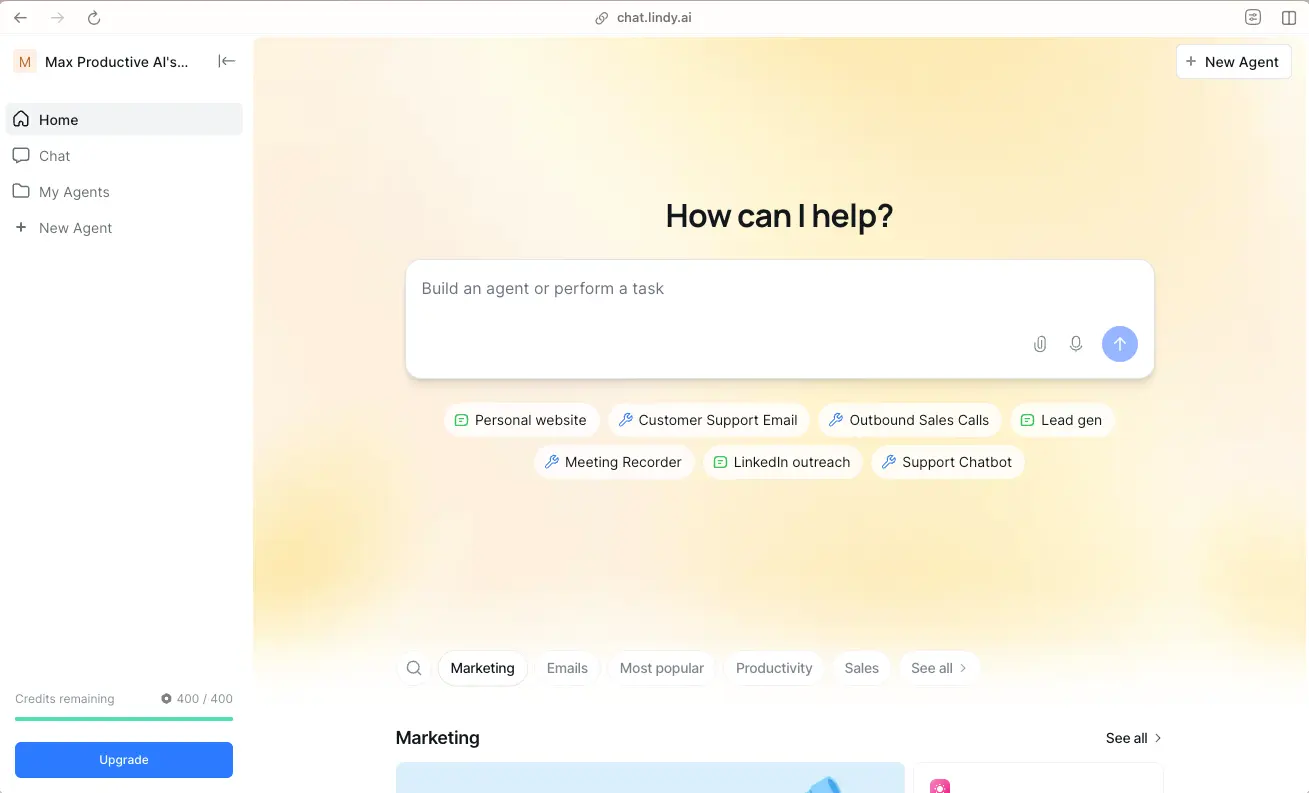
Lindy's own template library reflects this general-purpose design. Its home dashboard organizes templates by category, Marketing, Emails, Productivity, and Sales among them, and a team browsing that library is picking from pre-built automations for tasks like a personal website assistant, customer support email, outbound sales calls, and meeting recording, not a dedicated SEO workflow. That range is the actual selling point for a team whose automation needs span far beyond marketing.
Where Search Atlas Coworker actually makes sense
Search Atlas Coworker earns its keep when marketing execution is the actual job, not a side project bolted onto a general assistant. A team that wants SEO, content, paid media, local, and AI-visibility work running continuously, with fixes shipping instead of recommendations piling up in a shared doc, is exactly the use case it was built around, from OTTO SEO's live page changes to scheduled Playbooks that run a full workflow with a single mention in Slack.
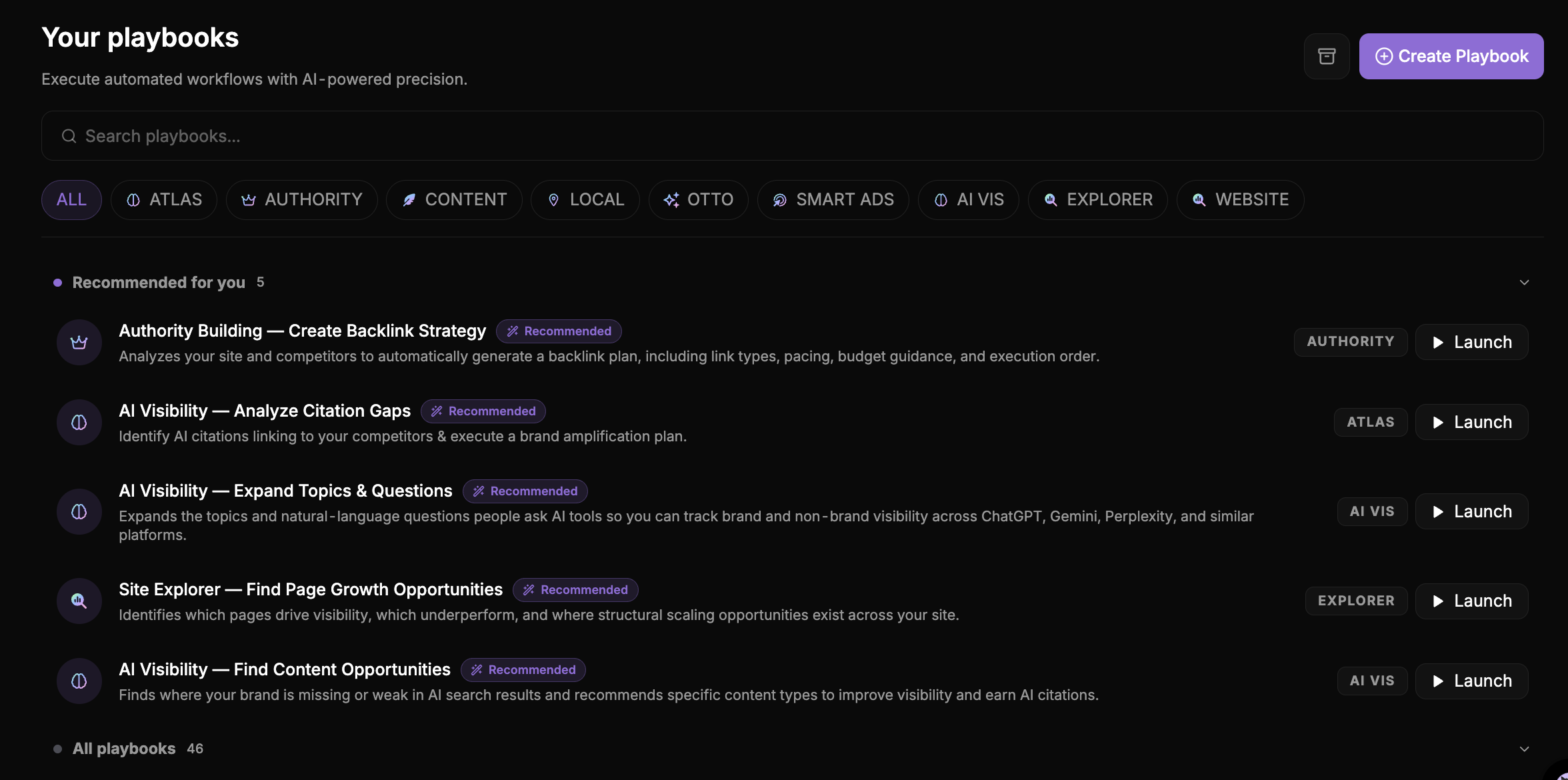
The Playbooks library makes this concrete rather than abstract. Recommended playbooks surfaced to a given account have included "Authority Building, Create Backlink Strategy," which analyzes a site against its competitors to generate a backlink plan with link types, pacing, and budget guidance, and "AI Visibility, Analyze Citation Gaps," which finds where competitors are getting cited by AI tools and drafts a brand-amplification plan in response.
A "Site Explorer, Find Page Growth Opportunities" playbook identifies which existing pages are underperforming and where structural scaling opportunities exist across the site, all without a team having to design any of those workflows themselves. The library runs 46 playbooks in total across categories like Atlas, Authority, Content, Local, OTTO, Smart Ads, AI Vis, Explorer, and Website, with a small set surfaced as recommended based on what that specific account needs most that week.
It's also the stronger option for a team that doesn't want to become the maintainer of its own SEO tech stack. Instead of separately paying for and stitching together a keyword index, a SERP crawler, a rank tracker, and a workflow builder to connect them, a marketing team gets that whole stack unified behind one credit bank and one place to approve what ships.
This is the same reasoning behind why an AI CMO differs from a marketing agency: the premise is one system running the channel, not a person coordinating five vendors by hand.
The AI-visibility gap most comparisons skip
AI visibility means whether a brand gets cited inside an AI-generated answer, not just ranked in a list of blue links, and it's a growing part of what any marketing agent needs to track. Lindy's SEO template has no answer for this by design. Its capabilities stop at the traditional SERP data it pulls from DataForSEO, which reports ranking positions, not whether an AI answer engine cited, paraphrased, or skipped a page entirely.
Search Atlas Coworker treats AI visibility as part of the same execution loop it runs for traditional rankings, because the sense, detect, propose, approve, heal cycle doesn't distinguish between a ranking drop and a lost AI citation. Both are signals it watches for and proposes a fix against.
This connects to what's sometimes called agentic AEO: AI agents that read, cite, and act on content directly, instead of a person manually checking whether a brand shows up in an AI Overview. A marketing agent that can't watch for that shift is optimizing for a version of search that's already shrinking.
How to decide between them
Deciding between Search Atlas Coworker and Lindy comes down to counting what a team would have to build itself. Neither product is wrong for the wrong reason, they're built around different assumptions about who designs the workflow. Work through it in order:
- List the marketing tasks that actually need automating this quarter, not hypothetically down the road.
- Count how many separate accounts, API keys, and custom workflows it would take to replicate that list using Lindy plus third-party data sources like DataForSEO.
- Compare that number against what ships natively inside Search Atlas Coworker's connected skills, with no separate account required.
- Identify who will build and maintain those Lindy workflows once they're live, and whether that person actually has the time freed up elsewhere to do it.
- Choose based on the nature of the job itself: bespoke, one-off automation points toward Lindy, and continuous marketing execution across channels points toward Search Atlas Coworker.
What actually changes day to day
The clearest way to see the difference is a single Tuesday morning. With Lindy, a marketing lead opens the workflow they built, checks whether the DataForSEO connection pulled fresh rank data overnight, and reviews whatever the custom SEO template flagged, then decides manually what to do with it.
With Search Atlas Coworker, the same marketing lead opens Slack to work that already happened overnight. Scheduled Routines run daily rank checks, weekly performance reporting, and monthly audits on their own, and a rank-drop routine that finds three pages losing position auto-queues a fix for each one rather than just flagging the drop.
Multi-step Playbooks handle the bigger jobs, launching a new page, recovering a ranking loss, or standing up an ad campaign, and the Coworker's Playbooks library runs dozens of these out of the box, organized by category: Authority, Content, Local, OTTO, Smart Ads, AI Vis, Explorer, and more, with a handful recommended based on what the account actually needs that week.
That gap, between a system that surfaces data and one that proposes a finished fix, is the entire argument for choosing between Search Atlas and Lindy based on what a team is actually trying to get done. A team building something no other company needs should build it in Lindy. A team running marketing that already has a known shape, SEO, content, paid media, local, and AI visibility, gets more of its week back by starting from a coworker that already knows the job.