A retention policy for AI-related logs defines how long each log type is kept, where it is stored, which system controls the expiry, and what the organization loses if the policy is not enforced. AI-related logs accumulate across multiple systems simultaneously. GA4 records sessions from AI referral sources. Web servers log requests from AI crawler bots. AI SEO platforms generate prompt and output logs. BigQuery exports accumulate raw event-level data. Each system operates under a different default retention window, and most organizations have not defined a policy that addresses them as a connected set.
The failure modes are distinct on each end of the spectrum. GA4 exploration data for AI referral sessions expires at two months by default, which means analysis that requires segmenting AI traffic over a 90-day window finds no data in Exploration even though the traffic occurred. On the other side, server logs accumulate without governance, retaining IP addresses and user agent strings far longer than privacy regulations permit or operational needs justify.
This article covers what AI-related logs are in a measurement context, which retention timelines fit each log type, where standard configurations fail, and how to build a policy that preserves analytical value while maintaining compliance.
What Are AI-Related Logs in an Analytics and SEO Context?
AI-related logs in an analytics and SEO context are records that document how AI systems, AI platforms, AI crawlers, and AI-generated interactions connect with websites, content, and measurement systems. AI-related logs capture the data created when AI systems crawl pages, generate answers, refer visitors, process content, or execute automated workflows. These logs connect AI visibility, AI traffic, and AI operations into a measurable dataset that organizations use for analysis, reporting, compliance, and optimization. AI-related logs span multiple system layers because modern AI ecosystems create data across crawling, referral, generation, automation, and governance processes.
What activities do AI-related logs record? AI-related logs record both human and machine interactions connected to AI systems. AI-related logs track visitors arriving from AI platforms, requests generated by AI crawlers, outputs created through AI content workflows, and operational events produced by AI automation systems. Organizations use these records to understand how AI platforms interact with websites and how AI-generated visibility translates into measurable business outcomes.
What functions do AI-related logs perform in SEO and analytics? AI-related logs perform four primary functions in SEO and analytics. Firstly, AI-related logs measure traffic originating from AI platforms and track post-click behavior. Secondly, AI-related logs reveal which pages AI crawlers access and how frequently those pages receive crawler activity. Thirdly, AI-related logs document content generation, optimization, and auditing workflows executed through AI systems. Fourthly, AI-related logs create an evidentiary record for evaluating performance, compliance, and operational accuracy across AI-driven processes.
What makes AI-related logs important for data governance? AI-related logs frequently contain regulated information that falls within privacy and data protection frameworks. Server logs store IP addresses, timestamps, user agents, and request metadata generated by both human visitors and AI systems. This information creates governance requirements for retention, access controls, storage policies, and deletion procedures. Governance teams use retention policies to balance compliance obligations against analytical requirements and infrastructure costs.
What Are the Different Types of AI-Related Logs?
AI-related logs fall into five main categories based on the system that generates the log, the data recorded, and the retention requirements that apply to the data. AI-related logs capture different stages of AI activity across traffic measurement, crawling, content generation, data storage, and automation workflows. Understanding these categories creates the foundation for building retention policies because each category contains different business, analytical, and compliance requirements.
The 5 main types of AI-related logs are listed below.
1. AI traffic referral logs. AI traffic referral logs record visits that originate from AI platforms and arrive on a website. These logs capture source information, session attributes, user behavior, and downstream conversion events. Analytics platforms store these records as event-level datasets that follow platform-specific retention settings. Organizations use referral logs to measure AI traffic growth, engagement patterns, and conversion performance.
2. AI crawler bot logs. AI crawler bot logs record requests generated by AI crawlers as they access website content. GPTBot, PerplexityBot, ClaudeBot, and AI indexing crawlers generate these requests during content discovery and retrieval processes. Server access logs store user agent strings, requested URLs, timestamps, response codes, and request metadata. These records reveal how AI systems discover, access, and process website content.
3. AI tool interaction logs. AI tool interaction logs record activity generated when users submit prompts and receive responses from AI platforms. These logs capture prompts, outputs, model identifiers, timestamps, API activity, and workflow history. AI vendors generate and store these records inside their own platforms. Organizations use interaction logs to evaluate content workflows, monitor usage patterns, and review AI-generated outputs.
4. Exported event-level data logs. Exported event-level data logs consist of raw analytics records transferred from measurement platforms into external storage environments. GA4 BigQuery exports represent one of the most common examples. These exports preserve event-level data outside platform retention limitations and create long-term historical datasets. Organizations use exported data for advanced reporting, attribution analysis, and custom modeling projects.
5. AI audit trail logs. AI audit trail logs record actions performed by AI automation systems across websites and digital properties. These logs document what action occurred, where the action occurred, when the action occurred, and what outcome followed the action. AI SEO automation platforms, content automation systems, and optimization engines generate these records continuously. Organizations use audit trail logs to validate automated changes, investigate issues, and maintain accountability across AI-driven workflows.
What Is the Difference Between AI Traffic Logs and AI System Logs?
The difference between AI traffic logs and AI system logs lies in what each log records and why organizations retain the data. AI traffic logs record the behavior of human visitors who arrive through AI platforms, while AI system logs record the behavior of AI systems as they crawl, process, or interact with website infrastructure. This distinction affects analytics, compliance requirements, retention policies, and operational use cases.
The core differences between AI traffic logs and AI system logs are below.
Aspect | AI Traffic Logs | AI System Logs |
Purpose | Measure human visits originating from AI platforms. | Measure AI system activity across the website infrastructure. |
Primary focus | Records user sessions, engagement, and conversions. | Records crawler requests, processing activity, and system interactions. |
Data source | Generated by analytics platforms (GA4). | Generated by web servers, crawlers, and infrastructure systems. |
Typical records | Session starts, page views, events, conversions. | User agents, URLs requested, response codes, timestamps. |
Entity represented | Human visitors. | AI systems and automated agents. |
Compliance considerations | Contains pseudonymous user identifiers and behavioral data. | Contains machine identifiers and crawler-related metadata. |
Retention purpose | Attribution analysis, trend reporting, performance measurement. | Crawl diagnostics, indexing analysis, and infrastructure auditing. |
Relationship | Measures what people do after arriving from AI platforms. | Measures what AI systems do before or during content access. |
What do AI traffic logs record? AI traffic logs record the behavior of human visitors referred by AI platforms. A visit from Perplexity, ChatGPT, or another AI platform generates the same analytics structure as any other referral source. Analytics platforms record session starts, page views, engagement events, and conversions throughout the user journey. These records reveal how AI-generated visibility translates into measurable traffic and business outcomes.
What do AI system logs record? AI system logs record machine activity generated by AI crawlers and automated systems. A crawler request from GPTBot records the crawler identity, requested resource, timestamp, and server response. These records reveal how AI systems discover, retrieve, and process website content. Organizations use these records to understand crawler behavior and content accessibility.
Why is the distinction operationally important? The distinction matters because each log type answers different business questions. AI traffic logs explain how visitors behave after arriving from AI platforms. AI system logs explain how AI systems access and evaluate website content. Different questions require different retention periods, reporting frameworks, and storage strategies.
How do retention requirements differ between AI traffic logs and AI system logs? AI traffic logs require retention periods that preserve attribution history, trend analysis, and performance comparisons across reporting periods. AI system logs require retention periods that preserve crawl diagnostics, indexing investigations, and infrastructure audits. A single retention policy often creates unnecessary storage costs for one dataset while limiting analytical value for the other.
How do compliance requirements differ between AI traffic logs and AI system logs? AI traffic logs contain behavioral information tied to individual visitors through pseudonymous identifiers. Privacy regulations treat these records as personal data and require documented retention limits. AI system logs primarily identify machines, crawlers, and operating organizations rather than individual users. Regulatory obligations remain relevant, but the compliance rationale differs because the recorded entities differ.
How Does a Retention Policy Affect AI Log Data Over Time?
A retention policy determines what AI log data is available for analysis at any future point in time, and its absence produces two opposite failures simultaneously. Premature deletion of data needed for trend analysis and indefinite accumulation of data that creates compliance exposure and storage costs.
Retention policies operate through automated deletion rules, export schedules, and access controls that govern each log type independently. A GA4 retention setting deletes event-level data after the configured window. A BigQuery table expiration policy deletes exported data after a specified number of days. A server log rotation policy overwrites old log files with new ones after a defined period. Each mechanism operates independently, and a policy gap in any one of them produces a failure that the others do not compensate for.
What does the absence of a retention policy produce for each log type? For GA4 AI referral logs, the default two-month exploration retention means that any segmented analysis of AI referral traffic older than 60 days returns empty data in Exploration. For server-side AI crawler logs, the absence of a rotation or purge policy means log files grow continuously, accumulating personal data far beyond the period needed for operational or analytical purposes. For BigQuery exports, the absence of a table expiration policy means all exported event data accumulates indefinitely, generating storage costs that grow proportionally with site traffic volume and event frequency.
How does a retention policy protect analytical continuity? A policy that sets GA4 exploration retention to 14 months and simultaneously exports raw event data to BigQuery before that window closes preserves complete analytical access to AI referral data across a rolling 14-month window in GA4 Exploration and unlimited historical access in BigQuery. Without this policy, analytical continuity depends on whether someone configured the export before the exploration data expired, which, in practice, means most organizations lose AI referral exploration data before they realize it is needed.
What are the compounding effects of mismatched retention windows? Mismatched retention windows across systems create analytical inconsistencies that are difficult to diagnose. A team that compares GA4 AI referral data against server-side crawler log data for the same period discovers that GA4 shows sessions from AI platforms, while the server logs show no crawler activity from those same platforms for the same period. The discrepancy is explained by different retention windows, but the investigation takes time that a documented retention policy would have prevented.
Why Do AI-Related Logs Need Specific Retention Rules?
AI-related logs need specific retention rules because their data structure, regulatory sensitivity, and analytical value differ from standard web analytics logs in ways that generic retention policies do not account for. A retention policy written for standard user session data applies the same window to AI referral sessions, AI crawler logs, and AI tool interaction logs, all of which have different useful lifespans and different compliance requirements.
The novelty of AI-related logs is a compounding factor. Organizations that defined their log retention policies before AI platforms became significant traffic sources did not include AI referral sessions, AI crawler bots, or AI tool interaction logs as named categories. Their existing policies create gaps for these log types by omission, not by intent. Specific retention rules for AI-related logs fill those gaps without requiring a full policy rewrite.
How GA4’s Default Retention Window Deletes AI Referral Exploration Data
GA4 deletes event-level and user-level data used in Exploration reports after the configured retention window, which defaults to two months, and this deletion permanently removes the ability to segment, filter, or explore AI referral session data for any period older than the configured window.
GA4 maintains two separate data retention mechanisms. The first governs aggregated standard reports, which preserve summarized metrics for up to 50 months with a BigQuery export and display up to 14 months of data in the native GA4 reporting interface. The second governs Exploration, which relies on event-level and user-level data that is subject to the configurable retention window of two or 14 months. These two mechanisms operate independently, and a team that sees historical data in standard reports assumes the same data is available in Exploration, which is incorrect once the retention window has closed.
What specifically expires when the GA4 retention window closes for AI referral data? The ability to build Exploration reports that filter sessions by AI referral source, segment users by first-touch AI platform, and join AI referral source data with downstream event data all expire with the user-level data. Standard reports retain aggregate session counts and some source dimensions, but the analytical flexibility that Exploration provides is gone.
How does the two-month default affect organizations that do not act immediately? An organization that launches an AI-optimized content campaign in month one and attempts to analyze AI referral behavior in month four finds that the Exploration data for month one has expired. The standard report shows that AI referral sessions occurred, but the organization cannot determine which pages those sessions landed on, which events they triggered, or what conversion behavior followed. The analytical question that drove the campaign evaluation is unanswerable without BigQuery export data or a longer retention setting.
What is the correct remediation for the GA4 default retention window? The retention window is extended in GA4 under Admin, then Data Streams, then the relevant web data stream, then Additional Settings, then Data Retention. Setting the retention to 14 months and enabling the option to reset user data on new activity extends the analytical window for all future data. This setting does not recover data that has already expired. For data older than 14 months, BigQuery export is the only mechanism that preserves event-level access.
When Privacy Regulations Apply to AI Traffic Logs Containing User Data
Privacy regulations apply to AI traffic logs when those logs contain personal data as defined by the relevant regulation, and GA4 event-level data, server access logs, and AI tool interaction logs all regularly contain data elements that qualify as personal data under GDPR and CCPA.
Under GDPR, personal data is any information that relates to an identified or identifiable natural person. IP addresses are personal data. Pseudonymous identifiers generated by GA4, which include the client_id parameter, are personal data. User agent strings that are combined with other data to identify an individual are personal data. AI traffic logs that contain any of these elements are subject to Article 5(1)(e) of GDPR, which requires that personal data be kept in a form that permits identification of data subjects for no longer than necessary for the purposes for which it is processed.
What does “no longer than necessary” mean for AI referral logs? GDPR does not specify a retention period for web analytics logs. The organization is responsible for defining the purpose of the log retention and the minimum period needed to fulfill that purpose. An organization that retains GA4 AI referral event data for 14 months needs to document why 14 months is necessary for the stated analytical purpose. An organization that retains the same data for 36 months needs to justify the additional 22 months against the same purpose.
How does CCPA apply to AI traffic logs? The California Consumer Privacy Act grants California residents the right to request deletion of their personal information. An organization that retains GA4 event-level data containing California resident identifiers needs to be able to process deletion requests against that data. Organizations that export GA4 data to BigQuery need to extend their deletion processes to BigQuery tables to ensure CCPA compliance. Organizations that retain AI traffic logs in server files without a structured deletion mechanism face compliance risk proportional to the volume of California resident traffic they handle.
As a practical reference, Search Atlas publishes its own privacy policy documenting what data the platform collects and how long it is retained, the kind of documented purpose-and-period statement GDPR's storage limitation principle expects from any organization handling this data.
What is the regulatory treatment of AI crawler bot logs? Crawler bot logs record the IP addresses of AI platform infrastructure servers, not individual users. These IP addresses identify organizations rather than individuals in most cases, which reduces but does not eliminate their status as personal data under GDPR. Some crawler IP addresses resolve to cloud infrastructure shared across millions of users, which introduces ambiguity. The most defensible approach treats crawler IP addresses as potentially personal data and applies a retention period justified by operational or security purposes, typically 90 days to 12 months.
Which Retention Policy Fits Each Type of AI-Related Log?
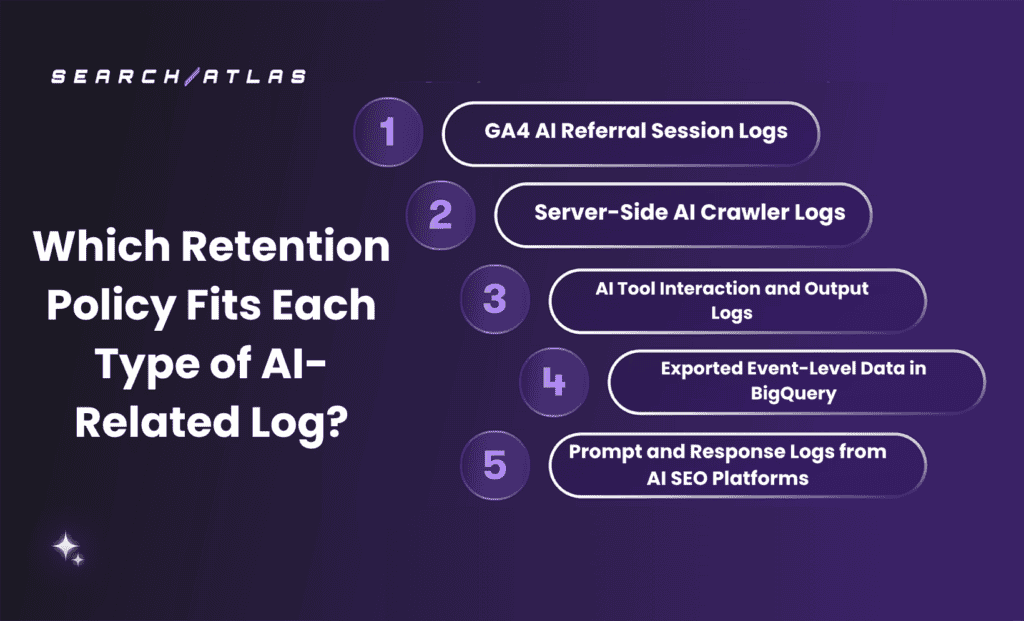
The retention policy for each type of AI-related log depends on the purpose of the data, the compliance requirements attached to the data, and the system that stores the data. Different AI-related logs solve different business problems, which means a single retention period creates analytical gaps for some datasets and unnecessary retention for others. Organizations assign retention periods based on the minimum period required for analysis and the maximum period justified under governance requirements.
The 5 main AI-related log retention policies are listed below.
1. GA4 AI Referral Session Logs
GA4 AI referral session logs require a 14-month retention window within GA4 Exploration, combined with a continuous BigQuery export for any period exceeding 14 months or requiring event-level access beyond native GA4 reporting capabilities.
The 14-month retention setting is the maximum available within GA4 native settings. It covers the analytical need to compare year-over-year AI referral performance within a single rolling window. Setting retention to 14 months is the first configuration action for any organization that needs to analyze AI referral trends across a full calendar year.
What does the BigQuery export add to this policy? The BigQuery export copies raw event-level GA4 data to a BigQuery dataset on a daily basis. This export captures data before the GA4 retention window closes and stores it in BigQuery, where it persists until a table expiration policy removes it. The export preserves the ability to run Exploration-equivalent queries against AI referral data older than 14 months and to build custom analyses that native GA4 reporting does not support.
What retention period applies to the BigQuery export of GA4 AI referral data? The retention period for BigQuery-exported GA4 AI referral data depends on the analytical and compliance purposes the organization has documented. For trend analysis across multiple years, 24 to 36 months is a defensible period. For compliance with GDPR storage limitation, the organization needs to document why that period is the minimum necessary and needs to implement a table expiration policy or scheduled deletion process that enforces the limit automatically.
What configuration prevents data loss at the boundary between GA4 and BigQuery? The BigQuery export needs to be configured and running before the GA4 retention window closes for any data period. An organization that configures the export today preserves all future event data in BigQuery but loses all GA4 event data older than the retention window that was not previously exported. The export needs to be treated as an active pipeline, not a one-time configuration, and its status needs to be monitored to detect failures that would create gaps between GA4 and BigQuery.
2. Server-Side AI Crawler Logs
Server-side AI crawler logs require a retention period of 90 days for operational troubleshooting purposes, 12 months for crawl trend analysis, and no longer than 24 months absent a legal hold or documented security audit requirement.
AI crawler logs serve three operational purposes. The first is immediate diagnosis of crawl errors, which requires access to logs no older than 30 days in most cases. The second is trend analysis of crawler activity across months, which requires access to logs for a 12-month rolling period to compare crawler behavior before and after content changes or AI platform policy updates. The third is a security audit, which requires access to logs for a period determined by the organization’s security policy, typically 12 to 24 months.
How are AI crawler logs separated from human user logs in the server access log? AI crawler bots identify themselves through their user agent string. The user agent strings for major AI crawlers are GPTBot for OpenAI, PerplexityBot for Perplexity, ClaudeBot for Anthropic, and Google-Extended for Google AI products. Server-side filtering scripts extract log entries where the user agent matches these strings and write them to a separate file. This separation allows crawler logs and human user logs to have independent rotation schedules and retention policies.
What happens to crawler log data under a 12-month retention policy? A 12-month rolling retention policy for crawler logs preserves a full year of AI bot activity records. The policy deletes log entries older than 12 months through a scheduled log rotation process. The result is that trend analysis covering more than 12 months requires either a data export to a structured store before the rotation deletes the records or a decision to extend the retention period for the specific data needed.
What does a retention failure look like for AI crawler logs? A retention failure for AI crawler logs takes one of two forms. The first is deletion too early: log rotation set at 30 or 60 days removes records before trend analysis requires them. A team that wants to compare GPTBot crawl frequency in the current quarter against the same quarter in the prior year finds that the prior year logs have been deleted. The second is deletion too late: no rotation policy allows logs to accumulate for years, retaining IP addresses and identifiers beyond any defensible purpose and creating storage costs that grow with every page request.
3. AI Tool Interaction and Output Logs
AI tool interaction and output logs require a retention period of 30 to 90 days for operational quality review, up to 12 months for performance auditing, and the minimum period required by any contractual or regulatory obligation that governs the specific tool category.
AI tool interaction logs are generated by the platforms and APIs used to run AI workflows: content generation platforms, SEO analysis tools that incorporate AI, and prompt-based research tools. These logs record inputs (prompts), outputs (generated content or analysis), model versions, timestamps, and API credentials. Their analytical value is highest in the 30-day window immediately following the interaction, when quality review, output verification, and debugging are most active.
What compliance obligation governs AI tool interaction logs? The compliance obligation depends on the content of the log. Logs that contain personal data about identified users require a documented retention period and a deletion process. Logs that contain only organizational data (prompts about content strategy or SEO analysis) carry lower regulatory weight but are subject to contractual obligations in the terms of service of the AI platform used. Organizations that use enterprise AI APIs need to review the data processing terms of those APIs to understand what the vendor retains and for how long, which affects the organization’s own retention decisions.
How do prompt logs affect competitive confidentiality? Prompt logs that contain proprietary strategy, keyword targets, or competitive analysis represent a confidentiality consideration beyond compliance. These logs are retained for quality review but represent a risk if retained longer than necessary, because they accumulate sensitive strategic information in a log file format that ndoes ot have the access controls applied to other sensitive data. A 90-day retention limit applied to prompt logs containing proprietary strategy content reduces this risk while preserving the window needed for quality review.
What is the retention implication of using AI outputs in published content? Content generated by AI tools and published to a website creates a record linkage between the published content and the log of the interaction that produced it. Organizations that retain AI output logs for 30 days but publish the content indefinitely have a gap between the log record and the published artifact. Audit trails that require tracing a published piece of content back to its AI generation event need the log to be retained for the full useful life of the content, or the audit trail needs to be maintained separately from the tool interaction log.
4. Exported Event-Level Data in BigQuery
Exported event-level data in BigQuery requires a table expiration policy or scheduled deletion process that enforces the retention period the organization has documented, because BigQuery does not apply automatic retention limits, and data accumulates indefinitely without explicit governance.
BigQuery stores data in tables partitioned by date. The GA4 BigQuery export writes one table per day, and each table contains all events for that day across all users. Without a table expiration policy, every daily table from the date of export activation persists in BigQuery until it is manually deleted or until the BigQuery dataset is removed. Storage costs increase proportionally with data volume and query frequency.
What table expiration policy fits GA4 AI referral data in BigQuery? A table expiration of 730 days (24 months) fits organizations that require two years of event-level AI referral data for trend analysis, cohort comparison, and year-over-year attribution. A table expiration of 365 days fits organizations with a shorter analytical horizon or a more constrained storage budget. A table expiration is set in BigQuery at the dataset level or the table level through the BigQuery console or through a Terraform or infrastructure-as-code configuration that enforces the policy consistently.
How does a partitioned table structure reduce BigQuery storage costs for AI log retention? BigQuery partitioned tables store each day’s data in a separate partition. Queries that filter by date range scan only the relevant partitions rather than the full table, which reduces both query cost and query time. For AI referral analysis that typically filters by date range, partitioned tables are significantly more cost-efficient than unpartitioned tables. The partition expiration setting, which removes individual partitions after a specified number of days, is the primary mechanism for enforcing retention within a partitioned table.
What monitoring ensures BigQuery retention policies are enforced? BigQuery does not send alerts when table expiration policies delete data. An organization that relies on BigQuery for AI referral analysis needs a monitoring process that verifies the expected data ranges are present before analysis begins. A scheduled query that counts records by date range and alerts when record counts fall below expected thresholds detects unexpected data loss from misconfigured expiration policies or export failures before they affect analytical workflows.
5. Prompt and Response Logs from AI SEO Platforms
Prompt and response logs from AI SEO platforms require a retention period aligned with the minimum period needed for quality assurance, performance review, and any contractual audit requirement, which in most cases falls between 30 and 90 days for operational review and up to 12 months for performance attribution.
AI SEO platforms that generate content, produce optimization recommendations, or execute automated SEO actions create logs that record both the instruction and the outcome. These logs serve as the audit trail for AI-driven site changes. A platform that automatically generates meta descriptions, restructures internal links, or publishes content based on AI analysis creates a log record that connects the action to the input and the result.
What retention period supports audit trail requirements for AI-driven SEO actions? Audit trail requirements for AI-driven actions depend on the scope of the changes and the governance framework in place. Changes that affect a small number of pages require shorter audit windows. Changes that affect the entire indexable URL set of a large site require longer windows because the effects of those changes appear over months in organic search data. A 12-month audit trail window for AI-driven SEO actions aligns with the period needed to connect early actions to late-appearing ranking and traffic effects.
How does the OTTO SEO audit trail fit within a retention policy? OTTO SEO executes AI-driven SEO actions across a site and records the actions taken, the pages affected, and the timing of each action. These records constitute the audit trail for AI-driven optimization. A retention policy that preserves OTTO SEO action logs for 12 months allows performance attribution across a full year, connecting specific optimization actions to the ranking and traffic changes that follow. Shorter retention removes the ability to attribute late-appearing performance changes to their originating AI action. Search Atlas's Data Privacy Agreement sets out exactly how the platform may use and must protect the Google Search Console, GA4, and other first-party data behind these logs.
What happens when AI SEO platform logs are deleted before performance attribution is complete? Performance attribution for AI-driven SEO actions requires access to both the action log and the performance data for the same period. A log is deleted after 30 days, but a performance change observed at 90 days creates an attribution gap. The performance change is visible in GA4 or Search Console, but cannot be connected to a specific AI action because the log record is gone. Extending the retention of AI SEO platform logs to cover the full attribution window prevents this gap.
What Are Best Practices for Managing AI Log Retention?
AI log retention management depends on documentation, automation, data separation, monitoring, and validation. Strong retention practices preserve analytical value while reducing compliance risk and unnecessary storage growth. Organizations that manage AI log retention effectively establish clear retention rules before data volumes become difficult to control.
The 5 main best practices for managing AI log retention are listed below.
1. Create a Complete AI Log Inventory
Creating an AI log inventory establishes visibility across every AI-related dataset in the organization. A complete inventory documents each log source, the information collected, the storage location, and the default retention behavior. This inventory creates the foundation for every retention decision because organizations cannot govern data they have not identified.
A strong inventory includes analytics logs, crawler logs, prompt logs, audit trail logs, and exported datasets. This structure prevents retention gaps and ensures that every log category receives an appropriate retention policy.
2. Automate Retention Enforcement
Automating retention enforcement eliminates reliance on manual deletion processes. System-level expiration rules remove expired records automatically and create consistent policy execution across environments. Automated policies reduce human error and prevent forgotten datasets from accumulating indefinitely.
GA4 retention settings, BigQuery table expiration policies, log rotation schedules, and platform-specific retention controls enforce retention without ongoing manual intervention. This automation creates predictable governance outcomes and reduces operational overhead.
3. Configure BigQuery Exports and Monitoring Early
Configuring BigQuery exports early prevents historical data loss. GA4 removes event-level data after the retention period expires, which means exports need to capture data before deletion occurs. Continuous exports preserve long-term historical datasets that exceed native analytics retention limits.
Monitoring protects the export process from silent failures. Daily validation checks confirm that expected records arrive successfully and identify disruptions before analytical gaps appear. This monitoring preserves data continuity across reporting periods.
4. Separate Personal Data from Analytical Data
Separating personal data from analytical data creates greater flexibility in retention management. Human visitor logs often contain personal data elements that require stricter retention controls. AI crawler logs and machine-generated records typically contain different compliance requirements and different analytical purposes.
Separate storage and processing pipelines allow organizations to apply shorter retention periods to personal data while preserving non-personal analytical datasets for longer periods. This separation improves both compliance management and analytical flexibility.
5. Test Retention Policies Regularly
Testing retention policies confirms that retention rules function as expected. A documented policy provides little value if expiration settings, deletion schedules, or export processes fail during implementation. Validation ensures that data remains available throughout the intended retention period and disappears after expiration.
Regular testing verifies that historical datasets remain accessible for reporting, attribution analysis, and compliance reviews. This verification identifies configuration errors before missing data disrupts business analysis or regulatory requirements.
What Tools Help Implement Retention Policies for AI-Related Logs?
The tools that help implement retention policies for AI-related log storage, manage, monitor, and automatically delete data according to defined retention rules. These tools control how long AI-related logs remain accessible and ensure that retention policies operate consistently across analytics platforms, cloud storage systems, and server environments. Effective retention management depends on automated enforcement because manual deletion processes create compliance risks and operational gaps.
The 5 main tools that help implement retention policies for AI-related logs are listed below.
1. Search the Atlas Site Audit. Search Atlas Site Audit identifies the pages, files, and resources that attract crawler activity across a website. The Feature for technical auditing reveals which URLs receive indexing attention and which content assets generate ongoing crawler requests. Organizations use this visibility to determine which log datasets provide the greatest analytical value. Search Atlas Site Audit matters because retention decisions depend on understanding crawler behavior. Pages that receive significant crawler activity generate valuable log data for indexing analysis and AI visibility tracking. This visibility improves retention planning and prioritizes the datasets that matter most.
2. Google Analytics 4 (GA4). Google Analytics 4 manages retention for AI referral session logs through the Data Retention settings inside the Admin panel. The platform controls how long event-level and user-level data remains available for analysis. Organizations use GA4 to preserve AI referral traffic records, engagement metrics, and conversion data across reporting periods. GA4 matters because AI referral traffic often enters websites through platforms (ChatGPT, Perplexity, and Gemini). Extending retention to 14 months preserves year-over-year comparisons and long-term referral analysis. This configuration creates the foundation for AI traffic measurement.
3. Google BigQuery. Google BigQuery manages retention for exported analytics datasets through table expiration policies and partition expiration settings. The platform stores AI referral data beyond the 14-month retention limitation imposed by GA4. Organizations use BigQuery to preserve multi-year event-level datasets and perform advanced attribution analysis. BigQuery matters because exported datasets remain available until expiration policies remove them. Automated expiration rules enforce retention consistently and eliminate reliance on manual deletion processes. This automation creates stronger governance and long-term analytical continuity.
4. Web Server Log Management Tools. Web server log management tools manage retention for AI crawler logs generated by server infrastructure. Apache, Nginx, and Linux Logrotate control log rotation schedules, archive creation, and automated deletion. These tools determine how long crawler activity remains available for troubleshooting and trend analysis. Server log management matters because AI crawlers generate large volumes of request data. Proper rotation schedules preserve useful records while preventing indefinite storage growth. This balance reduces storage costs and preserves operational visibility.
5. Cloud Storage Lifecycle Management Tools. Cloud storage lifecycle management tools automate retention for log files stored in cloud environments. AWS S3 Lifecycle Policies, Google Cloud Storage Lifecycle Rules, and Azure Blob Storage Lifecycle Management automatically delete or archive files after defined periods. Organizations use these controls to manage long-term crawler log archives and exported datasets. Lifecycle management matters because cloud storage systems accumulate data continuously. Automated expiration prevents unnecessary storage expansion and ensures that retention policies remain enforceable across large datasets. This automation reduces governance complexity and operational overhead.
How Does BigQuery Export Extend GA4’s Retention Limits?
BigQuery export extends GA4 retention limits by capturing raw event-level data before the GA4 retention window closes and storing it in BigQuery, where it persists under the expiration policy the organization sets rather than the GA4 default. The extension is architectural: it moves data from a system with a constrained retention window to a system with no default retention limit, under full organizational control.
What data does the BigQuery export capture that GA4 standard reports do not? The BigQuery export captures event-level data: every event, with all its parameters, for every user in every session. Standard GA4 reports aggregate this data into metrics and dimensions. The BigQuery export preserves the granularity needed to build Exploration-equivalent queries against historical data, to join AI referral session data with other data sources, and to run analyses that GA4 reporting does not natively support.
How is the BigQuery export configured for AI referral analysis? The export is configured in GA4 under Admin, then BigQuery Links. A BigQuery project is linked, and the export is set to Daily or Streaming. Daily export writes one table per day for the prior day’s events. Streaming export writes events in near-real time but at a higher cost. For retention purposes, daily export is sufficient and cost-efficient for AI referral analysis that does not require same-day data.
What query structure retrieves AI referral session data from BigQuery? AI referral data in BigQuery is retrieved by filtering the events table on the traffic_source.source field for values matching AI platform domains, or by filtering the collected_traffic_source.manual_source field for UTM-sourced AI traffic. The query joins the session-level source data with event-level behavior data to reconstruct the Exploration-equivalent analysis against historical periods that exceed the GA4 retention window.
What cost management practice applies to BigQuery AI log retention? BigQuery charges for storage and for the query data scanned. Partitioned tables reduce query cost by allowing date-filtered queries to scan only relevant partitions. Column pruning in queries, which selects only the required columns rather than all columns, further reduces query cost. Setting a table expiration policy removes partitions older than the retention period, which reduces storage cost by removing data that no longer serves an analytical or compliance purpose.
What Are Common Examples of Retention Failures for AI Logs?
Retention failures occur when organizations delete important AI log data too early, retain data longer than necessary, or fail to preserve data during transfers between systems. These failures reduce analytical accuracy, increase compliance risk, and create information gaps that cannot be recovered after the data disappears. Strong retention policies prevent these failures through documentation, monitoring, and automated enforcement.
The 3 most common retention failures for AI logs are listed below.
1. Premature Deletion of Analytics Data. Premature deletion occurs when AI referral data expires before analysts complete long-term reporting or attribution analysis. A common example involves GA4 Exploration data reaching the retention limit before a team investigates traffic changes caused by an AI platform update. The historical event-level data disappears while aggregate reports remain available. This loss prevents detailed comparisons across time periods and reduces confidence in analytical findings.
2. Indefinite Retention of Personal Data. Indefinite retention occurs when organizations store AI-related logs for years without a documented purpose or expiration policy. Server logs often contain IP addresses, timestamps, and request metadata associated with both human visitors and AI crawlers. These records accumulate continuously and increase compliance exposure over time. Automated rotation schedules and expiration policies prevent unnecessary storage growth and reduce regulatory risk.
3. Export Failures That Create Permanent Data Gaps. Export failures occur when data pipelines stop transferring records between systems, and no monitoring process detects the interruption. A common example involves a BigQuery export failure that remains unnoticed for several weeks. The GA4 retention window expires before the missing data reaches BigQuery. The missing period becomes permanently unavailable in both systems, which makes future analysis impossible for that timeframe.
What Happens When AI Referral Exploration Data Expires in GA4?
When AI referral Exploration data expires in GA4, the ability to segment, filter, and analyze individual session-level data for AI referral traffic from the expired period is permanently lost, and the only remaining data is the aggregated metrics visible in standard GA4 reports.
Standard GA4 reports show session counts, user counts, and engagement rate metrics for AI referral traffic. These metrics are aggregated at the time they are processed and are not subject to the same retention window as Exploration data. An organization that loses Exploration data for a period retains the ability to see that AI referral sessions occurred and how many there were, but loses the ability to determine which pages those sessions visited, what events they triggered, and how their behavior compared to other traffic sources at the individual session level.
The practical loss is greatest for analytical workflows that depend on segmentation. Campaign attribution that requires joining AI referral source data with content engagement data is no longer possible for the expired period. Cohort analysis that groups AI referral users by behavior type requires user-level data that has expired. Funnel analysis that traces AI referral sessions through a conversion flow requires the event sequence data that no longer exists in GA4 after expiry.
What is the prevention for AI referral Exploration data expiry? The two-part prevention is setting GA4 exploration retention to 14 months and activating the BigQuery export before the desired retention period begins. Neither action alone is sufficient for organizations that need more than 14 months of event-level access. Setting retention to 14 months without BigQuery export protects data within the 14-month window but loses everything older. BigQuery export without the 14-month retention setting still expires Exploration data within two months, limiting the native GA4 analytical experience even while preserving raw data in BigQuery.
Does GDPR require a specific retention period for AI traffic logs?
GDPR does not require a specific retention period for AI traffic logs, but it requires that personal data in those logs be kept no longer than necessary for the purposes for which it is processed, and the organization needs to document both the purpose and the retention period in its records of processing activities.
Article 5(1)(e) of GDPR states the storage limitation principle. Personal data needs to be kept in a form that permits identification of data subjects for no longer than necessary for the purposes for which the personal data are processed. This principle applies to GA4 event-level data containing pseudonymous user identifiers, server access logs containing IP addresses, and any AI traffic log that contains data elements that identify or identify an individual.
The organization’s responsibility is to define the purpose of retaining each log type, determine the minimum period needed to fulfill that purpose, document the period and its justification in the record of processing activities, and implement a technical mechanism that enforces the deletion at the end of the period. An organization that retains GA4 AI referral data for 14 months needs to document why 14 months is necessary. An organization that retains server access logs for 12 months needs to document the purpose that requires 12 months rather than 6 or 3.
GDPR supervisory authorities have issued guidance on analytics data retention that generally accepts 13 to 25 months as a defensible range for analytics data used for trend analysis, provided the organization documents the purpose and implements pseudonymization or anonymization where possible. This guidance is not binding but represents the enforcement posture of major data protection authorities in the EU.
What is the difference between a data retention policy and a legal hold?
A data retention policy is a standard schedule that defines how long each category of data is kept before it is deleted, while a legal hold is an exception to that schedule that suspends deletion for specific data relevant to litigation, regulatory investigation, or other legal proceedings.
A data retention policy applies to all data of a given type in the normal course of business. An organization with a policy of deleting server access logs after 12 months deletes all server access logs at the 12-month mark as part of standard operations. The policy applies uniformly and automatically.
A legal hold applies to specific data identified as potentially relevant to a legal matter. A legal hold overrides the retention policy by preventing deletion of the identified data until the legal matter is resolved. Data subject to a legal hold is preserved regardless of whether the standard retention period has expired, and deletion of data subject to a legal hold constitutes spoliation, which carries legal consequences.
AI traffic logs become subject to legal holds in several scenarios. Litigation alleging that AI-generated content infringed copyrights held by third parties creates a legal hold on the logs that record when that content was generated and deployed. A regulatory investigation into how user data was processed in AI systems creates a legal hold on the traffic logs that contain the relevant user data. An employment dispute involving AI-assisted decision-making creates a legal hold on the AI tool interaction logs that record the decisions.
The practical implication for AI log management is that the data retention policy needs to include a legal hold mechanism. The policy defines the standard retention schedule. A separate legal hold register identifies data currently subject to holds and prevents the automated deletion processes from removing it. Both the policy and the legal hold register require active maintenance.
Can you recover GA4 AI referral data after the retention window expires?
GA4 AI referral data are not recovered from GA4 after the retention window expires, because GA4 permanently deletes event-level and user-level data at the end of the retention period and does not maintain a backup or archive that the organization accesses.
The deletion is irreversible within the GA4 system. Google does not provide a mechanism to request or purchase access to expired GA4 data. The data is gone from the perspective of the organization and is not retained by Google in an accessible form after the retention period closes.
The only recovery path is external. Organizations that configured a BigQuery export before the retention window closed have the raw event data for the expired period in BigQuery and access through standard BigQuery queries. Organizations that did not configure the export before expiry have no recovery path for the event-level data.
Aggregate data from standard GA4 reports is available beyond the retention window for exploration-level data. An organization that loses Exploration data for a period retains the session counts, user counts, and engagement metrics from standard reports. These aggregated values are useful for high-level trend analysis but do not support the segmented, event-level analysis that Exploration enables. The recovery is partial and sufficient only for the least granular analytical questions.
The prevention is a BigQuery export configured and verified before the retention window closes for any data the organization expects to analyze at the event level. For organizations that have already lost data to expiry without a BigQuery export, the forward-looking action is to configure the export immediately and set the GA4 retention to 14 months to preserve the maximum possible window for all future data.
How long should server-side logs of AI crawler activity be kept?
Server-side logs of AI crawler activity are kept for 90 days for immediate operational troubleshooting, 12 months for crawl trend analysis across a full calendar year, and no longer than 24 months, absent a documented legal or security audit requirement that justifies the extension.
The 90-day window covers the most common operational use case. Diagnosing why a specific page was not crawled, identifying crawl errors that caused indexing failures, and verifying that a robots.txt change took effect. Crawler behavior in the 90-day window is current enough to inform immediate action, and most operational decisions do not require data older than 90 days.
The 12-month window covers the analytical use case. Comparing crawler frequency and coverage across quarters, identifying seasonal patterns in AI platform crawling behavior, and measuring the effect of content changes on crawler activity over time. A full calendar year of crawler logs allows year-over-year comparisons that reveal whether AI platform indexing of a site is growing, stable, or declining.
The 24-month maximum reflects the diminishing analytical value of crawler log data beyond one year and the increasing compliance sensitivity of retaining IP addresses for extended periods. Organizations that extend crawler log retention beyond 24 months need to document a specific purpose that the additional retention serves and need to verify that the purpose justifies the compliance risk of retaining potentially personal data for an extended period.
Crawler logs are separated from human user logs at the filtering or storage stage so that the shorter retention period for human user logs does not force premature deletion of crawler logs, and the longer retention justified for crawler logs does not extend the retention of human user data beyond its necessary period. Separation at the source is the most defensible implementation of this dual-timeline policy.