Ahrefs vs. Screaming Frog is a comparison between two tools built for different jobs: Ahrefs is a cloud SEO data platform for backlinks, keywords, and competitor research, while Screaming Frog is a crawler built to find technical and on-page issues on one site at a time. Most SEO teams that need both capabilities end up running both tools side by side rather than picking one over the other.
This guide breaks down what each one actually does, what it costs in 2026, where their features genuinely overlap, and where Search Atlas fits if you want backlink data and technical crawling connected in a single workspace.
Ahrefs and Screaming Frog at a glance
| Ahrefs | Screaming Frog | |
|---|---|---|
| Primary focus | Backlink data, keyword research, competitor intelligence | Technical and on-page crawl diagnostics |
| Crawl model | Crawls the open web to build its own index | Crawls one site you point it at, from the desktop application |
| Delivery | Fully cloud, browser-based SaaS | Desktop application, no cloud crawling option |
| Backlink or keyword index | Yes, proprietary web-wide index | No, relies on the site's own crawl data |
| Entry price | $29/month (Starter) | Free (500 URLs) or $279/year (unlimited) |
Ahrefs and Screaming Frog overlap in site crawling, redirect auditing, and reporting, but the core difference is architectural. Ahrefs maintains its own crawl of the web to power backlink and keyword data. Screaming Frog crawls only the domain a user points it at, with no web-wide index behind it.
What is Ahrefs?
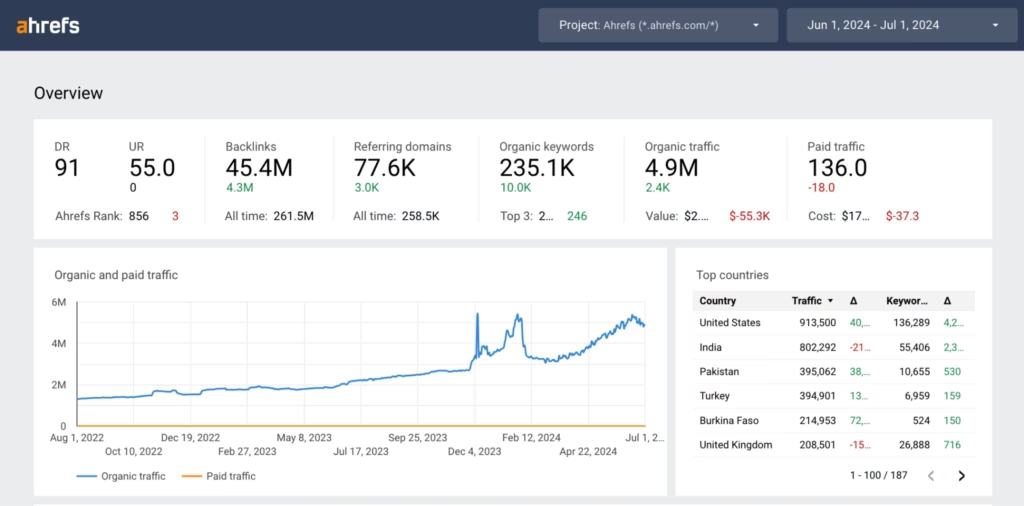 Via Ahrefs
Ahrefs is a cloud-based SEO platform built around a proprietary web crawler that powers backlink analysis, keyword research, and competitor tracking. Founded in 2011, Ahrefs built its own index of the web rather than relying on Google or third-party data, which is what its backlink and keyword numbers are drawn from. Sitebulb users switching platforms can follow the migrate from Sitebulb to Search Atlas walkthrough for a comparable transition.
Ahrefs features
Ahrefs organizes its capabilities around its own crawl-derived database rather than a single-site scan.
- Site Explorer: Analyzes a domain's backlinks, top-performing content, and traffic sources using Ahrefs' own web index.
- Keywords Explorer: Researches search terms and evaluates search volume, keyword difficulty, and CPC for content and ad planning.
- Rank Tracker: Monitors search rankings over time to measure organic performance and SEO progress.
- Site Audit: Crawls a single site for technical issues like broken links, slow load times, and metadata problems.
- Content Explorer: Searches indexed pages across the web to find backlink opportunities and content ideas.
- Redirects Report: Identifies redirect chains, loops, and broken redirects within a site's Site Audit crawl.
For the fuller feature breakdown, see our complete Ahrefs features guide.
Ahrefs pricing
Ahrefs' current lineup runs from a $29/month Starter tier up to a $1,499/month Enterprise plan, plus a free Ahrefs Webmaster Tools option. As of early 2026, Starter is the newest addition, aimed at freelancers and small teams that only need lighter competitive research rather than the full Site Audit and Rank Tracker feature set.
- Ahrefs Webmaster Tools: Free, limited site health, backlink, and keyword monitoring for verified site owners.
- Starter: $29/month, entry-level access to Site Explorer, Keywords Explorer, and Site Audit.
- Lite: $129/month, 5 projects, 750 tracked keywords, 100,000 crawl credits, 6 months of historical data.
- Standard: $249/month, 20 projects, 2,000 tracked keywords, 500,000 crawl credits, 2 years of historical data.
- Advanced: $449/month, 50 projects, 5,000 tracked keywords, 1,500,000 crawl credits, 5 years of historical data.
- Enterprise: $1,499/month, uncapped API access, unlimited historical data, requires an annual commitment.
Annual billing cuts the cost of Lite, Standard, and Advanced by roughly two months' worth of fees, and additional user seats run $40 to $100/month depending on plan.
Ahrefs limitations
Ahrefs' scope, crawl model, and plan structure create a few limitations depending on the workflow.
- Site Audit crawls one project at a time and counts against a shared credit pool, so large or frequent crawls burn through credits fast on lower tiers.
- Historical data and API access are locked to Standard and above, with full uncapped API access reserved for Enterprise.
- Its technical crawl is not as configurable at the URL level as a dedicated desktop crawler built for that single purpose.
- Additional seats add real cost quickly on a team plan, since each tier bills per user beyond the included seat.
What is Screaming Frog?
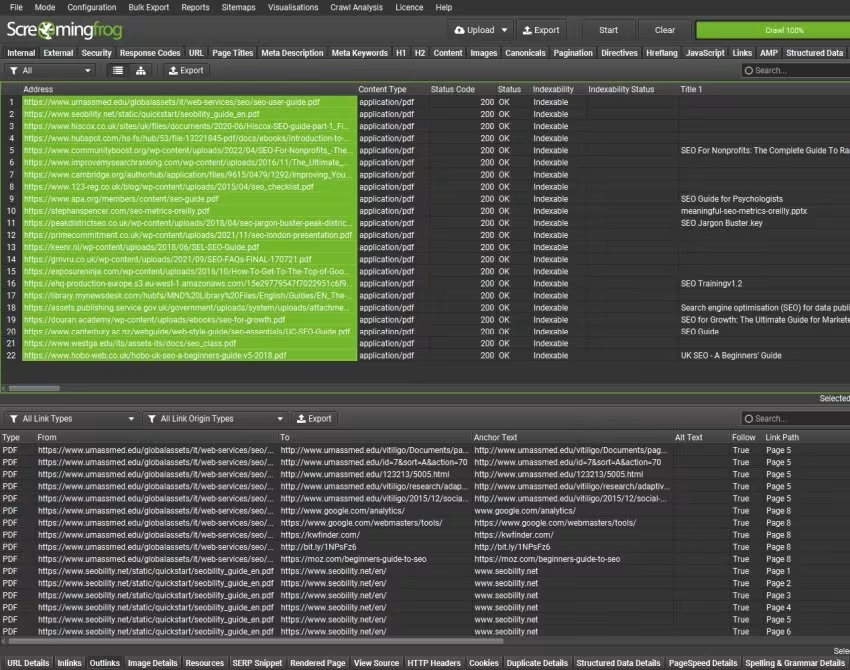 Via Screaming Frog
Screaming Frog is a website crawler, sold as the SEO Spider, built to scan a single site and surface technical and on-page issues in detail. Unlike Ahrefs, it has no web-wide index of its own. It crawls whatever domain a user points it at as a local desktop application, and reports back on what it finds. For the full walkthrough, see our Screaming Frog review.
Screaming Frog features
Screaming Frog's feature set is built entirely around depth of crawl configuration for one site at a time.
- Website crawling: Scans a site's structure to flag broken links, duplicate content, and indexability issues.
- Redirect auditing: Detects redirect chains, loops, and mixed 301/302 usage across a crawled domain.
- Metadata analysis: Flags missing, duplicate, or poorly formed page titles and meta descriptions.
- JavaScript rendering: Crawls JavaScript-heavy sites to evaluate dynamically generated content and links.
- Custom extraction and AI crawling: Pulls specific page elements with XPath or CSS selectors, including newer crawl integrations with OpenAI and Gemini for content analysis.
- API integrations: Connects with Google Analytics, Search Console, PageSpeed Insights, and the Ahrefs API for additional context during a crawl.
- Scheduled crawls and AI-assistant automation: Runs crawls on a schedule, and, as of version 24.0 (May 2026), a user can trigger and manage crawls from Claude or another AI assistant through a new MCP server integration.
Screaming Frog pricing
Screaming Frog's free version crawls up to 500 URLs, and the paid license costs $279/year for effectively unlimited crawling. That yearly figure is up from the $259 price point in the previous version of this guide, confirmed against Screaming Frog's own pricing page. The free and paid tiers share the same feature set, the license just removes the URL cap.
- Free: $0, crawl up to 500 URLs with most core features included.
- Paid license: $279/year per user, no fixed URL cap, actual ceiling depends on the local machine's memory and storage.
- Volume pricing: Discounts apply at 5, 10, and 20-plus licenses for agencies buying multiple seats.
Licenses are per user rather than per team, so covering multiple crawlers on the same team means buying multiple seats.
Screaming Frog limitations
Screaming Frog's single-site scope and licensing model create a few limitations depending on the workflow.
- It has no backlink or keyword index of its own, so link building and keyword research still require a separate platform.
- Licensing is strictly per user, a cloud instance still needs its own license and can't be shared across a team.
- Large crawls are bound by whatever memory and storage the machine or cloud instance has, not a fixed platform ceiling.
- Reporting is CSV-first rather than a hosted, shareable dashboard, so presenting findings to a client usually means exporting and reformatting.
How do Ahrefs and Screaming Frog compare on shared SEO tasks?
Ahrefs and Screaming Frog overlap most directly in site crawling, redirect auditing, and reporting output, even though their underlying data models differ.
Site crawling and technical diagnostics
Ahrefs' Site Audit crawls a single project and groups issues into errors, warnings, and notices, with page health scores tracked over time inside the same dashboard used for keyword and backlink data. It's built to fit inside a broader research workflow rather than stand alone as a crawler.
Screaming Frog's SEO Spider is built purely around the crawl itself, with granular control over crawl depth, user agent, rendering mode, and custom extraction rules that a general SEO platform typically doesn't expose. Teams doing a deep technical audit on a single domain generally get more configuration control from Screaming Frog, while teams who want crawl findings sitting next to backlink and keyword data in one dashboard get that from Ahrefs.
Backlink and keyword data
This is where the two tools stop overlapping. Ahrefs maintains its own crawl of the open web specifically to power backlink and keyword data, tracking referring domains, anchor text, and search rankings across a proprietary index that updates continuously.
Screaming Frog has no equivalent. It can import backlink counts through the Ahrefs API integration during a crawl, but it doesn't generate or maintain that data itself. A team that needs backlink or keyword research has to use Ahrefs, Search Atlas, or a similar platform, Screaming Frog was never built to provide it.
Scale and crawl volume
Ahrefs measures scale in crawl credits consumed against a monthly allotment, from 100,000 credits on Lite up to 1,500,000 on Advanced, shared across however many projects a plan allows.
Screaming Frog measures scale in raw URLs against local or cloud machine resources rather than a subscription tier. For crawling one very large site with fine-grained control, Screaming Frog's model scales further per dollar. For running audits across many client domains inside one subscription, Ahrefs' project-based structure is easier to manage.
Desktop versus cloud workflow
Screaming Frog stays desktop-only. Every crawl runs on the machine it was launched from, with no remote-infrastructure option to offload a large job. Scheduled crawls and automatic exports still work locally, and version 24.0's new MCP server integration lets a user drive a crawl from Claude or another AI assistant, but the crawl itself never leaves the local machine.
Ahrefs is fully cloud-based SaaS from the start, accessible from any browser with no local install or hardware dependency. A distributed team that needs shared access from anywhere fits Ahrefs' model more naturally. A team running occasional, resource-heavy crawls on a dedicated machine can use Screaming Frog's desktop app without paying for cloud infrastructure they don't need day to day.
Reporting and exports
Ahrefs reports live inside its own dashboard, with shareable views, scheduled alerts, and API access on higher tiers for pulling data into other systems.
Screaming Frog exports primarily to CSV, Google Sheets, or a connected Looker Studio report, putting the formatting and presentation work on the user rather than a built-in reporting layer. Ahrefs is the more presentation-ready option out of the box, while Screaming Frog's exports are more flexible for a team that already has its own reporting pipeline.
Who is Ahrefs best for?
Ahrefs fits teams whose SEO work centers on backlinks, keywords, and competitor visibility rather than deep single-site crawling.
- Content and link-building teams: Use Keywords Explorer and Content Explorer to plan content around real search demand and find link opportunities.
- Agencies managing competitor research: Compare domains, backlink profiles, and keyword overlap across multiple client accounts.
- Teams that need cloud access with no setup: Log in from any browser without installing software or managing local crawl resources.
- Marketers who want crawl data alongside backlink and keyword context: Use Site Audit findings in the same dashboard as the rest of their SEO research.
Who is Screaming Frog best for?
Screaming Frog fits teams whose work starts with a detailed technical crawl of a specific site rather than broader market research.
- Technical SEO specialists: Configure crawl depth, rendering mode, and custom extraction for granular, single-site audits.
- Agencies running site migrations: Compare pre- and post-migration crawls to catch broken redirects, lost pages, and indexability regressions.
- Freelancers on a tight budget: Use the free 500-URL tier or a single $279/year license instead of a recurring SaaS subscription.
- Teams needing offline or scheduled batch crawls: Run crawls on a set schedule and export straight to CSV or Google Sheets for existing reporting pipelines.
When do teams use both together?
Using Ahrefs and Screaming Frog together is a common workflow, not a sign that either tool is incomplete on its own. A typical handoff runs in one of two directions depending on where an issue surfaces first.
In one direction, Screaming Frog's crawl finds a technical problem, a spike in 404s after a migration, a batch of pages missing canonical tags, or a cluster of thin content, and the team then checks Ahrefs to see whether those same pages carry backlinks worth protecting before deciding how urgently to fix them.
In the other direction, Ahrefs' Site Explorer surfaces a page that's lost backlinks or rankings, and the team runs it through Screaming Frog to check for a technical cause, like a redirect that changed, a noindex tag that got added, or a broken internal link that cut it off from the rest of the site.
Neither workflow requires the other tool to be watching in real time. Most teams run Screaming Frog crawls on demand or on a schedule and pull Ahrefs data separately, then cross-reference the two when a specific page needs investigation. For teams that would rather not maintain that handoff manually, that's the gap Search Atlas is built to close.
How does Search Atlas compare with Ahrefs and Screaming Frog?
Search Atlas is an agentic AI marketing platform that connects backlink and keyword intelligence with technical crawling in one workspace, then routes what it finds into prioritized, executed fixes through Atlas Agent. It overlaps with Ahrefs in backlink and keyword data and with Screaming Frog in technical crawling, but neither of those tools carries a finding through to an executed fix on its own.
Backlink and keyword data through Site Explorer
Site Explorer analyzes organic and paid traffic, keyword rankings, and backlink profiles across a domain, similar in scope to Ahrefs' Site Explorer. Where it differs is Domain Power, a 100-point authority score built from real ranking and traffic signals pulled directly from Google Search Console rather than link-graph size alone, plus a Topical Dominance view that maps how deeply a site covers a topic against competitors.
Technical crawling through Site Auditor
Site Auditor crawls a domain end to end, checking indexability, Core Web Vitals, metadata, and structured data, and calculates a site health score on a 0 to 1000 scale. It handles crawl ranges from 100 up to 1,000,000 URLs at a default 20 pages per second, with an automated 7-day re-crawl cycle, and every flagged issue links to a prescriptive fix rather than a raw error list.
Crawl Monitoring adds a layer Screaming Frog doesn't have on its own, tracking real Google, Bing, and AI bot activity against a site rather than a simulated crawl.
Execution through Atlas Agent and the Search Atlas Coworker
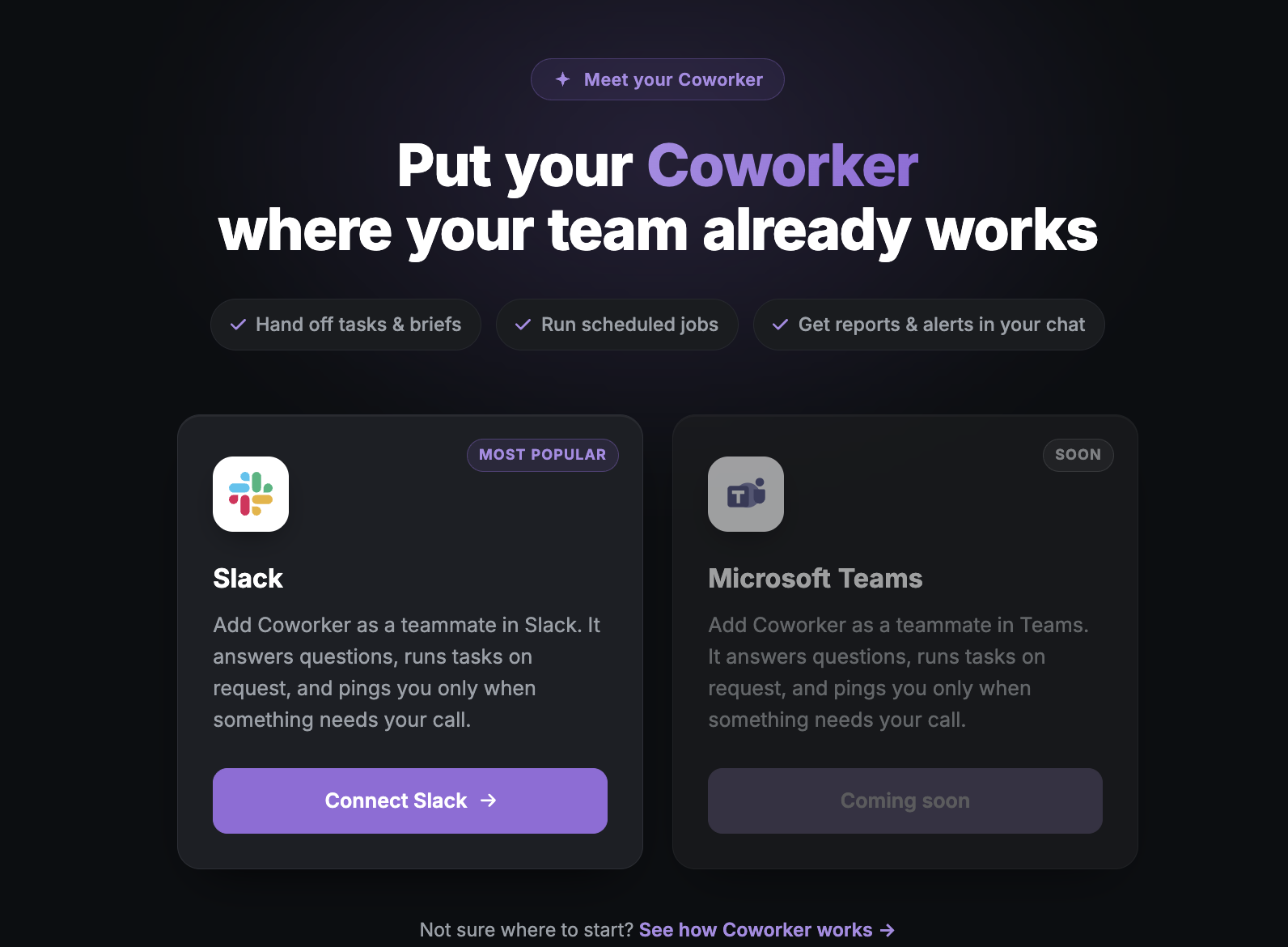
Ahrefs and Screaming Frog both stop at the report. Atlas Agent takes what Site Explorer and Site Auditor find, prioritizes it by expected impact, and can deploy fixes such as schema markup, internal links, and content updates directly, with changes tracked and reversible. The Search Atlas Coworker then reports that work back inside Slack, Microsoft Teams, or ClickUp, so a team doesn't have to log into a separate dashboard to see what changed.
Search Atlas pricing
Search Atlas runs on subscription tiers rather than Ahrefs' credit-based model or Screaming Frog's per-user license.
| Starter | Growth | Pro | Enterprise | |
|---|---|---|---|---|
| Price | $99/month | $199/month | $399/month | Custom |
| User seats | 2 | 3 | 5 | Custom |
| GSC sites | 5 | 15 | Unlimited | Custom |
Should you choose Ahrefs, Screaming Frog, or Search Atlas?
Choose Ahrefs if your work centers on backlink research, keyword planning, and competitor tracking, and you don't need deep, configurable crawl control on a single site. Its $29/month Starter tier makes that entry point cheaper than it used to be, though Site Audit still won't match a dedicated crawler's depth.
Choose Screaming Frog if your work is technical SEO audits, migrations, or site health diagnostics where crawl configuration matters more than backlink or keyword data. A single $279/year license covers a lot of ground for a freelancer or in-house specialist who already has another source for link and keyword research.
Choose both, run separately, if your team genuinely needs backlink intelligence and deep technical crawling and doesn't mind managing the handoff between them manually. This is the most common setup among established SEO teams, and it's a legitimate long-term workflow, not a compromise.
Choose Search Atlas if you want that same backlink, keyword, and technical crawl coverage without maintaining two separate subscriptions and manually cross-referencing findings. Site Explorer and Site Auditor cover the same ground as Ahrefs and Screaming Frog, and Atlas Agent carries what they find into prioritized, executed fixes reported back through the Search Atlas Coworker. Try Search Atlas free for 7 days to see how that handoff works on your own site.
Frequently asked questions about Ahrefs vs. Screaming Frog
Is Ahrefs better than Screaming Frog?
Neither is better overall, they cover different jobs. Ahrefs is stronger for backlink data, keyword research, and competitor tracking. Screaming Frog is stronger for deep technical crawl diagnostics on a single site. Most SEO teams that need both keep both, rather than replacing one with the other.
Can Screaming Frog replace Ahrefs?
No. Screaming Frog crawls the site a user points it at and has no backlink or keyword index of its own. For backlink profiles, keyword rankings, or competitor research, a team still needs a platform like Ahrefs or Search Atlas's Site Explorer.
Does Screaming Frog work in the cloud now?
No, crawling still happens locally. Screaming Frog has no remote-infrastructure crawling option. Version 24.0, released in May 2026, added an MCP server integration that lets a user run and manage crawls from Claude or another AI assistant, but the crawl itself still runs on the user's own machine.
How much does Ahrefs cost in 2026?
Ahrefs' paid plans run from a $29/month Starter tier for lighter competitive research up through Lite at $129/month, Standard at $249/month, Advanced at $449/month, and Enterprise at $1,499/month with an annual commitment. A free Ahrefs Webmaster Tools option covers basic site health, backlink, and keyword monitoring for verified site owners.
What does Search Atlas do differently from Ahrefs and Screaming Frog?
Search Atlas combines Site Explorer's backlink and keyword data with Site Auditor's technical crawl in one platform, then routes what it finds to Atlas Agent, which prioritizes and executes fixes and reports back through the Search Atlas Coworker in Slack, Teams, or ClickUp. Neither Ahrefs nor Screaming Frog carries a finding through to an executed fix on its own. Teams looking for other options beyond these two can also check our Screaming Frog alternatives roundup.