Pagination in SEO is a structured method that divides large content sets into multiple interconnected pages to improve navigation, crawlability, and performance. SEO pagination organizes product listings, article archives, and search results into manageable segments with unique URLs, which strengthens indexation and user experience. Pagination in SEO enhances search engine discovery by providing clear internal linking paths and preventing content from becoming orphaned. Proper pagination supports faster load times, structured site architecture, and efficient indexing across large datasets.
How does pagination in SEO affect visibility, crawlability, and indexing? Pagination in SEO improves visibility and crawl efficiency by enabling search engines to access deeply nested content through structured internal links. Pagination supports consistent indexing through self-referencing canonical tags and crawlable navigation paths. The difference between pagination and infinite scroll lies in structure and accessibility. Pagination provides distinct URLs and anchor links for each page, while infinite scroll loads content dynamically on a single URL, which often limits search engine access unless supported by crawlable links and structured URLs.
What are the SEO best practices and structural requirements for pagination? SEO best practices for pagination include keeping paginated pages indexable, using clear and descriptive URLs, avoiding fragment identifiers, de-optimizing deeper pages to prevent keyword cannibalization, and maintaining strong internal linking. Effective pagination structure relies on relational linking between pages, consistent internal linking across the sequence, and optimized category pages that concentrate primary ranking signals on the root URL. These practices preserve link equity, maintain a clear content hierarchy, and improve both crawl coverage and user navigation.
How does pagination in SEO integrate with modern search and AI-driven discovery? Pagination in SEO supports modern SEO and AI search by maintaining structured, indexable, and context-rich content across multiple URLs. Alternatives to pagination include infinite scroll, load-more functionality, and cursor-based data retrieval, which suit engagement-driven or technical use cases. Tools for pagination analysis (OTTO SEO by Search Atlas, JetOctopus, Google Search Console, Screaming Frog, and Ahrefs) detect crawl, canonical, and indexing issues. Resolving pagination issues requires correcting canonical signals, ensuring indexability, optimizing URL structures, and strengthening internal linking. Pagination in SEO remains a foundational framework for scalable visibility, efficient crawling, and sustainable organic growth.

What Is Pagination in SEO?
Pagination in SEO is a content organization method that divides large sets of content across multiple web pages to improve navigation, crawlability, and page performance. Pagination in SEO uses structured navigation elements, pagination tags, and sequential links (next, previous, numbered pages) to guide users and search engines through segmented content efficiently.
Why was pagination in SEO introduced? Pagination in SEO was introduced to prevent slow load times and poor navigation caused by displaying excessive content on a single page. Pagination in SEO gained technical relevance in 2011 when Google introduced rel=”prev” and rel=”next” pagination tags to indicate relationships between paginated pages. Google deprecated these pagination tags on March 21, 2019, and confirmed that search engines treat paginated pages as standard pages, relying on internal linking and canonicalization for indexing.
How does pagination in SEO differ from infinite scroll and load-more implementations? Pagination in SEO differs because it assigns unique URLs to each content segment, which improves crawlability and indexation. Infinite scroll and load-more methods dynamically load content on a single URL, which limits full content discovery by search engine crawlers and reduces indexing efficiency.
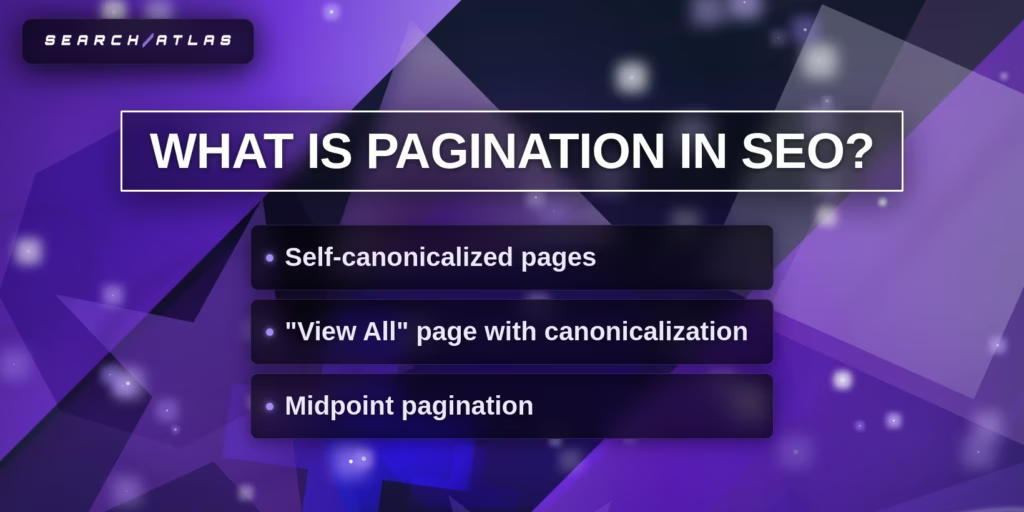
What are the main types of pagination implementation in SEO? There are 3 main types of pagination implementation in SEO. These are listed below.
- Self-canonicalized pagination. Each paginated page contains a canonical tag pointing to itself. This structure prevents duplicate content issues and preserves indexing for each page in the sequence.
- View all pages with canonicalization. A single comprehensive page contains all content, and all paginated pages reference this page with canonical tags. This approach consolidates SEO signals but requires strong performance optimization to maintain fast load times.
- Midpoint pagination. Navigation displays selected page ranges (1, 2, 3, 9, 10, 11) to reduce crawl depth and improve access to deeper content. This structure enhances crawl efficiency and strengthens internal link distribution.
What benefits does pagination in SEO provide for performance and indexing? Pagination in SEO improves page speed, enhances crawl efficiency, and strengthens internal link equity distribution. Dividing large content sets into smaller pages significantly reduces load times, aligns with performance standards, and increases index coverage across large websites. Structured internal linking across paginated pages ensures consistent distribution of ranking signals.
How does pagination in SEO function within website architecture? Pagination in SEO depends on clear URL structures, consistent internal linking, and accurate canonical tag implementation to maintain structural clarity and indexing accuracy. Pagination in SEO enables organized navigation, improved engagement metrics, and expanded monetization opportunities through multiple page views. Pagination in SEO competes with infinite scroll, load-more buttons, and single-page view-all designs, which often create crawl limitations or performance challenges.
Where is pagination in SEO most commonly used? Pagination in SEO is widely used on content-rich websites that manage large volumes of information. E-commerce platforms with extensive product catalogs, news websites with large article archives, and forums with numerous discussion threads rely on pagination in SEO to maintain usability, improve content discovery, and ensure comprehensive search engine indexing across large datasets.
What Are Examples of Pagination in SEO?
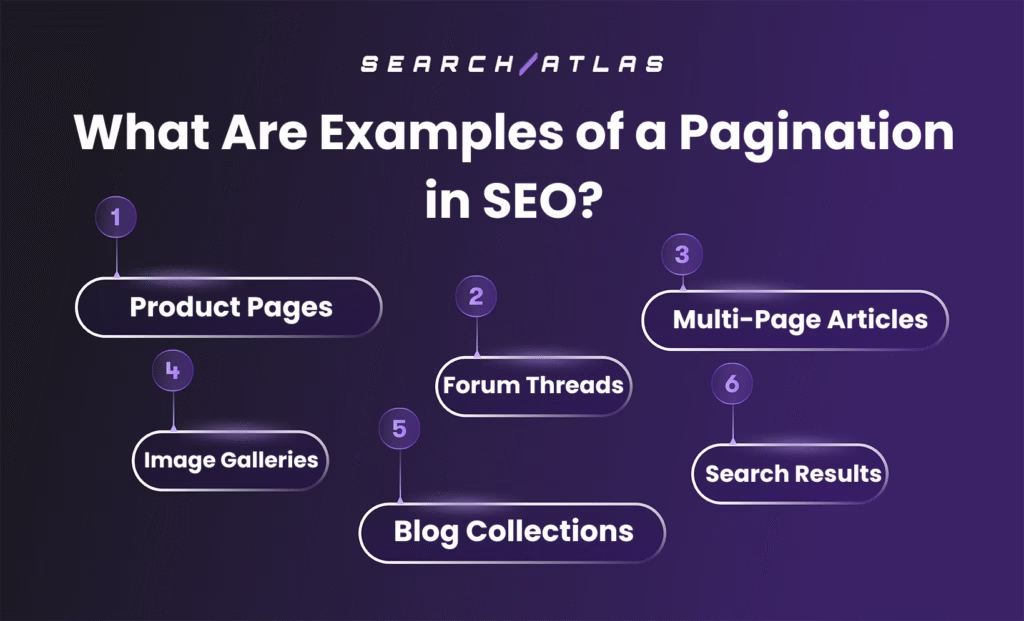
Pagination appears on websites that organize large sets of content across multiple linked pages. Each use case of pagination in SEO splits content into manageable sections without breaking the topic sequence. The most common examples of pagination in SEO are listed below.
- Product Pages. Online stores split product catalogs into multiple pages to simplify browsing and reduce load strain.
- Forum Threads. Forums group long conversations across several pages for better clarity and easier tracking.
- Multi-Page Articles. Publishers divide long-form content into pages to shorten scroll length and maintain reader focus.
- Image Galleries. Image-heavy pages load photo sets in smaller groups to improve layout and user flow.
- Blog Collections. Blogging sites paginate category or date-based archives to organize articles over time.
- Search Results. Search platforms break query results into separate pages to guide users through ranked content.
How Does Pagination Affect SEO?
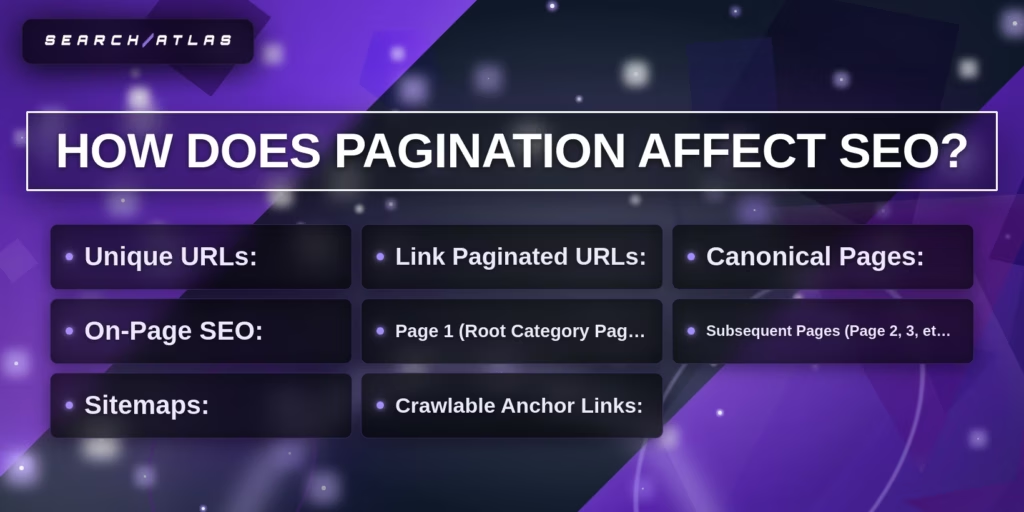
Pagination affects SEO by influencing crawlability, indexation, page performance, internal linking, and ranking signal distribution across large content sets. Pagination in SEO creates separate URLs for each segment of content, and search engines treat paginated pages as individual pages during crawling and indexing.
How does pagination improve SEO performance? Pagination improves SEO by increasing usability, improving page speed, and making deeply nested content discoverable. Pagination reduces the amount of content loaded per page, which improves loading speed, and page speed is a confirmed ranking factor. Pagination creates structured internal links (next, previous, numbered links), which strengthen crawl paths and improve index coverage.
How does pagination affect crawlability and indexing? Pagination affects crawlability by exposing deeper URLs through crawlable anchor links inside the href attribute of elements. Google crawls URLs found in anchor tags and treats each paginated URL as a separate page. Clear linking between pages and linking back to page 1 reduces crawl depth and strengthens content discovery.
How does pagination negatively affect SEO if implemented incorrectly? Pagination negatively affects SEO when it creates duplicate content, wastes crawl budget, or dilutes link equity. Search engines require unique pages, and repeated content, identical titles, identical meta descriptions, or incorrect canonical tags create duplication signals. Excessive pagination increases crawl load and reduces attention to higher-value pages.
How does canonicalization influence pagination SEO impact? Canonicalization determines whether search engines consolidate or separate ranking signals across paginated pages. Self-referencing canonical tags preserve each paginated page as indexable, while incorrect canonicalization to page 1 transfers signals improperly and weakens deeper page visibility. Combining canonical and noindex directives creates contradictory signals and weakens indexing clarity.
How does JavaScript affect pagination SEO? JavaScript affects pagination SEO when pagination links require user-triggered actions instead of crawlable URLs. Google does not click buttons or execute user-triggered functions that update content dynamically. Pagination that depends on JavaScript-only interactions blocks crawlers from discovering deeper content and reduces indexation.
How does pagination compare to placing all content on one page? Pagination improves SEO performance compared to placing all content on one page when large datasets exist. Single long pages increase load time and negatively impact performance metrics. Pagination distributes content across multiple URLs, reduces initial load size, and improves performance signals.
How does pagination influence link equity distribution? Pagination influences link equity by creating structured internal linking across a sequence of pages. Next and previous links pass ranking signals through the content series. Poor linking structure weakens authority flow, while linking all pages back to the root page consolidates authority.
What is Google’s stance on rel=”prev” and rel=”next” for pagination? Google deprecated rel=”prev” and rel=”next” in March 2019 and no longer uses these pagination tags for indexing. Search engines treat paginated pages as standard URLs, and internal linking and canonicalization determine indexing behavior. Other search engines still recognize rel=”prev” and rel=”next” tags.
Pagination in SEO affects visibility, crawl efficiency, performance signals, and authority flow. Correct implementation strengthens indexing and user experience, while incorrect implementation creates duplication, crawl waste, and ranking signal dilution.
Pagination vs Infinite Scroll: What Is the Difference?
Pagination divides content into multiple numbered pages with unique URLs, while infinite scroll loads content continuously on a single page as users scroll. Pagination provides structured navigation and crawlable links for search engines, whereas infinite scroll relies on dynamic loading that can restrict full content discovery and indexing.
How do pagination and infinite scroll differ in content delivery and navigation? Pagination delivers content in fixed segments across separate pages, while infinite scroll presents content in a continuous stream without page boundaries. Pagination allows direct access to specific pages and clear progress tracking. Infinite scroll prioritizes uninterrupted browsing but makes it difficult to locate previously viewed content or estimate total results.
How do pagination and infinite scroll compare in terms of SEO? Pagination is more SEO-friendly because it provides crawlable links, structured URLs, and clear indexation paths, while infinite scroll can limit crawl access and reduce index coverage. Search engines crawl anchor links within paginated pages efficiently. Infinite scroll often depends on JavaScript, which can prevent search engines from accessing content beyond the initial viewport.
How do pagination and infinite scroll differ in performance and user experience? Pagination improves initial page load speed by limiting content per page, while infinite scroll slows performance as more content loads dynamically. Pagination supports goal-oriented browsing and structured interaction. Infinite scroll increases engagement and session duration but can lead to performance degradation and navigation fatigue over time.
How do pagination and infinite scroll compare in accessibility and usability? Pagination provides clearer structure and better accessibility for keyboard and screen-reader navigation, while infinite scroll can create usability challenges for assistive technologies. Pagination ensures consistent access to navigation controls and footers. Infinite scroll can obscure navigation elements and complicate interaction for accessibility tools.
Pagination vs Infinite Scroll Comparison Table
| Feature | Pagination | Infinite Scroll |
| Core Mechanism | Divides content into separate pages with numbered navigation | Continuously loads content on a single page during scrolling |
| URL Structure | Unique URL for each page | Single URL with dynamically loaded content |
| SEO Impact | Strong crawlability and indexation | Limited crawl access and potential indexing issues |
| User Control | High control with clear navigation and progress tracking | Lower control with continuous, unstructured browsing |
| Page Performance | Faster initial load due to limited content per page | Performance degrades as more content loads |
| Accessibility | Clear structure for screen readers and keyboard navigation | Accessibility challenges for assistive technologies |
| User Engagement | Supports goal-oriented tasks and structured browsing | Encourages continuous browsing and longer sessions |
| Footer Visibility | Consistently accessible | Often difficult to reach due to continuous loading |
| Implementation Effort | Easier to implement with standard frameworks | Requires custom development and optimization |
When is pagination used instead of infinite scroll? Pagination is used when users perform goal-oriented tasks, require precise navigation, or when SEO and crawlability are priorities. E-commerce listings, job boards, and content archives benefit from pagination, which supports structured navigation and strong search engine visibility.
When is infinite scroll more suitable than pagination? Infinite scroll is better suited to content discovery environments where continuous engagement and mobile-friendly browsing are priorities. Social media feeds, image galleries, and continuously updated content streams benefit from infinite scroll because new items load without a click, which keeps visitors on the page longer.
Pagination and infinite scroll serve different strategic purposes. Pagination prioritizes structure, accessibility, and SEO performance. Infinite scroll prioritizes engagement and continuous browsing on mobile.
What Are SEO Best Practices for Pagination?
Checklist
Pagination best practices
Tick off what you have done. Each item is explained in the sections below.
There are 5 main SEO best practices for pagination that preserve crawlability, prevent duplication, and protect ranking signals across paginated URLs. Pagination best practices protect site architecture integrity, improve crawl coverage, and maintain structured ranking signals across large content sets.
The 5 best practices for pagination are listed below.
1. Self-Canonicalize Each Page
2. Use Clear, Descriptive URLs
3. Avoid URL Fragment Identifiers
4. De-Optimize Paginated Pages
5. Avoid Noindexing Paginated Pages
1. Self-Canonicalize Each Page
Self-canonicalizing paginated pages requires placing a rel=”canonical” tag on each paginated URL that points to itself. Each page in the pagination sequence needs to declare its own absolute URL inside the canonical tag to confirm indexability and prevent consolidation to page 1.
Why do paginated pages use self-referencing canonical tags? Self-referencing canonical tags ensure correct indexing and preserve visibility of unique content across paginated URLs. Google confirms that canonicalizing page 2 or later pages to page 1 is incorrect because paginated pages are not duplicate pages. Incorrect canonicalization prevents deeper pages from being indexed and reduces the discoverability of products or content.
How is a self-referencing canonical implemented technically? Implementation requires adding a canonical tag in the <head> section that matches the full absolute URL of the page. For example, https://site.com/category/page/2/ needs to contain <link rel="canonical" href="https://site.com/category/page/2/">. The canonical URL includes the correct protocol (https) and full domain to ensure consistent canonical signals.
What happens if page 2 or later pages canonicalize to page 1? Canonicalizing deeper paginated pages to page 1 removes those pages from the index and restricts content visibility. Search engines display the canonical URL in results, which eliminates the opportunity for page 2+ content to rank independently. This structure weakens long-tail visibility and reduces overall SEO performance.
How does self-canonicalization affect link equity distribution? Self-canonicalization preserves link equity across the entire pagination sequence instead of consolidating all signals into one page. Paginated URLs maintain their own ranking signals while internal links pass authority throughout the sequence. This structure strengthens crawl efficiency and improves overall indexing depth.
What implementation errors need to be avoided during self-canonicalization? Avoid using noindex with canonical simultaneously, avoid blocking paginated URLs in robots.txt, and avoid fragment identifiers for pagination parameters. Blocking crawlers prevents canonical evaluation, while fragment identifiers (#page=2) do not create crawlable URLs. Incorrect canonical tags represent a major pagination SEO error and create duplicate content confusion.
How can self-canonicalization be verified? Verification requires inspecting the page source code and comparing the user-declared canonical with the search engine-selected canonical in Google Search Console. The URL Inspection tool confirms whether search engines recognize the self-referencing canonical correctly. Regular monitoring ensures paginated pages remain indexable and properly consolidated.
Self-canonicalization defines the foundation of pagination SEO architecture. Each paginated URL needs to declare itself as canonical to preserve indexing integrity, crawl paths, and ranking signal distribution across the content series.
2. Use Clear, Descriptive URLs
Using clear and descriptive URLs requires creating readable, structured, and crawlable URL patterns that reflect page hierarchy and pagination sequence. Clear URLs improve crawl efficiency, indexing accuracy, and click-through performance by signaling content relevance to search engines and users.
What defines a clear URL structure for paginated pages? A clear URL structure uses readable words, logical hierarchy, and consistent pagination parameters instead of long IDs or complex query strings. Structured formats (/category/page/2/, ?page=2) indicate pagination sequence directly. URLs that mirror the site hierarchy improve navigation clarity and indexing depth.
Why do pagination URLs avoid fragment identifiers? Pagination URLs need to avoid fragment identifiers because search engines do not treat fragments as separate crawlable URLs. Fragments (#page=2) do not create indexable pages. Crawlable pagination requires full URLs in href attributes, not client-side fragments.
How are URL parameters structured for pagination SEO? URL parameters need to follow the standard key-value structure using = and & without creating excessive variations. Clean parameter usage (?page=2) avoids URL explosions caused by additive filtering or irrelevant session parameters. Overly complex parameter combinations reduce crawl efficiency and dilute indexation.
How does URL length impact pagination SEO performance? Shorter URLs improve readability, indexing clarity, and mobile visibility. URLs under 60 characters are easier to process and less likely to be truncated in search results. Concise URLs strengthen usability and reinforce topic relevance.
Why do pagination URLs use consistent casing and formatting? Consistent lowercase formatting prevents duplicate content issues caused by case-sensitive URLs. Search engines treat /Page/2/ and /page/2/ as separate URLs. Standardized casing ensures indexing consistency and eliminates unintended duplication.
How site hierarchy appear in paginated URLs? Paginated URLs need to reflect the logical site hierarchy to clarify content relationships. A structured path (/products/laptops/page/2/) signals category context and sequence depth. Hierarchical URLs improve crawl flow and contextual interpretation.
Why are irrelevant parameters removed from pagination URLs? Removing irrelevant parameters prevents crawl waste and indexing inefficiency. Parameters, session IDs, or tracking values increase URL variants without adding content value. Clean pagination URLs maintain focused crawl signals and structured indexing.
Clear and descriptive pagination URLs strengthen crawl coverage, indexing precision, and user trust. Structured URL design reinforces pagination best practices and preserves ranking signal clarity across paginated content.
3. Avoid URL Fragment Identifiers
Pagination needs to avoid URL fragment identifiers because search engines ignore everything after the # symbol and treat fragment URLs as the same page. Search engines index /page, /page#section, and /page#details as a single URL, which prevents fragment-based pagination from creating separate indexable pages.
How do URL fragments limit SEO performance in pagination? URL fragments limit SEO performance because fragment values are not sent to the server and cannot be processed for indexing or analytics. Fragment identifiers remain client-side only and do not appear in HTTP requests, which makes them invisible to server-side routing and content rendering. Pagination requires crawlable URLs inside href attributes to ensure full indexation.
How do fragment identifiers create crawl and indexing ambiguity? Fragment identifiers create parsing ambiguity because any character after the first # is treated as a fragment regardless of intent. For example, parameters placed after a fragment are ignored by crawlers, which leads to incomplete indexing and URL misinterpretation. Pagination built on fragments prevents search engines from discovering deeper content reliably.
Why are fragment identifiers unsuitable for secure or structured data handling? Fragment identifiers are unsuitable for structured or sensitive data because browsers expose full URLs in history, bookmarks, and logs. RFC 3986 explicitly warns against placing secret information in URIs, and fragments remain visible through browser history and local access. Pagination needs to rely on structured query parameters or path-based URLs instead of fragment-based state handling.
How do fragment identifiers interfere with modern web architecture? Fragment identifiers conflict with server-side rendering and structured routing systems that require clean URLs without #. Modern architectures index URLs more efficiently when routing operates through path-based navigation instead of hash-based routing. Pagination that depends on fragment identifiers weakens crawl consistency and disrupts structured SEO implementation.
What user experience issues do fragment identifiers introduce? Fragment identifiers introduce visual disruptions and reduce navigational clarity for users. Pages load at the top and then jump to fragment targets, which creates inconsistent interaction patterns. Structured pagination URLs maintain predictable navigation without unexpected scrolling behavior.
Avoiding URL fragment identifiers ensures that paginated pages remain crawlable, indexable, secure, and structurally consistent. Proper pagination requires full, unique URLs that search engines recognize as separate indexable resources.
4. De-Optimize Paginated Pages
De-optimizing paginated pages means reducing keyword targeting and SEO weight on page 2 and beyond while preserving indexability and crawl paths. De-optimization prevents keyword cannibalization, duplicate content conflicts, and crawl inefficiencies while keeping paginated URLs accessible for indexing.
Why do paginated pages need to remain indexable during de-optimization? Paginated pages need to remain indexable/follow because search engines treat page 2+ as valid, unique URLs. Applying noindex prevents crawlers from following links and removes ranking signals from deeper pages. Blocking paginated URLs with robots.txt prevents crawlers from discovering valuable products or listings contained within the sequence.
How does canonicalization affect de-optimization of paginated pages? Canonicalization needs to preserve each paginated page as a separate indexable URL unless a View All page exists. Page 2+ should not canonicalize to the root category page. Self-referencing canonical tags maintain structured indexing and prevent consolidation errors. Canonicalizing page 2 back to page 1 signals search engines to ignore deeper content.
How is page 1 handled in the pagination structure? Page 1 should exist only as the root category URL, not as a separate /page-1/ variant. If /category/ exists, /category/page-1 needs to redirect to the root URL. This structure prevents duplicate indexing and ensures the primary page carries the strongest optimization signals.
How are titles and meta elements being de-optimized on page 2 and beyond? Page 2+ needs to include the page number in the title, meta description, and H1 while reducing keyword emphasis compared to page 1. Example formats include “Page 2 – Category Name” or “Category Name – Page 2”. The root category page targets the main query, while deeper pages signal pagination context to prevent cannibalization.
Should category copy repeat on paginated pages? Duplicate category copy needs to remain only on the root page to prevent duplication signals. Adding identical descriptive content to page 2+ creates duplication issues and weakens SEO signals. Only listing content appears on deeper paginated URLs.
How are XML sitemaps configured during de-optimization? XML sitemaps prioritize the parent category URL and exclude deeper paginated URLs when page 1 retains ranking priority. Including every paginated URL increases crawl allocation without strengthening primary ranking targets.
How does internal linking influence the de-optimization strategy? Internal links need to prioritize the parent category URL in global navigation while linking paginated pages sequentially within the series. Links need to use crawlable href attributes instead of JavaScript-based navigation. Non-crawlable links prevent search engines from discovering deeper paginated pages.
How does de-optimization prevent keyword cannibalization in paginated content? De-optimization prevents cannibalization by concentrating primary keyword relevance on page 1 while signaling pagination context on deeper pages. An investigation is required if page 2 outranks page 1, including reviewing canonical tags, internal linking distribution, and on-page signals.
De-optimizing paginated pages protects crawl efficiency, prevents duplication, and consolidates ranking authority on the primary category page while preserving discoverability of deeper listings.
5. Avoid Noindexing Paginated Pages
Paginated pages use a noindex directive because noindex removes those pages from search engine indexes and blocks organic discovery of deeper content. Search engines treat paginated URLs as valid, independent pages, and noindex cancels indexing for those URLs entirely.
How does noindexing paginated pages cause traffic loss? Noindexing paginated pages prevents unique content on page 2 and beyond from ranking, which leads to measurable organic traffic decline. Content, product listings, images, and long-tail items on deeper pages become undiscoverable when removed from the index.
How does noindexing paginated pages affect user experience? Noindexing paginated pages forces users to navigate manually from page 1 or perform additional searches to find relevant content. Users landing on the first page miss items located on subsequent pages. Removing indexation for page 2 and beyond increases navigation friction and reduces content accessibility.
How does noindexing paginated pages limit scalability and future growth? Noindexing paginated page blocks the indexing of new content added to deeper pages, which restricts long-term organic expansion. New products or listings appearing on page 2+ cannot rank independently. Google treats a noindex directive as a signal to exclude those pages from indexing consideration.
What misconceptions lead to incorrect noindex use on paginated pages? A common misconception is that noindex prevents duplicate content, but paginated pages are separate URLs and do not require noindex for duplication control. Canonical tags and structured pagination resolve duplication risks without removing pages from the index. Setting page 2+ to noindex weakens crawl depth and eliminates ranking signals unnecessarily.
What is Google’s position on indexing paginated pages? Google indexes paginated pages when they contain crawlable <a href> links and valid content. Google no longer relies on rel=”next” and rel=”prev” for pagination recognition, but search engines continue indexing paginated URLs when properly linked.
How does noindex impact internal link equity and crawl paths? Noindex weakens internal linking signals and disrupts crawl paths across paginated sequences. Although noindex, follow passes link signals initially, search engines eventually reduce the crawling frequency of noindexed pages. Blocking paginated pages with noindex or robots.txt prevents search engines from discovering linked items efficiently.
What is the recommended alternative to noindexing paginated pages? The recommended approach is to keep paginated pages indexable with self-referencing canonical tags and structured internal linking. Canonical pagination preserves indexation while preventing duplication confusion. Self-canonicalized paginated pages maintain crawl accessibility and protect ranking signal distribution across the sequence.
Avoiding noindex on paginated pages preserves organic discoverability, protects crawl efficiency, and maintains long-term SEO scalability.
How to Structure Pagination for SEO?
There are 3 main structural elements required to structure pagination for SEO. Proper pagination structure ensures crawlability, preserves ranking signals, and prevents cannibalization across paginated URLs.
1. Using Relational Linking (Next/Previous)
2. Internal Linking Between Paginated Pages
3. Category Page Optimization
Proper pagination structure combines relational linking, consistent internal linking, and strong category page optimization. This structure ensures search engines crawl efficiently, preserve ranking signals, and maintain clear topical authority across paginated content.
1. Using Relational Linking (Next/Previous)
Using relational linking (next/previous) means connecting paginated URLs sequentially through structured HTML signals that define their order and relationship within a content series. Historically, this structure used rel=”next” and rel=”prev” link elements in the <head> section to indicate that multiple URLs belonged to one paginated set.
What were rel=”next” and rel=”prev” designed to accomplish? rel=”next” and rel=”prev” were introduced to signal that separate pages formed a logical sequence and to consolidate indexing properties across that sequence. Google introduced these attributes in 2011 to treat paginated pages as a connected entity and to direct ranking signals appropriately.
How were rel=”next” and rel=”prev” implemented technically? rel=”next” and rel=”prev” were implemented inside the <head> section of each paginated page using link elements that referenced adjacent URLs. The first page included only rel=”next”. Intermediate pages included both rel=”prev” and rel=”next”. The final page included only rel=”prev”. Each URL referenced the immediate neighboring page in the sequence.
What is Google’s current position on rel=”next” and rel=”prev”? Google stopped using rel=”next” and rel=”prev” as an indexing signal before its March 2019 announcement. Google confirmed that its systems identify paginated relationships without these attributes. Rankings and user behavior do not depend on these tags today.
Does any search engine still use rel=”next” and rel=”prev”? Bing continues to use rel=”next” and rel=”prev” for page discovery and structural understanding. Bing does not merge pages but still interprets these attributes for site structure clarity. Retaining the tags does not create a negative SEO impact.
How does relational linking work in modern pagination without rel=”next” and rel=”prev”? Modern relational linking relies on crawlable <a href> anchor links that connect each paginated page sequentially. Each page needs to link to the next page, link back to the previous page, and link to the root page to create a clear crawl path. Search engines follow structured anchor links to interpret sequence relationships.
How does relational linking affect SEO and crawl behavior? Relational linking reduces crawl depth and strengthens discovery of deeper paginated URLs. Sequential linking distributes crawl signals and allows search engines to traverse product listings, articles, or forum pages efficiently. Without relational linking, deeper pages risk limited discovery.
Relational linking defines the structural backbone of pagination. Whether implemented historically with rel=”next”/rel=”prev” or currently with crawlable anchor links, relational linking establishes order, sequence clarity, and crawl accessibility across paginated content.

2. Internal Linking Between Paginated Pages
Internal linking between paginated pages is the structured connection of each page in a pagination sequence through crawlable anchor links that guide users and search engines across the entire content series. This linking ensures that every paginated URL remains accessible, discoverable, and logically connected within the site architecture.
Why is internal linking essential for paginated pages? Internal linking is essential because it enables search engines to discover, crawl, and index all pages within a paginated sequence. Pages without internal links become orphaned and are unlikely to be indexed. Structured linking ensures that deeper pages, page 5 or page 10, remain visible to search engines and users.
How does internal linking improve crawlability and indexing in pagination? Internal linking improves crawlability by reducing crawl depth and creating clear navigation paths between paginated URLs. Each page links to the next page, the previous page, and often back to the first page. This structure helps search engine crawlers move efficiently through the pagination series and ensures comprehensive index coverage.
How does internal linking enhance user experience in paginated navigation? Internal linking enhances user experience by providing intuitive navigation that allows users to move easily between pages in a sequence. Clear pagination links reduce friction, encourage deeper browsing, and improve engagement by helping users locate relevant content quickly.
How does internal linking establish hierarchy and structure in paginated content? Internal linking establishes hierarchy by reinforcing the relationship between the main category page and its paginated extensions. The root page acts as the primary authority, while paginated pages function as supporting nodes that extend the content structure. This organization helps search engines interpret topical relevance and content relationships.
How does internal linking distribute link equity across paginated pages? Internal linking distributes link equity by passing authority from the main category page to deeper paginated pages and back through the sequence. This bidirectional flow strengthens the visibility of deeper content while consolidating overall authority within the pagination structure.
Descriptive and functional anchor text “Next,” “Previous,” and numbered page links (1, 2, 3, 4) provide clarity for both users and search engines. Links need to use crawlable <a href> attributes and avoid JavaScript-only navigation, which search engines cannot reliably follow.
Internal linking between paginated pages forms a foundational SEO structure. Proper internal linking implementation ensures efficient crawling, balanced authority distribution, improved usability, and full visibility of all paginated content.
3. Category Page Optimization
Category page optimization is an e-commerce SEO strategy that improves the ranking, visibility, and conversion performance of product listing pages targeting broad commercial keywords. Category page optimization focuses on optimizing product overview pages to rank for high-volume transactional queries and drive traffic across multiple related products.
Why is category page optimization important for SEO? Category page optimization captures large volumes of organic traffic and distributes authority across product inventories. Category page optimization positions the category page as the primary ranking asset.
What are the main components of category page optimization? The 4 main components of category page optimization are keyword targeting, technical SEO structure, user experience optimization, and linking strategy. Keyword targeting aligns category pages with broad commercial queries and intent-driven variations, which increases visibility and relevance. Technical SEO structure organizes title tags, meta descriptions, canonical tags, structured data, and URL hierarchy, which improves crawl clarity and prevents duplication. User experience optimization refines load speed, mobile responsiveness, and navigation, which strengthens engagement and retention signals. Linking strategy distributes authority through internal links and backlinks, which increases discoverability and ranking strength across the site.
How does category page optimization affect conversion performance? Category page optimization increases product discovery efficiency and improves conversion flow. Case data shows optimized category pages ranking for commercial terms generated consistent sales performance.
How does category page optimization connect with pagination structure? Category page optimization concentrates primary keyword targeting on the root category page while paginated pages remain supportive and indexable. Page 1 carries descriptive SEO content and primary keyword signals. Page 2 and beyond include pagination indicators and reduced keyword emphasis to prevent cannibalization.
When to Use Pagination?
Pagination is used when a website or application needs to manage large datasets efficiently while preserving performance, crawlability, and structured navigation. Pagination divides content into smaller pages to reduce data load, improve usability, and prevent browser or server strain.
Why is pagination necessary for large datasets? Pagination is necessary because loading large volumes of content on a single page increases memory usage, processing cost, and bandwidth consumption. Pagination reduces initial load size and improves scalability across both server and client environments.
When does pagination improve SEO performance? Pagination improves SEO when structured pages allow search engines to crawl and index large content collections effectively. Organized URLs help crawlers access deeper items and improve page speed performance, which is a ranking factor.
When is pagination preferred over infinite scroll? Pagination is preferred when users have a defined goal and require structured navigation. E-commerce listings, search results, and structured archives benefit from pagination because users compare items, track position, and return to specific result pages.
When does pagination improve accessibility and usability? Pagination improves accessibility when users rely on keyboard navigation or screen readers. Pagination reduces excessive scrolling and ensures consistent footer access, which improves navigation clarity.
Which scenarios benefit most from pagination? The main scenarios that benefit from pagination are e-commerce category pages, search engine results pages, article archives and blog listings, and photo galleries and media collections. E-commerce category pages use pagination to organize product listings for efficient comparison and navigation, which improves usability and conversion. Search engine results pages segment large query outputs into manageable sets, which increases clarity and interaction. Article archives and blog listings structure chronological or categorized content into pages, which strengthens navigation and content discovery. Photo galleries and media collections distribute large visual datasets across pages, which maintains performance and reduces load time.
Pagination supports performance stability, structured SEO, accessibility clarity, and scalable dataset management. Pagination is implemented when content volume, crawl efficiency, and structured navigation outweigh a continuous scrolling design.
When Not to Use Pagination?
Pagination doesn’t need to be used when content flows linearly, user interaction requires continuous browsing, or when alternative loading methods provide a more efficient user experience. In these scenarios, pagination introduces friction, reduces usability, and can negatively impact performance and engagement.
Why is pagination unsuitable for linear and continuous content? Pagination disrupts reading flow and content continuity when applied to long-form or sequential content. Research shows users take longer to read paginated content and describe the experience as fragmented and inefficient. Long articles, documentation, and narrative content perform better when presented on a single page.
Why does pagination create usability challenges in modern interfaces? Pagination introduces navigation friction because users need to repeatedly click, wait for page loads, and reorient themselves. Users often avoid navigating beyond early pages, especially when page counts exceed double digits. Pagination makes content comparison difficult when items appear on different pages.
When is infinite scroll or “load more” preferred over pagination? Infinite scroll or “load more” functionality is preferred when users browse content without a specific goal or when engagement and discovery take priority. Social media feeds, news streams, and entertainment platforms benefit from continuous scrolling that reduces interaction barriers and maintains user attention.
Why is pagination less effective for mobile-first and engagement-driven experiences? Pagination is less effective on mobile devices because scrolling is more intuitive than tapping small navigation controls. Continuous scrolling reduces interaction cost and aligns with modern user behavior patterns, especially in content discovery environments.
When does pagination become inefficient for very large datasets? Pagination becomes inefficient when datasets grow extremely large, and users rarely navigate beyond the first page. Server resources are consumed to prepare paginated data that users never access, increasing operational costs and reducing efficiency.
What performance and architectural limitations make pagination unsuitable in some systems? Pagination can increase server load and database query complexity, especially when calculating total record counts for large datasets. In API and data-heavy environments, pagination can lead to wasted processing resources when users abandon results after viewing only the first page.
What accessibility and navigation issues can pagination introduce? Pagination can hinder accessibility and navigation when users struggle to locate content across multiple pages or lose context during navigation. Continuous interfaces often provide a smoother browsing experience when structured navigation is not required.
Pagination is not suitable for linear reading experiences, continuous content discovery environments, mobile-first engagement scenarios, or extremely large datasets with low deep-page interaction. In these cases, alternative methods, infinite scrolling, “load more” functionality, or single-page layouts provide better usability and performance outcomes.
What Are the Alternatives to Pagination?

The alternatives to pagination include frontend loading patterns, backend data retrieval strategies, structural filtering improvements, and product information management platforms. Each alternative changes how large datasets are retrieved, rendered, or structured without relying on numbered page navigation.
What frontend alternatives replace traditional pagination? The main frontend alternatives to pagination are listed below.
- Load More functionality. Load More displays an initial content set and appends additional items when a button is clicked. This method reduces page reloads while preserving user control.
- Infinite scroll. Infinite scroll loads new content automatically as the user scrolls downward. This method maximizes engagement in browsing-focused environments.
- Show All option. Show all loads in the complete dataset on a single page. This method works for small result sets and requires strong performance optimization.
- Virtual lists or streaming UI. Virtual lists render only visible elements inside the viewport and recycle DOM elements as users scroll. This approach reduces memory usage and improves rendering efficiency.
- Hybrid infinite scroll with windowing. Hybrid windowing loads content progressively while limiting DOM growth to preserve performance stability.
- Logarithmic pagination. Logarithmic pagination increases page size dynamically instead of incrementing by fixed units.
- Enhanced JavaScript pagination control. JavaScript controls update page content dynamically while preserving URL state.
- Simple navigation. Simple navigation reduces complex pagination to minimal forward progression.
- Fixed a small number of pages. Fixed page segmentation works for small datasets where user scanning remains manageable.
What backend or API alternatives replace traditional pagination? The backend alternatives to pagination are listed below.
- Cursor-based pagination. Cursor-based pagination retrieves records using a unique cursor reference instead of numeric offsets. This method improves performance consistency in large datasets.
- Seek or streaming retrieval. Seek-based retrieval streams data sequentially without calculating total record counts. This approach reduces database overhead.
How can filtering replace pagination as a structural alternative? Improved filtering reduces dataset size before rendering, minimizing the need for pagination entirely. Faceted filtering narrows result sets based on attributes, which decreases navigation friction and improves retrieval precision.
Which platform-based alternatives reduce reliance on pagination? The platform-based alternatives to pagination are listed below.
- Salsify (PIM/DAM platform).
- Inriver PIM (PIM/DAM platform).
- Sales Layer (PIM/DAM platform).
- Catsy (PIM/DAM platform).
- Bluestone PIM (PIM/DAM platform).
- Unbxd PIM (PIM/DAM platform).
- Adobe Commerce (PIM/DAM platform).
- Flipsnack (PIM/DAM platform).
- Publitas (PIM/DAM platform).
- Acquia DAM (Widen) (PIM/DAM platform).
These platforms centralize content management, reduce content fragmentation, and restructure product data workflows, which decreases dependency on traditional page segmentation.
When pagination alternatives are considered? Pagination alternatives are considered when content discovery prioritizes engagement, continuous browsing, or real-time data rendering over structured page navigation. Alternative patterns align better with feed-based systems, mobile-first interfaces, and high-interaction content streams.
What Tools Help Identify Pagination Issues?
The main tools that help identify pagination issues are: These tools analyze crawlability, indexation, canonicalization, rel attributes, status codes, and internal linking to diagnose structural pagination problems.
The main tools that help identify pagination issues are listed below.
1. OTTO SEO by Search Atlas. OTTO SEO by Search Atlas is a tool for automated technical SEO diagnostics and optimization. OTTO SEO audits pagination URL structure, canonical tags, internal linking distribution, crawl depth, and indexation signals. OTTO SEO detects non-indexable paginated pages, duplicate canonical conflicts, pagination loops, excessive internal link counts, and crawl inefficiencies. OTTO SEO connects crawl data with ranking impact, which makes it the most comprehensive pagination diagnostic system.
2. JetOctopus. JetOctopus is a tool for large-scale crawl and log analysis. JetOctopus identifies blocked paginated URLs, nofollow directives, non-200 status codes, missing rel attributes, and crawl budget inefficiencies. JetOctopus analyzes server logs to verify whether search engines crawl paginated pages consistently.
3. Google Search Console. Google Search Console is a tool for monitoring indexation and crawl behavior. The Pages report reveals non-indexed paginated URLs and canonical conflicts. The URL Inspection feature compares user-declared canonical and Google-selected canonical signals for paginated URLs.
4. Screaming Frog. Screaming Frog is a tool for technical crawling and on-page auditing. Screaming Frog identifies pagination sequence errors, duplicate titles, missing canonical tags, non-indexable pages, and internal linking gaps. Screaming Frog reveals URLs not linked through crawlable anchor elements.
5. Ahrefs. Ahrefs is a tool for site audits and crawl diagnostics. Ahrefs detects non-indexed paginated URLs, canonical inconsistencies, duplicate content patterns, and crawl inefficiencies. Ahrefs connects crawl errors with ranking performance data.
How do these tools collectively diagnose pagination structure problems? These tools analyze pagination structure through crawl simulation, log analysis, canonical validation, link graph inspection, and index coverage reporting. Pagination issues often involve duplicate canonicals, incorrect noindex usage, blocked URLs, JavaScript-only navigation, or excessive crawl depth.
Why is automated auditing critical for pagination management? Automated auditing identifies hidden crawl barriers and structural conflicts that manual inspection fails to detect. Pagination errors often scale across hundreds or thousands of URLs, and structured diagnostic tools ensure consistent validation across the entire pagination series.
Effective pagination monitoring requires combining crawl data, index reports, canonical validation, and internal linking analysis. Structured auditing ensures pagination supports crawl efficiency, preserves link equity, and maintains ranking stability across large content sets.
How to Find and Fix Pagination Issues?
How to find and fix pagination issues? Pagination issues are identified through crawl analysis, canonical validation, indexation checks, and JavaScript inspection, and they are fixed by correcting canonical tags, restoring indexability, enforcing crawlable links, and restructuring internal linking. Pagination errors typically appear as linking gaps, duplicate URLs, incorrect canonicalization, noindex misuse, fragment-based URLs, or JavaScript-only navigation.
How are pagination issues identified accurately? Pagination issues are identified using manual review, crawl tools, index reports, and JavaScript functionality tests. Manual inspection reveals broken page sequences or incorrect URL structures. Disabling JavaScript confirms whether pagination relies on non-crawlable interactions.
How are canonical tag errors diagnosed and corrected? Canonical errors are diagnosed by comparing declared canonical URLs with search engine-selected canonical URLs. Each paginated page needs to use a self-referencing canonical tag unless a valid View All structure exists. Canonicalizing page 2+ to page 1 blocks deep content discovery and needs to be corrected immediately.
How is indexation restored when paginated pages are noindexed? Indexation is restored by removing noindex directives from valid paginated URLs and confirming index, follow status. Noindex removes ranking signals and prevents discovery of deeper listings. Valuable paginated URLs need to remain indexable.
How are URL structure issues fixed in pagination? URL issues are fixed by enforcing unique crawlable URLs and removing fragment identifiers. Query parameters (?page=2) or directory paths (/page/2/) need to replace fragment-based URLs (#page=2). Filter and sorting variations that create duplicate results need to be controlled using canonical tags or selective noindex on filter-only URLs.
How are crawlability problems caused by JavaScript corrected? Crawlability problems are corrected by replacing JavaScript-only navigation with anchor links that contain href attributes. Pagination links need to appear as <a href=”URL”> elements to allow search engines to follow them. Load More and infinite scroll features need to generate unique crawlable URLs.
How is duplicate and thin content across paginated pages resolved? Duplicate content is resolved by placing descriptive SEO copy only on the root category page and removing repetition from page 2 and beyond. Titles and headings for paginated pages need to include page numbers to prevent cannibalization. Content results should not overlap between pages.
How are internal linking and crawl depth optimized to fix pagination issues? Internal linking is optimized by reducing click depth, linking back to the root page, and ensuring deeper pages receive contextual links. Linking from indexed pages to paginated URLs improves discovery and authority flow. Strategic linking from the homepage and subcategories strengthens crawl coverage.
How are framework-specific pagination bugs corrected? Framework-specific pagination bugs are corrected by reviewing component logic, state handling, and event binding in JavaScript frameworks. Angular requires correct getPages() logic and event binding validation. React requires proper state management and reset logic for pagination variables.
Finding and fixing pagination issues requires systematic crawl auditing, canonical validation, URL correction, structured linking, and technical debugging. Correct implementation preserves crawl efficiency, prevents ranking signal dilution, and restores full discoverability of paginated content.
What Are Common Pagination Mistakes?
What are common pagination mistakes? Common pagination mistakes include incorrect canonicalization, duplicate URL variants, non-existent paginated pages returning 200 status codes, fragment-based URLs, noindex misuse, JavaScript-only navigation, thin content, and broken internal linking. These errors reduce crawl efficiency, create duplicate content signals, dilute link equity, and block deep page indexation.
Why is duplicate page 1 a major pagination mistake? Duplicate page 1 URLs create redundant indexable versions of the same content. Examples include /category/ and /category/?p=1. Search engines treat both as separate URLs, which splits ranking signals and creates duplication confusion.
Why are non-existent paginated pages returning HTTP 200 harmful? Non-existent paginated pages need to return HTTP 404 instead of HTTP 200. Returning HTTP 200 for empty pages signals valid content and causes search engines to crawl and index low-quality or empty URLs. This behavior creates crawl waste and weak quality signals.
Why is canonicalizing page 2+ to page 1 incorrect? Canonicalizing page 2+ to page 1 prevents search engines from crawling deeper content. Google treats paginated pages as normal pages and recommends self-referencing canonical tags. Incorrect canonicalization leads to undiscovered products and content loss.
Why are fragment identifiers a common pagination mistake? Fragment identifiers (#) do not create separate crawlable URLs. Search engines ignore everything after # and treat fragment URLs as the same page. Fragment-based pagination prevents proper indexing.
Why is combining canonical and noindex a mistake? Combining canonical and noindex sends conflicting signals. Canonical suggests consolidation, while noindex instructs removal from the index. Search engines interpret this conflict unpredictably.
Why is noindexing paginated pages harmful? Noindexing paginated pages blocks ranking signals and stops search engines from following internal links over time. Deep products and listings become undiscoverable. Organic visibility declines as crawl paths weaken.
Why does JavaScript-only pagination cause crawl problems? JavaScript-only navigation prevents search engines from discovering deeper pages. Load More and onclick navigation without <a href> links block crawl access. Orphaned content results.
Why does inconsistent item ordering create SEO issues? Random or unstable item order confuses search engine crawlers and reduces crawl efficiency. Changing item sequence across requests creates duplication patterns and indexing instability.
Why does thin or duplicated content across paginated pages cause ranking loss? Thin content reduces uniqueness signals and increases duplication risk. Splitting content into multiple low-value pages weakens ranking potential. Duplicate category copy across pages intensifies duplication signals.
Why does poor internal linking damage pagination performance? Missing links to first or last pages and excessive click depth reduce discoverability. Paginated pages accessible through multiple URL formats create crawl confusion . Weak internal linking dilutes link equity.
Why does adding paginated URLs to sitemaps create problems? Paginated URLs in sitemaps compete with primary category pages for index priority. Sitemaps prioritize canonical parent URLs instead of deeper pagination layers.
Why is ignoring the pagination strategy a critical mistake? Failing to define a pagination strategy leads to index bloat, keyword cannibalization, and crawl waste. Pagination needs to follow structured canonical rules, crawlable linking, stable ordering, and consistent URL design.
Common pagination mistakes stem from misconfigured canonical tags, duplication errors, crawl blocking, and weak structural linking. Correct pagination implementation preserves crawl efficiency, protects ranking signals, and ensures deep content visibility.
How Pagination Fits Into Modern SEO and AI Search?
Pagination fits into modern SEO by preserving crawlability and structured indexation, and it fits into AI search by shaping how content context is aggregated, summarized, and interpreted. Pagination remains a structural framework that divides large datasets into manageable URLs while maintaining thematic continuity with the root page.
Why is pagination still important for traditional SEO? Pagination remains important because search crawlers rely on structured internal links to discover deeply nested content. Pagination prevents orphaned products, posts, and comments by linking page 1 to deeper URLs. Proper pagination supports stable indexation and preserves signal flow across the content series.
How does Google currently interpret paginated content? Google treats paginated pages as normal pages and no longer uses rel=”prev” and rel=”next” as indexing signals. Google discontinued support in March 2019 and relies on internal linking and canonical signals instead. Self-referencing canonical tags remain the recommended configuration.
How does pagination compare with infinite scroll in modern SEO? Pagination provides crawlable anchor links, while infinite scroll often depends on JavaScript that crawlers do not execute reliably. Search engines follow <a href> links but do not scroll or click buttons. Default infinite scroll implementations frequently block the discovery of deeper content.
How does pagination influence crawl budget in modern SEO? Pagination rarely harms crawl budget unless a site exceeds hundreds of thousands of URLs or contains rapidly changing content. Google does not crawl all URLs at equal frequency. Structured pagination with indexable URLs maintains balanced crawl distribution.
How does pagination function differently in AI-driven search environments? Pagination affects AI search because Large Language Models prioritize structured context rather than crawl depth. AI systems tokenize and summarize content from structured sources, APIs, or feeds rather than sequential navigation trees. Fragmented or thin paginated content weakens contextual completeness and reduces AI visibility.
Why does canonical configuration matter more in AI search? Canonical misconfiguration can suppress long-tail value from deeper paginated pages in AI summaries. Canonicalizing all paginated pages to page 1 removes unique signals from deeper URLs. Valuable FAQs, reviews, and niche content beyond page 1 need to remain discoverable and contextually accessible.
What structural tactics align pagination with AI search requirements? The main structural tactics that align pagination with AI search are listed below.
- Create summary or hub pages. Hub pages aggregate context from paginated content and provide a single authoritative entry point for AI summarization.
- Use self-referencing canonical tags. Each valuable paginated page maintains its own canonical signal to preserve indexation integrity.
- Apply structured data consistently. Schema types (ItemList, CollectionPage, Breadcrumb) clarify relationships between paginated layers.
- Strengthen contextual internal linking. Context-rich internal links connect deeper pages to the root and related content.
Pagination supports modern SEO by maintaining crawl structure and preserving discoverability. Pagination supports AI search by ensuring content remains organized, indexable, and semantically connected across structured page sequences within the evolving traditional search vs AI search landscape.
Does Pagination Hurt SEO?
No, pagination does not hurt SEO when implemented correctly, and it generally improves crawlability, navigation, and structured indexation. Pagination enables search engines to discover deeply nested content and prevents large datasets from becoming inaccessible.
Why does pagination benefit SEO when structured properly? Pagination benefits SEO because it creates crawlable internal links and organizes content into manageable segments. Search engines recognize pagination patterns and treat paginated URLs as normal pages. Proper canonicalization and internal linking preserve ranking signals across the sequence.
When can pagination harm SEO? Pagination harms SEO when canonical tags are misconfigured, when paginated URLs are noindexed, or when JavaScript blocks crawlable links. Incorrect canonicalization to page 1 prevents deep content indexing. Noindex removes valuable URLs from the index. JavaScript-only navigation blocks crawler discovery.
How significant is traffic from deeper paginated pages? Traffic from paginated pages beyond page 1 is often minimal but strategically important for discovery. These pages support the discovery of products and long-tail queries even if they do not drive primary traffic volume.
Pagination improves SEO when configured with self-referencing canonical tags, crawlable anchor links, structured internal linking, and clean URL design. Pagination harms SEO only when structural errors block indexing or dilute ranking signals.
Does Pagination Affect Crawl Budget?
No, pagination does not directly affect crawl budget for most websites unless the site operates at a very large scale or generates excessive URL variations. Google has extensive experience handling pagination and processes structured paginated URLs efficiently.
When does crawl budget become a concern with pagination? Crawl budget becomes a concern when a site exceeds 1 million unique URLs or contains more than 10,000 rapidly changing URLs. A documented example with 18.6K indexed URLs and under 200K total crawl footprint did not trigger crawl budget issues.
How can pagination indirectly impact crawl budget? Pagination indirectly impacts crawl budget when implementation generates duplicate URLs, filter variations, or deep linear click chains. Hidden links in scripts, infinite scroll without crawlable URLs, and excessive parameter variations cause search engines to waste crawl resources.
How does site depth influence crawl frequency in paginated structures? Excessive click depth reduces crawl frequency for deep paginated pages. Pages located hundreds of links deep receive less frequent crawling and weaker ranking signals. Structured internal linking and skip-pagination design reduce depth and preserve crawl efficiency.
Pagination does not inherently damage crawl budget. Structural errors, duplicate URL variants, and excessive site depth create crawl inefficiencies. Proper pagination architecture maintains balanced crawl allocation and supports scalable SEO performance.